Bitcoin (BTC)
What is Bitcoin?
Here are 5 key points about Bitcoin:
- Bitcoin is a decentralized monetary network: transactions are validated by a distributed network rather than a bank or central operator.
- BTC has a fixed maximum supply of 21 million. New BTC enters circulation through mining rewards, which are reduced over time by the halving schedule.
- Proof-of-work secures the blockchain: miners compete to add blocks, and each confirmed block builds additional assurance that a transaction is settled.
- Bitcoin uses the UTXO model: a transaction spends one or more previous outputs and creates new outputs. The number and type of inputs and outputs can affect its virtual size and network fee.
- Fees are based on block space: Bitcoin transactions use a fee rate measured in satoshis per virtual byte (sat/vB), so congestion and transaction size affect the total fee.
Learn more about Bitcoin with Gem Wallet: What Is the Bitcoin Blockchain?
Bitcoin Support in Gem Wallet
Gem Wallet can be used to:
- Access Bitcoin by default when creating a new Multi-coin wallet.
- Buy BTC through available third-party fiat providers.
- Hold, send, and receive native BTC.
- Swap supported assets to or from BTC with Cross-Chain Swap.
- Review Bitcoin address activity and transactions in Blockchair.
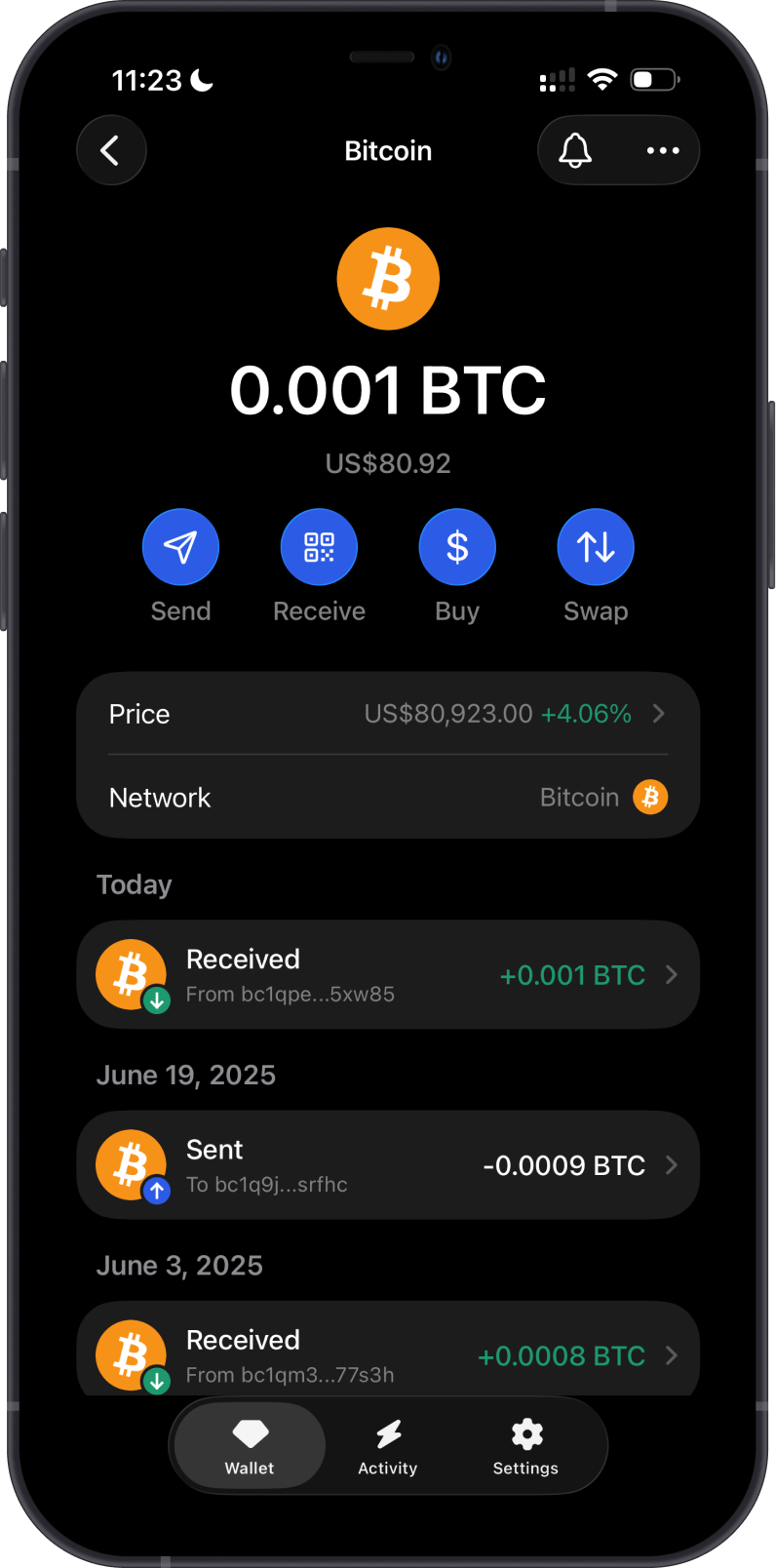
When you set up a new Multi-coin wallet, Gem Wallet creates a Bitcoin SegWit address for you. Bitcoin addresses in Gem Wallet begin with bc1q.
How to Buy or Receive Bitcoin with Gem Wallet?
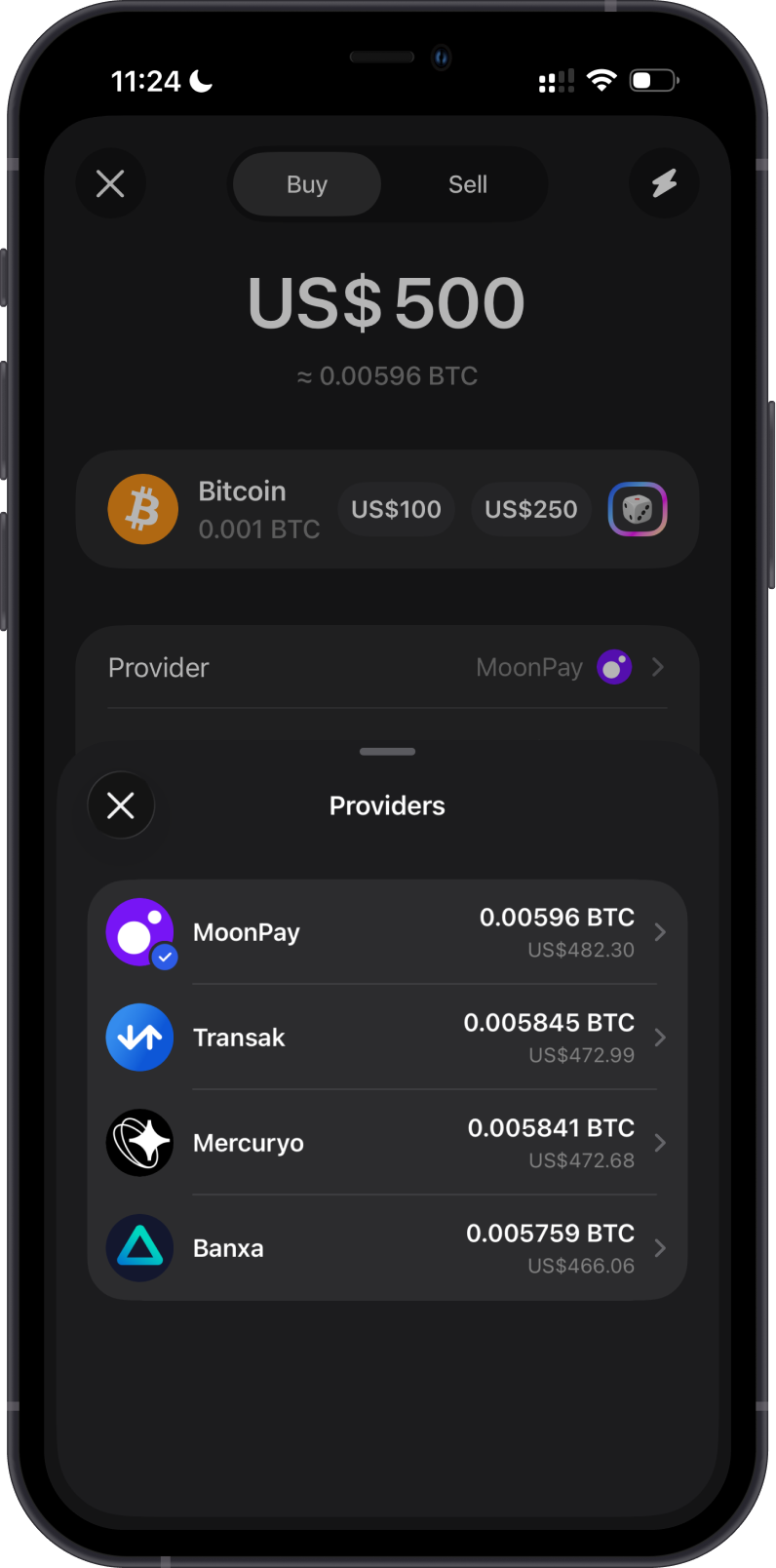
To buy BTC, open Bitcoin in Gem Wallet, tap Buy, enter the fiat amount, and select an available provider. Available providers, payment methods, limits, fees, and quoted amounts depend on your region and the provider.
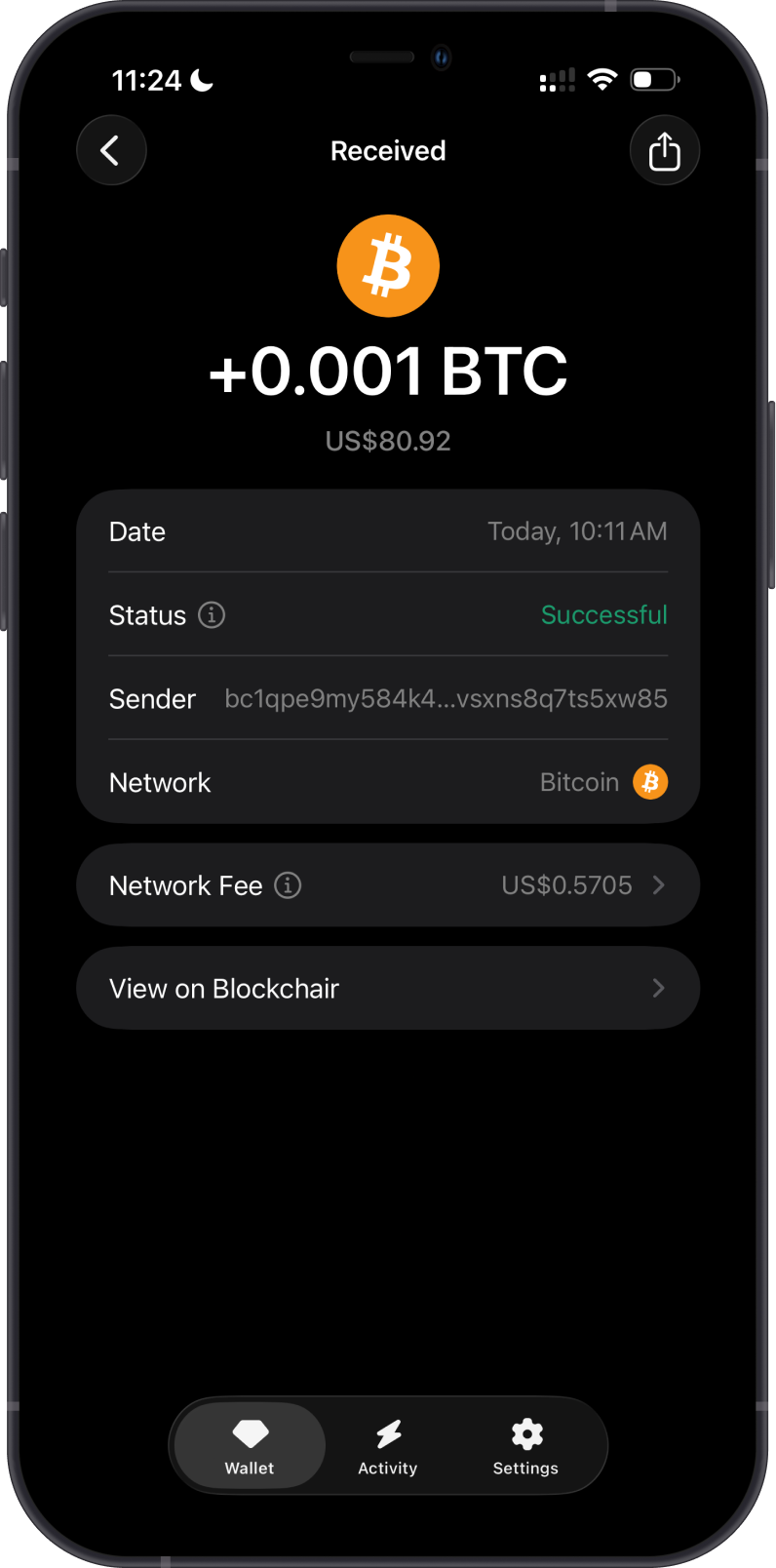
To receive BTC, open Bitcoin, tap Receive, then copy or share the address shown in Gem Wallet. Send only native BTC on the Bitcoin network to this address. Do not send BTC or similarly named assets from another network to a Bitcoin address.
How to Send Bitcoin from Gem Wallet?
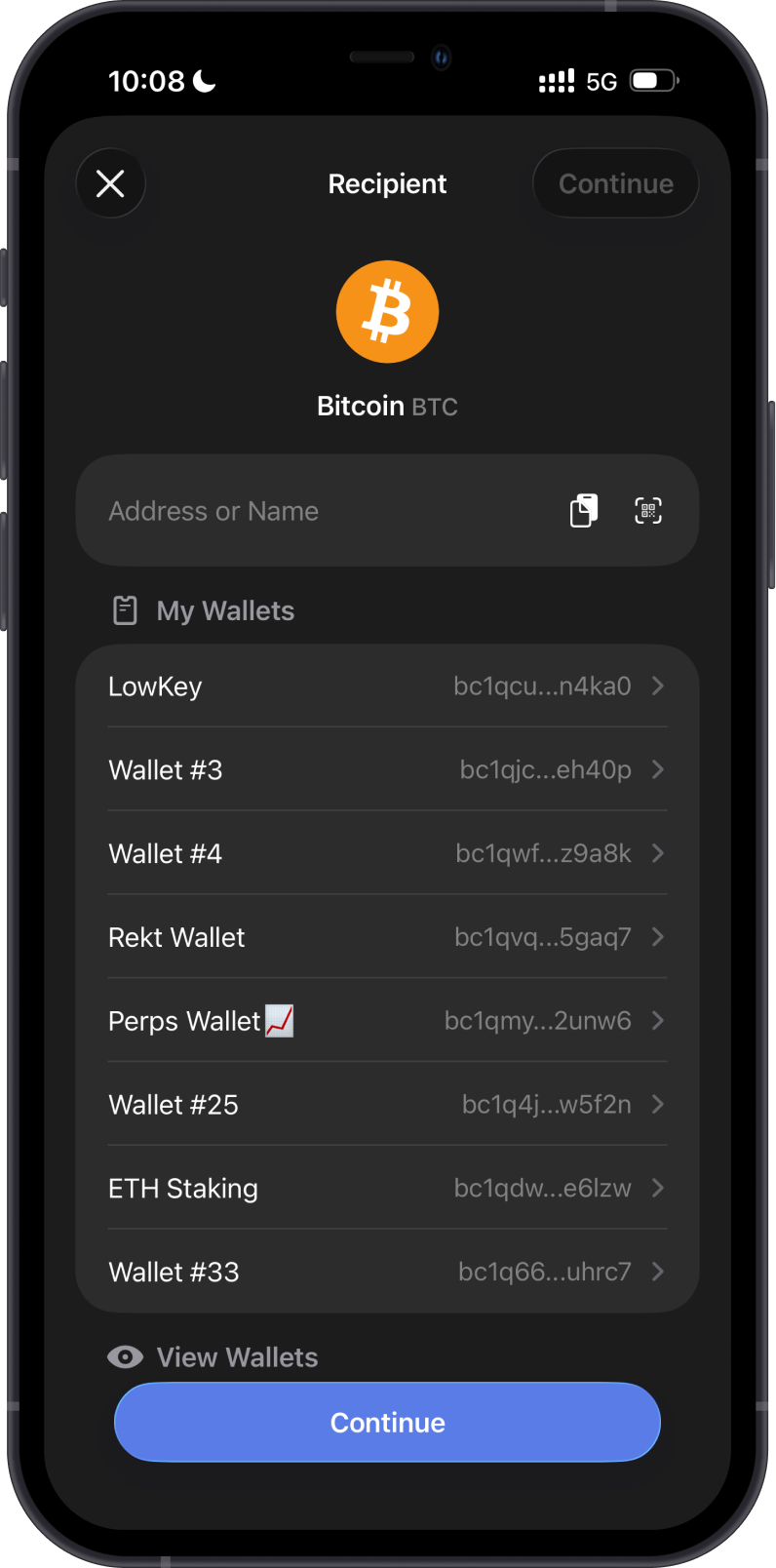
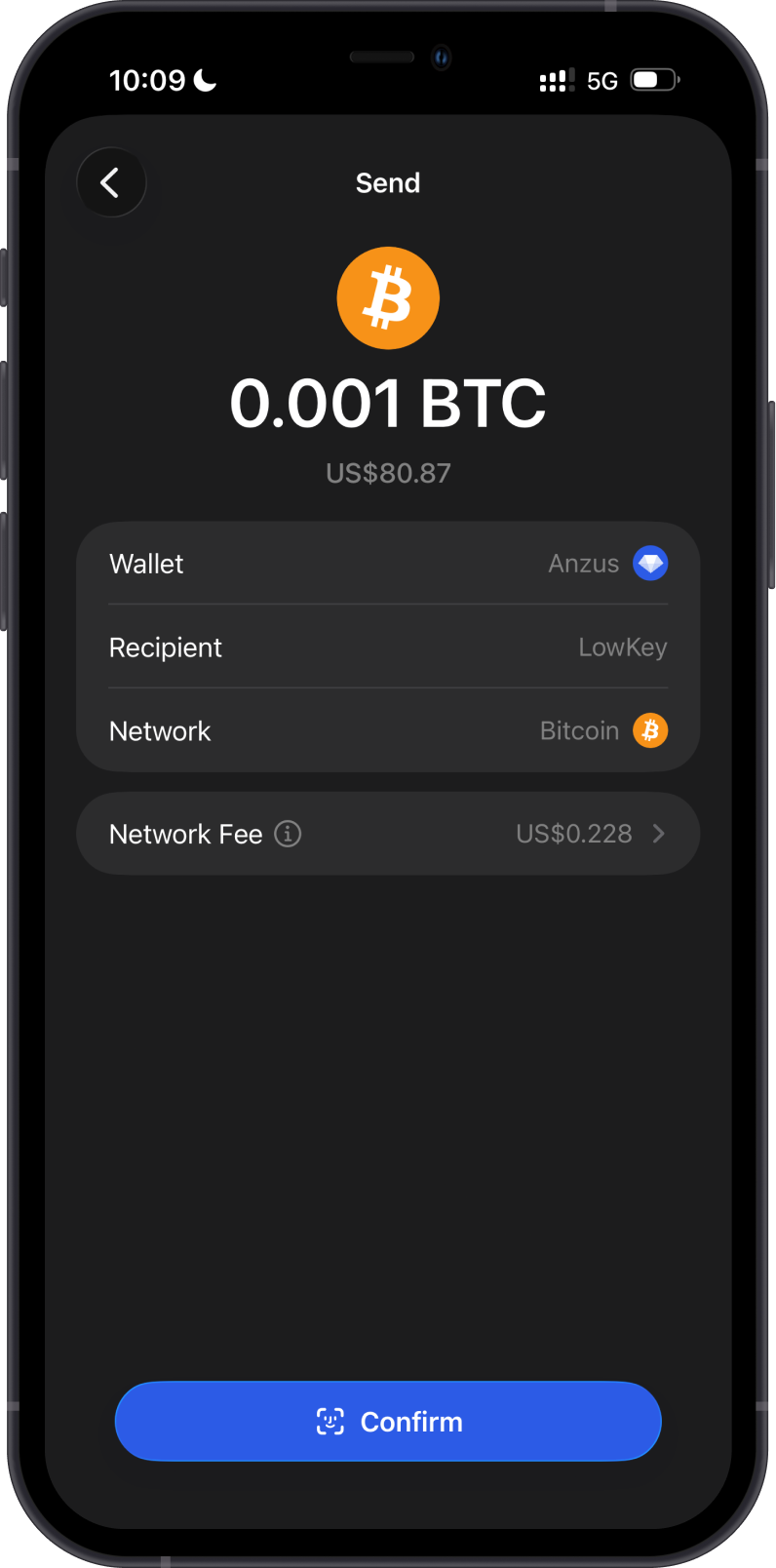
Open Bitcoin, tap Send, then enter the recipient address manually, paste it, scan its QR code, or select one of your wallets. Enter the BTC amount, review the recipient, network, and network fee, then confirm the transaction.
Gem Wallet can decode standard Bitcoin payment links and QR codes, including BIP-21 and BIP-321 bitcoin: URIs. A supported request can supply an on-chain Bitcoin address and payment details. Gem Wallet ignores unsupported Lightning, BOLT 12, silent-payment, and other instructions when a valid on-chain address is also present, and rejects a request that contains no usable on-chain address. Follow How to Use Bitcoin Payment Links and QR Codes for supported fields, scanning steps, and safety checks.
Always review the decoded address and amount in Gem Wallet before confirming. Scanning a QR code does not prove that its recipient is trustworthy.
Gem Wallet uses SegWit Bitcoin addresses and supports compatible SegWit recipient addresses. Always verify the complete recipient address before confirming. Bitcoin transactions cannot be reversed after broadcast.
Can I Swap Bitcoin on Gem Wallet?
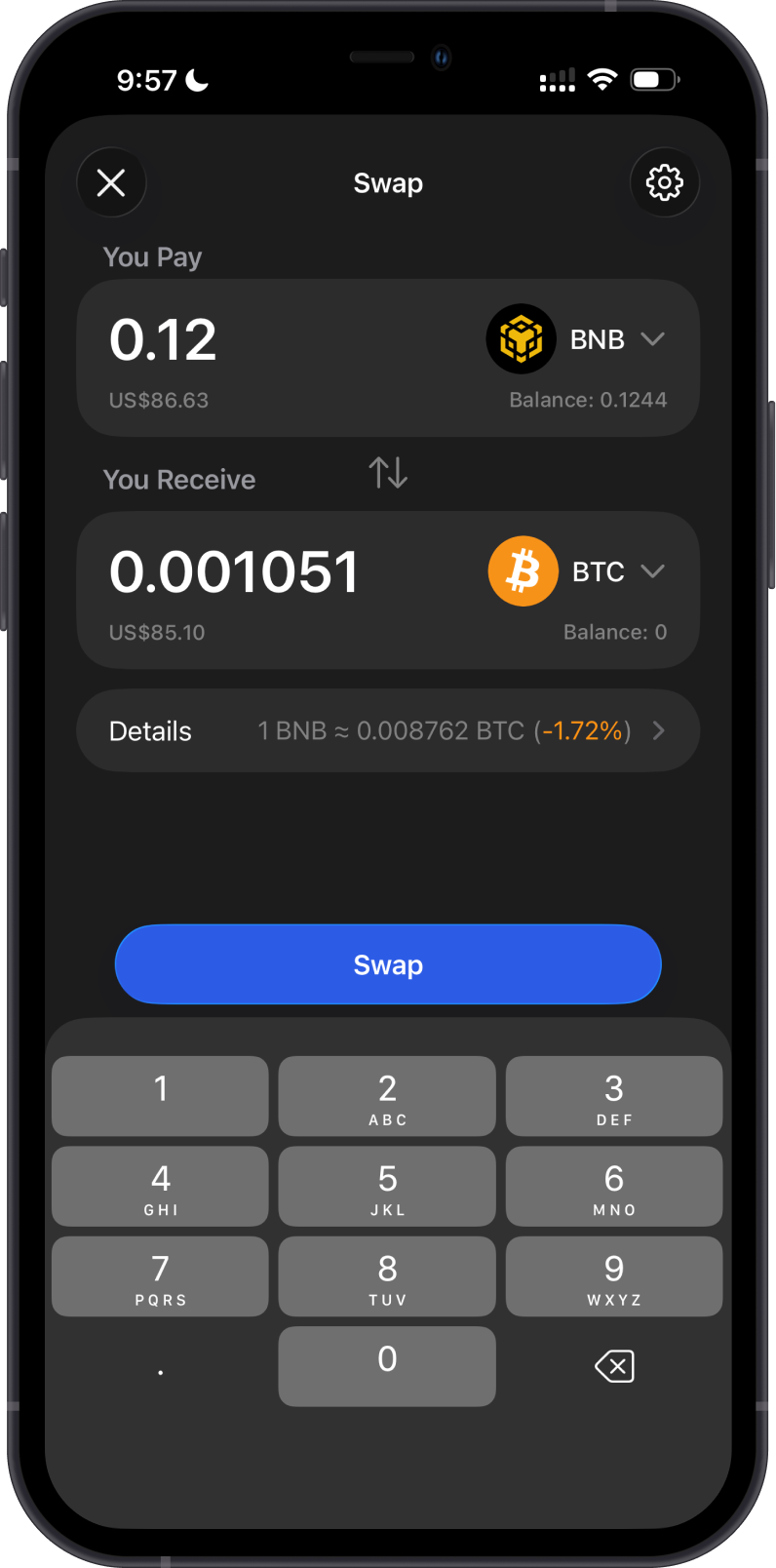
Gem Wallet displays cross-chain swap quotes to or from BTC for routes supported by its providers. Availability varies by asset, amount, provider, and market conditions.
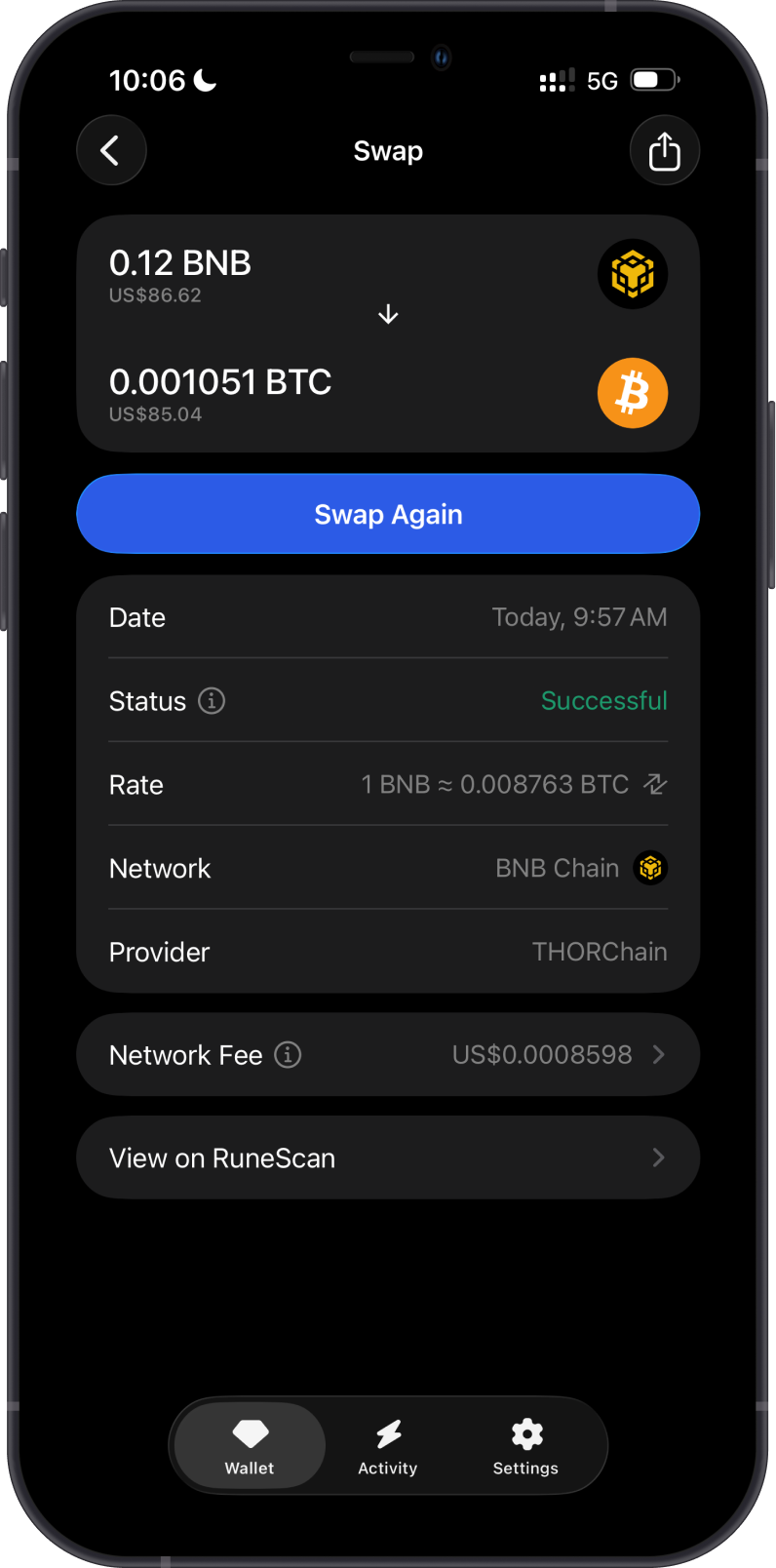
The first example below swaps BNB on BNB Chain to BTC. The completed transaction shows the selected provider, rate, destination amount, and status.
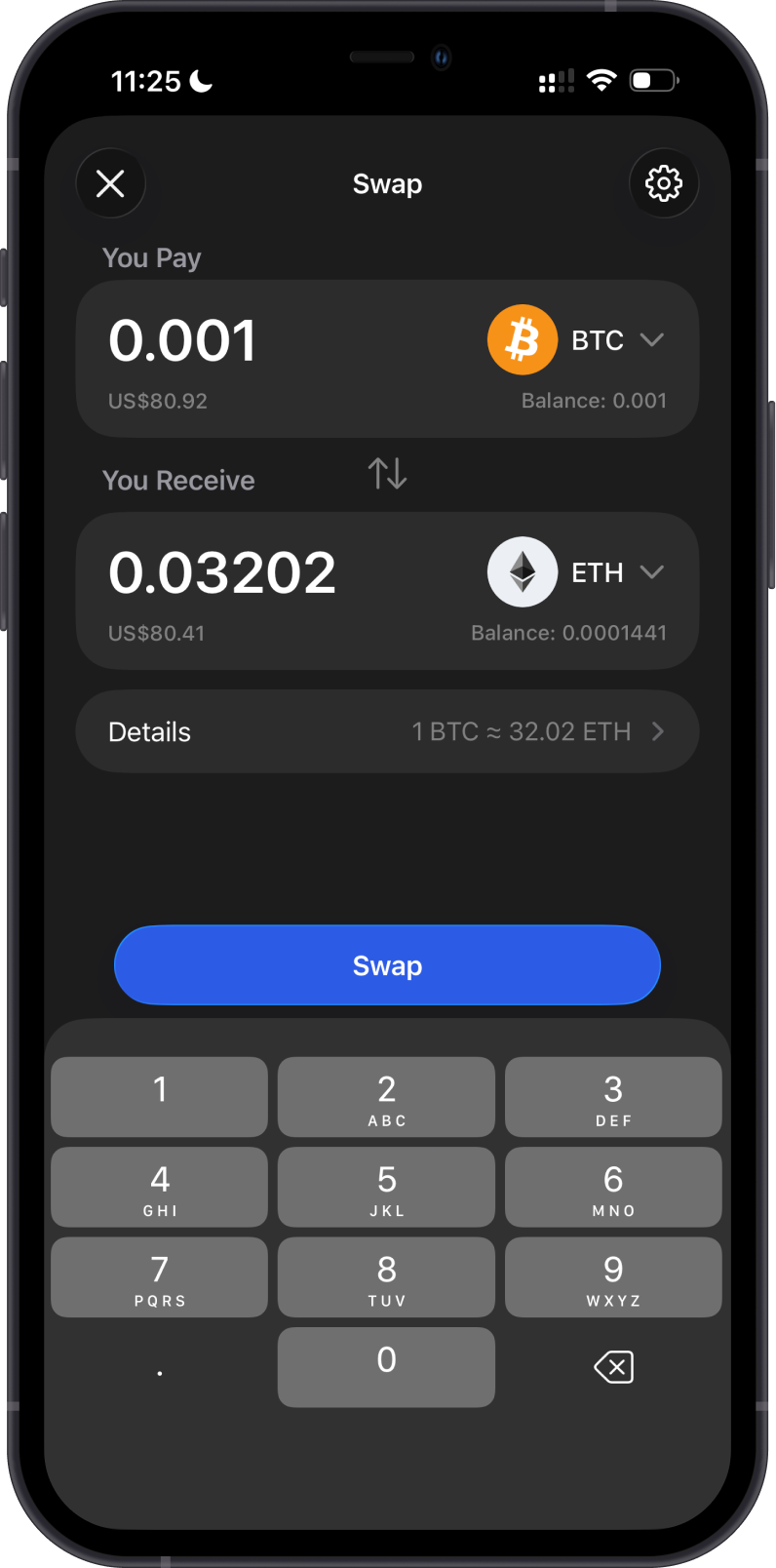
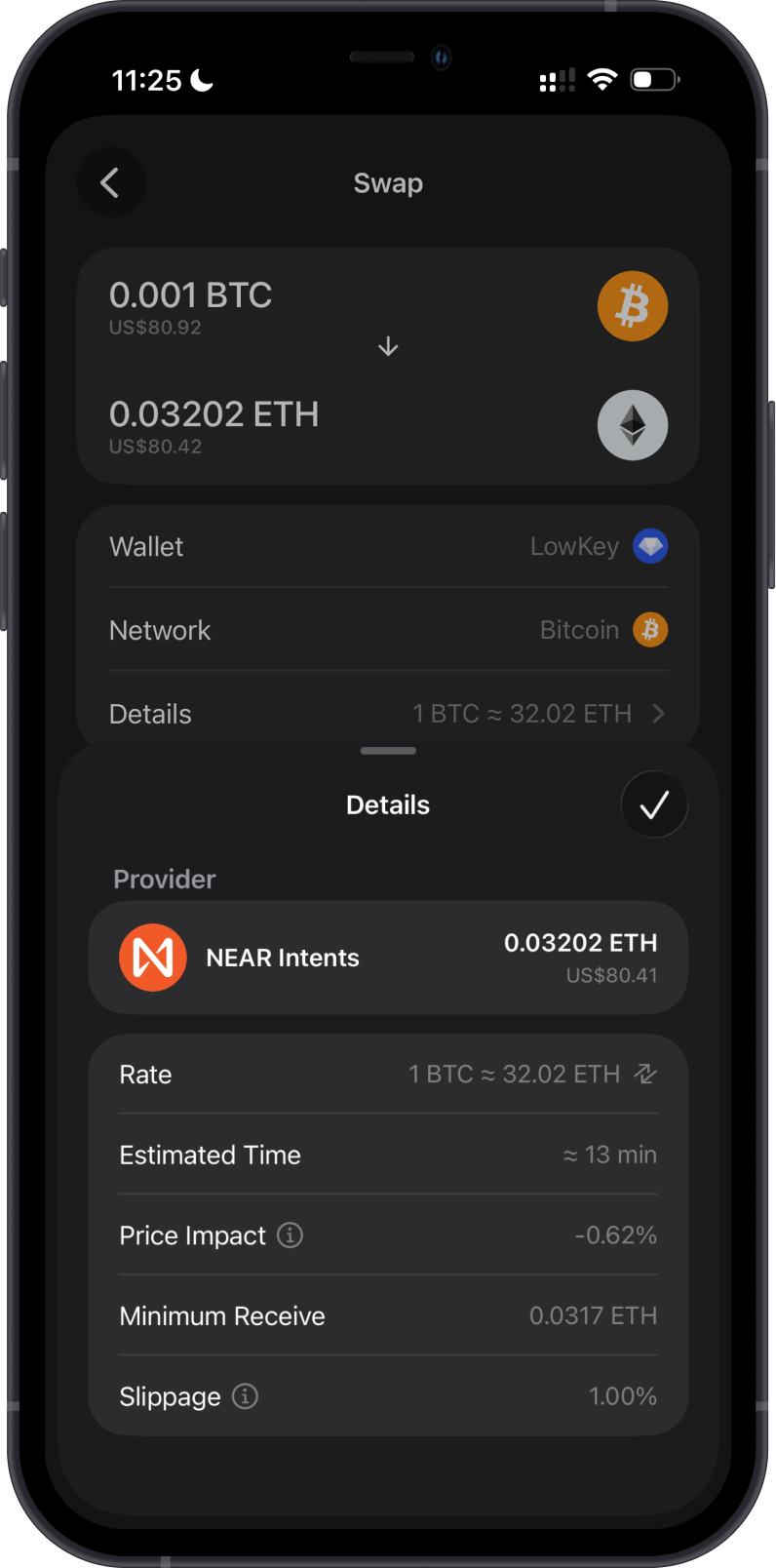
The second example swaps BTC to ETH. Review the provider, rate, estimated time, price impact, minimum received amount, slippage, and destination network before confirming.
Transaction Fees on the Bitcoin Blockchain
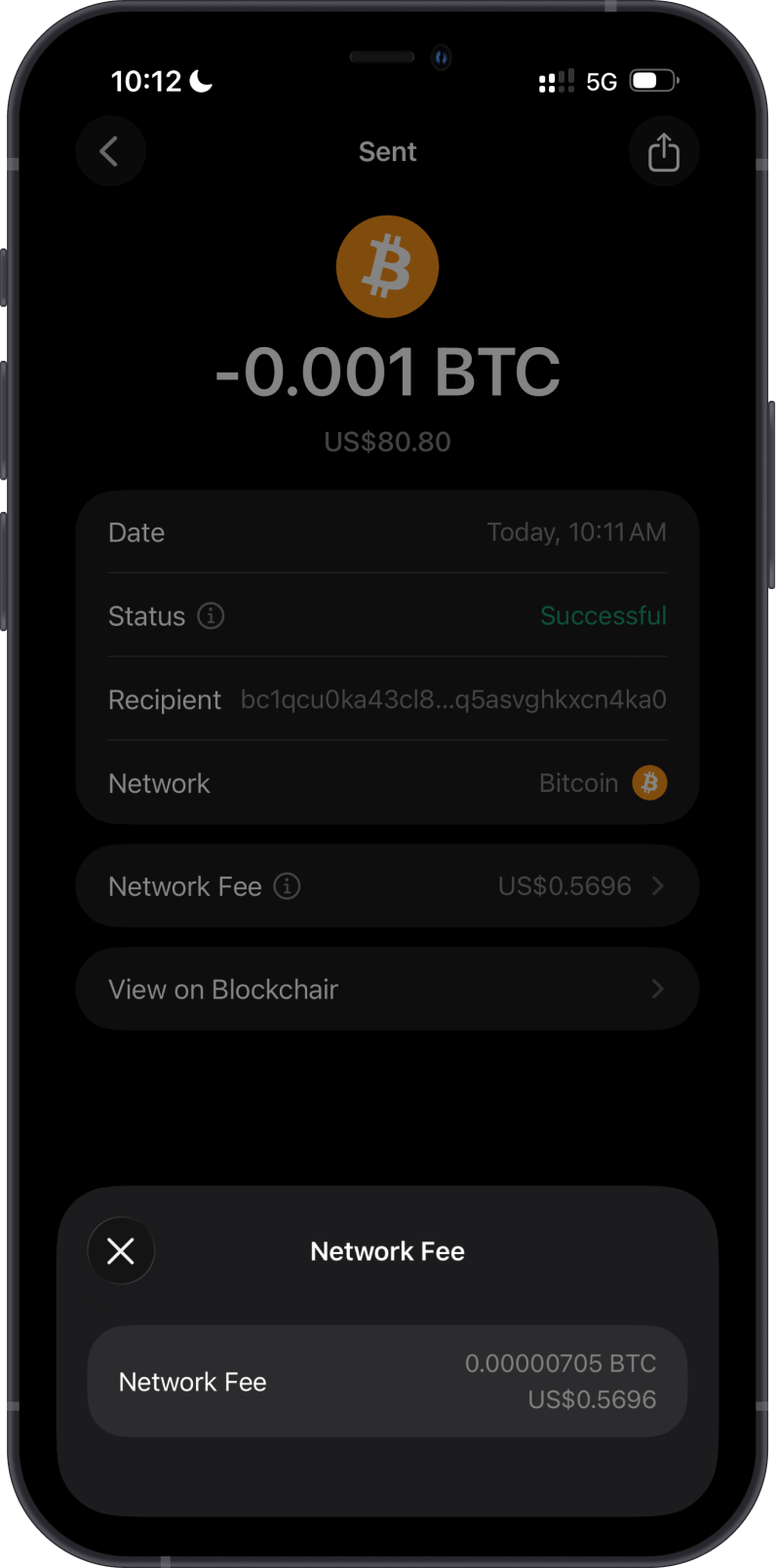
Bitcoin transaction fees are calculated from the selected fee rate in sat/vB and the transaction's virtual size. A transaction that spends more UTXOs or creates more outputs can be larger and cost more, even when the amount sent is small.
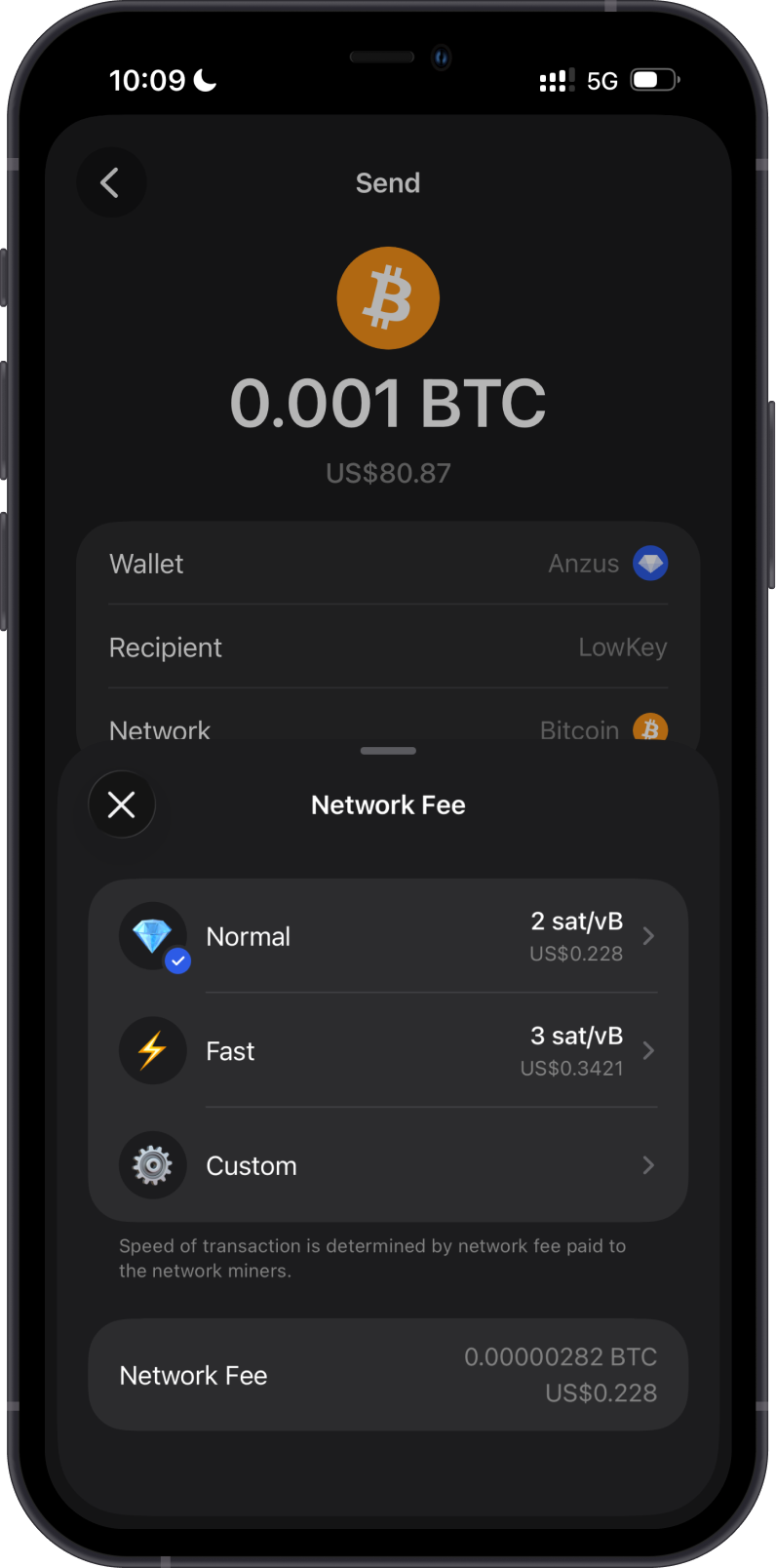
Tap Network Fee on the confirmation screen to select a Normal, Fast, or Custom fee rate. A higher rate can improve the likelihood of earlier confirmation during busy periods, but it does not guarantee a specific confirmation time. Gem Wallet calculates the total BTC fee before you send.
For a custom rate, follow the Bitcoin Custom Network Fees guide. You can use mempool.space to review current network conditions; it is a fee reference and Bitcoin explorer, not the source of the final fee shown in Gem Wallet.
How to Check Bitcoin Balance?
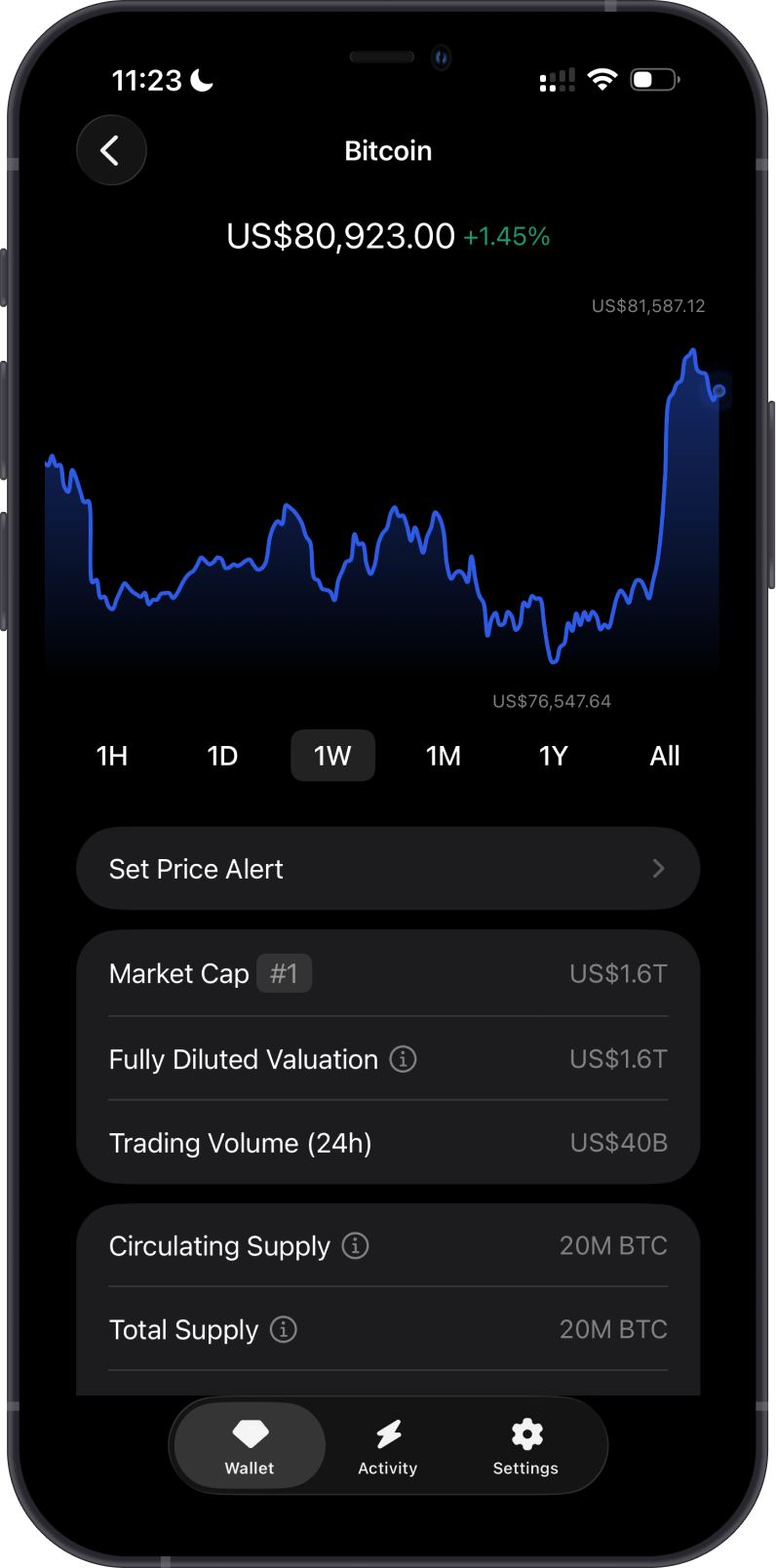
Gem Wallet displays your BTC balance and address activity. Open the Bitcoin asset menu and select View address on Blockchair to inspect the public address in the blockchain explorer.
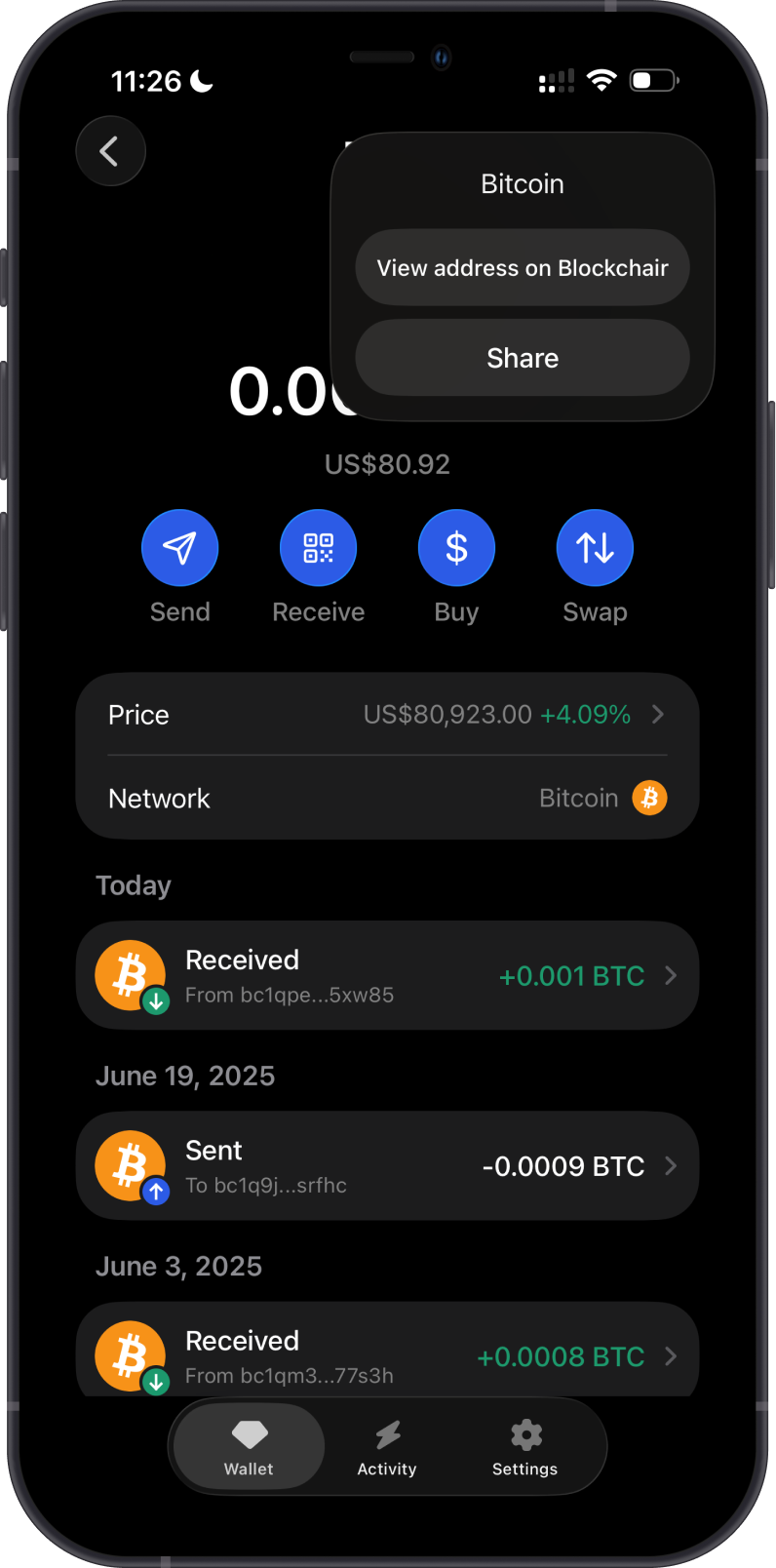
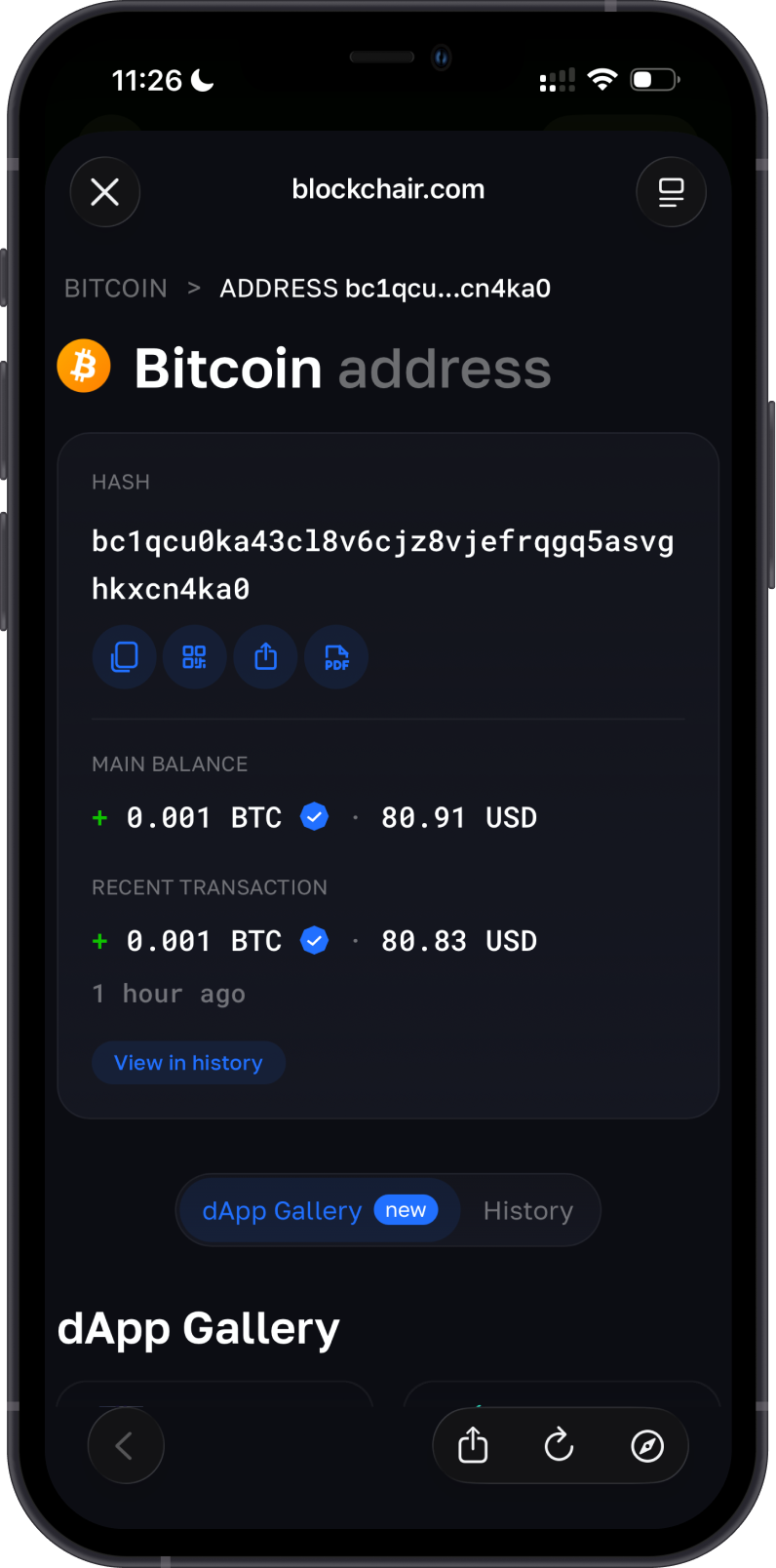
Blockchair is the default Bitcoin explorer in Gem Wallet. Search for a Bitcoin address or transaction ID to review public balances, transaction status, confirmations, fees, and fee rates.
Why Choose Gem Wallet for Bitcoin?
- Self-Custody: You retain control of your BTC and private keys.
- SegWit Support: Receive BTC with the wallet's SegWit address and send to compatible recipient addresses.
- Buy and Cross-Chain Swaps: Compare available provider quotes for buying BTC or swapping supported assets to or from BTC.
- Fee Controls: Review Normal, Fast, and Custom fee-rate options before broadcasting a transaction.
- Explorer Access: Open an address or transaction in Blockchair for additional public-chain details.
Conclusion
Gem Wallet provides a self-custodial way to buy, manage, send, receive, and cross-chain swap BTC. Review the recipient, network, and total fee before sending, and use an appropriate fee rate for the urgency of your transaction.