Algorand (ALGO)
What is Algorand?
Here are 5 key points about Algorand:
- Fast finality: Algorand transactions are designed to finalize in a single round. Once confirmed, they do not rely on the additional probabilistic confirmations common on proof-of-work networks.
- Pure Proof-of-Stake: Consensus participants are selected from ALGO holders rather than miners, allowing the network to operate without proof-of-work mining.
- ALGO has a practical network role: The native asset pays transaction fees and supplies the minimum-balance reserves required for an active account and opted-in assets.
- Native asset support: Algorand Standard Assets (ASAs) are issued directly on the network for tokens and stablecoins. An address must opt in before it can receive a particular ASA.
- Atomic transactions: Related transfers and application actions can be grouped so that every action succeeds together or the entire group fails, which is useful for exchanges and on-chain applications.
Learn more about Algorand with Gem Wallet: What Is the Algorand Blockchain?
Algorand Support in Gem Wallet
Gem Wallet can be used to:
- Buy ALGO through available third-party fiat providers.
- Hold, send, and receive native ALGO.
- Add and activate supported Algorand Standard Assets (ASAs).
- Swap supported assets to or from ALGO with Cross-Chain Swap.
- Review address activity and open transactions in Allo.
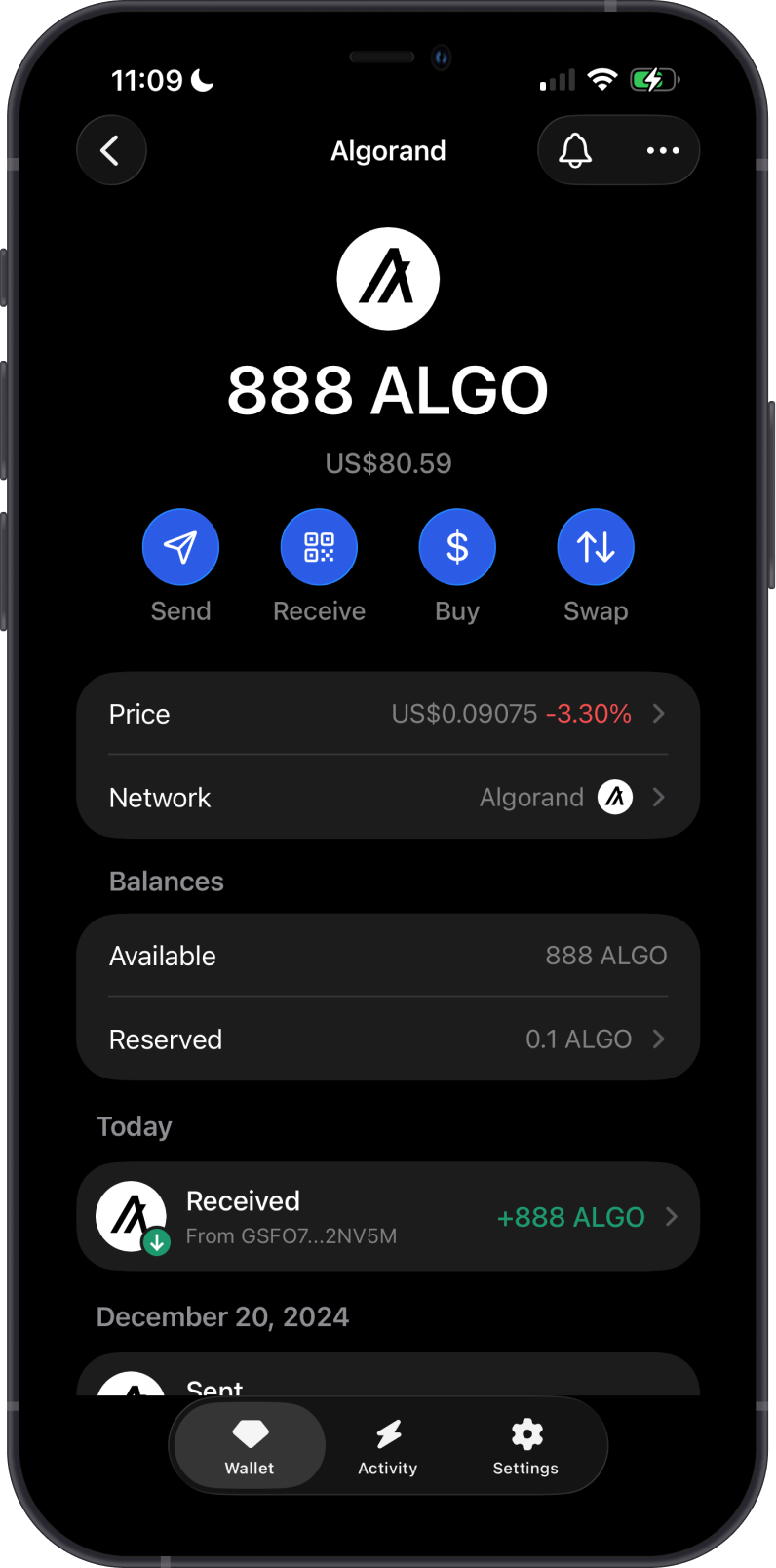
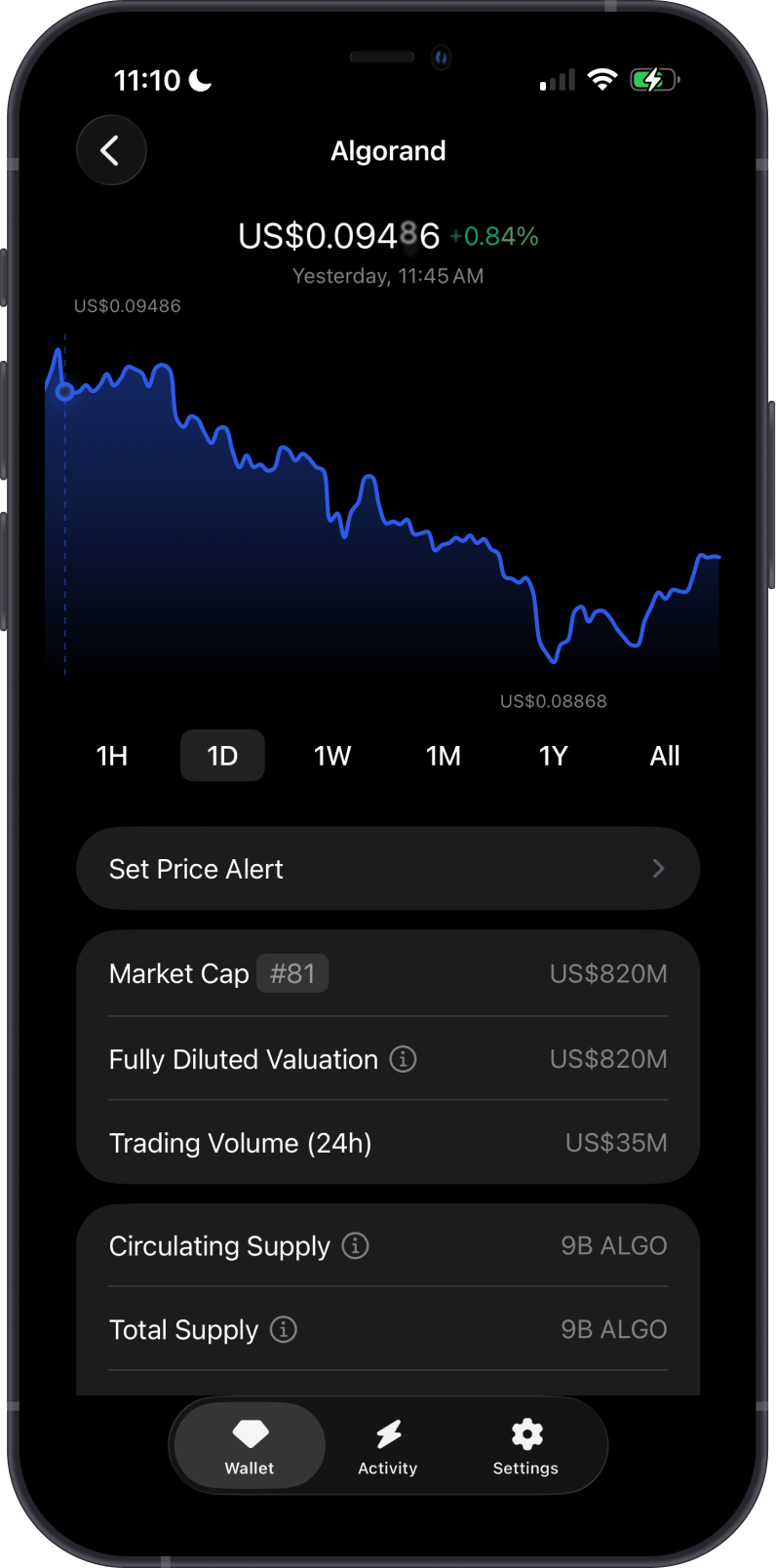
How to Add an Algorand Wallet?
To add an Algorand wallet in Gem Wallet, use the search button at the top of the main wallet screen, search for Algorand, then select Add to wallet. You can pin it to keep it at the top of the wallet list.
When you set up a new Multi-coin wallet, Gem Wallet creates an Algorand address for you. An Algorand account needs at least 0.1 ALGO as its minimum balance. This is a network reserve, not a transaction fee; it remains in the account while the account is active.
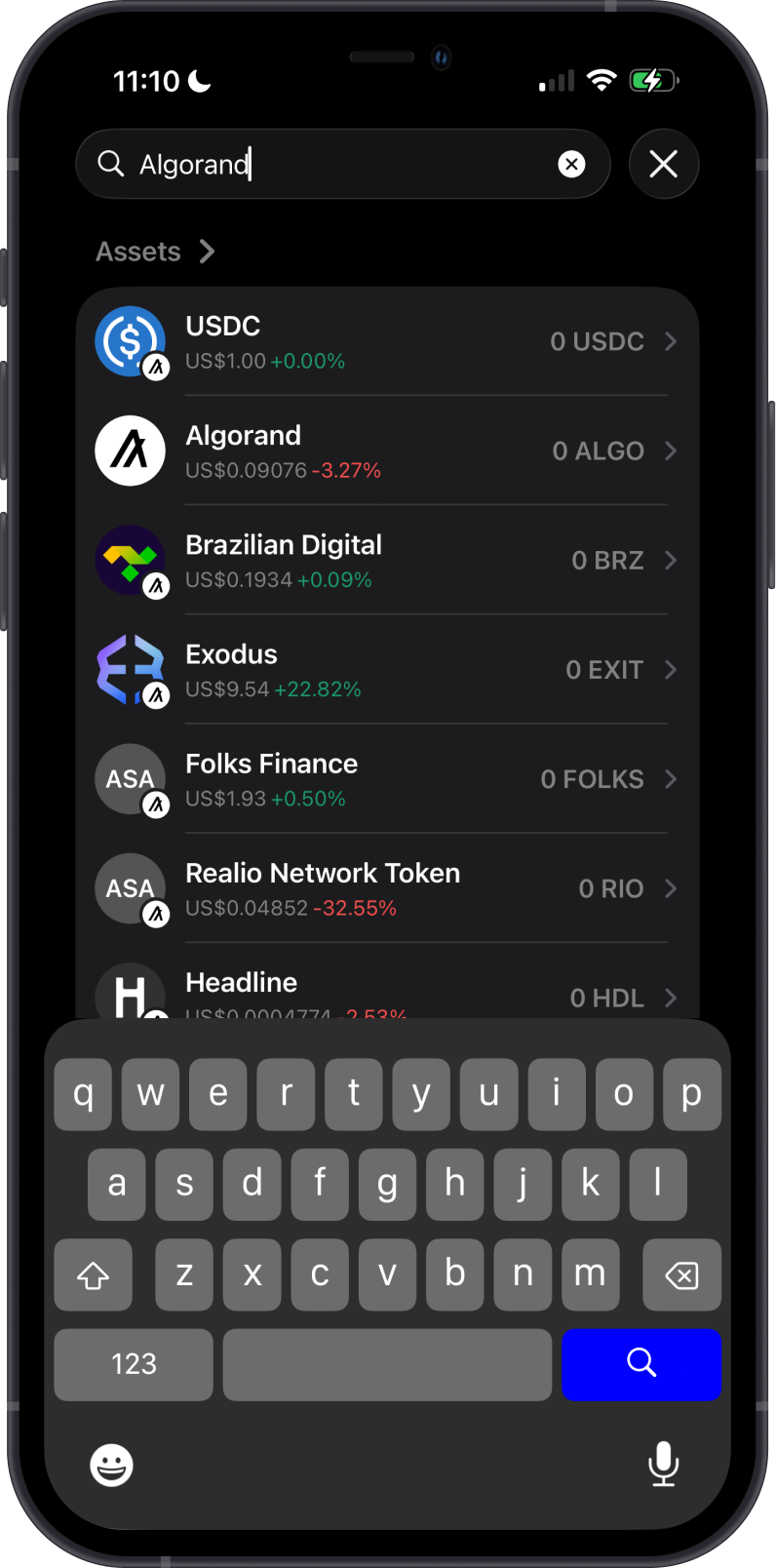
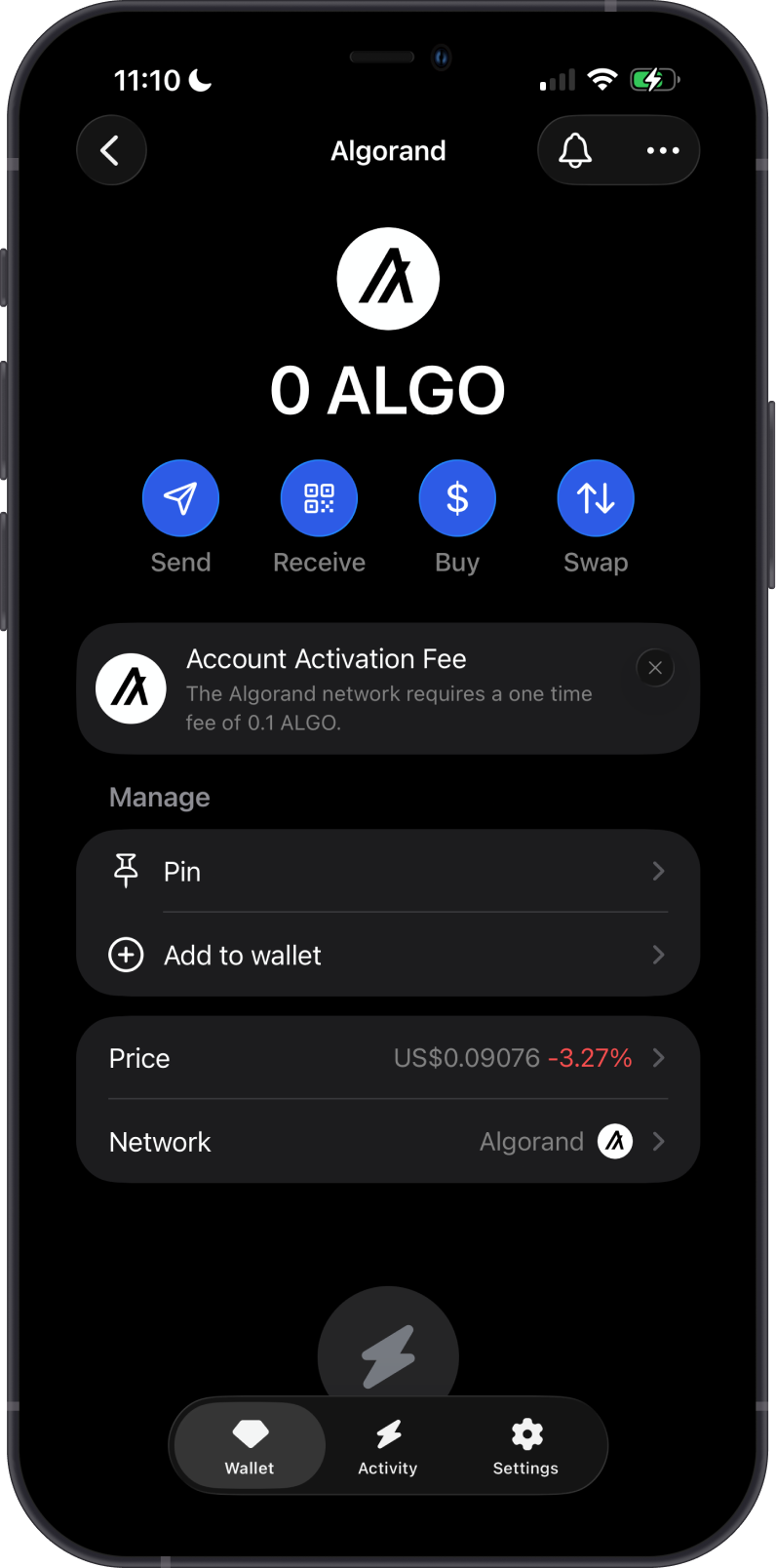
How to Add an Algorand Standard Asset?
Supported Algorand Standard Assets are managed separately from ALGO. The quickest way to find one is to tap the Search button in the upper-right corner of the main wallet screen and search for the asset.
Alternatively, scroll to the bottom of the main wallet screen and select Manage Tokens. From there, search for an asset or tap the filter icon and set the network to Algorand before enabling it.
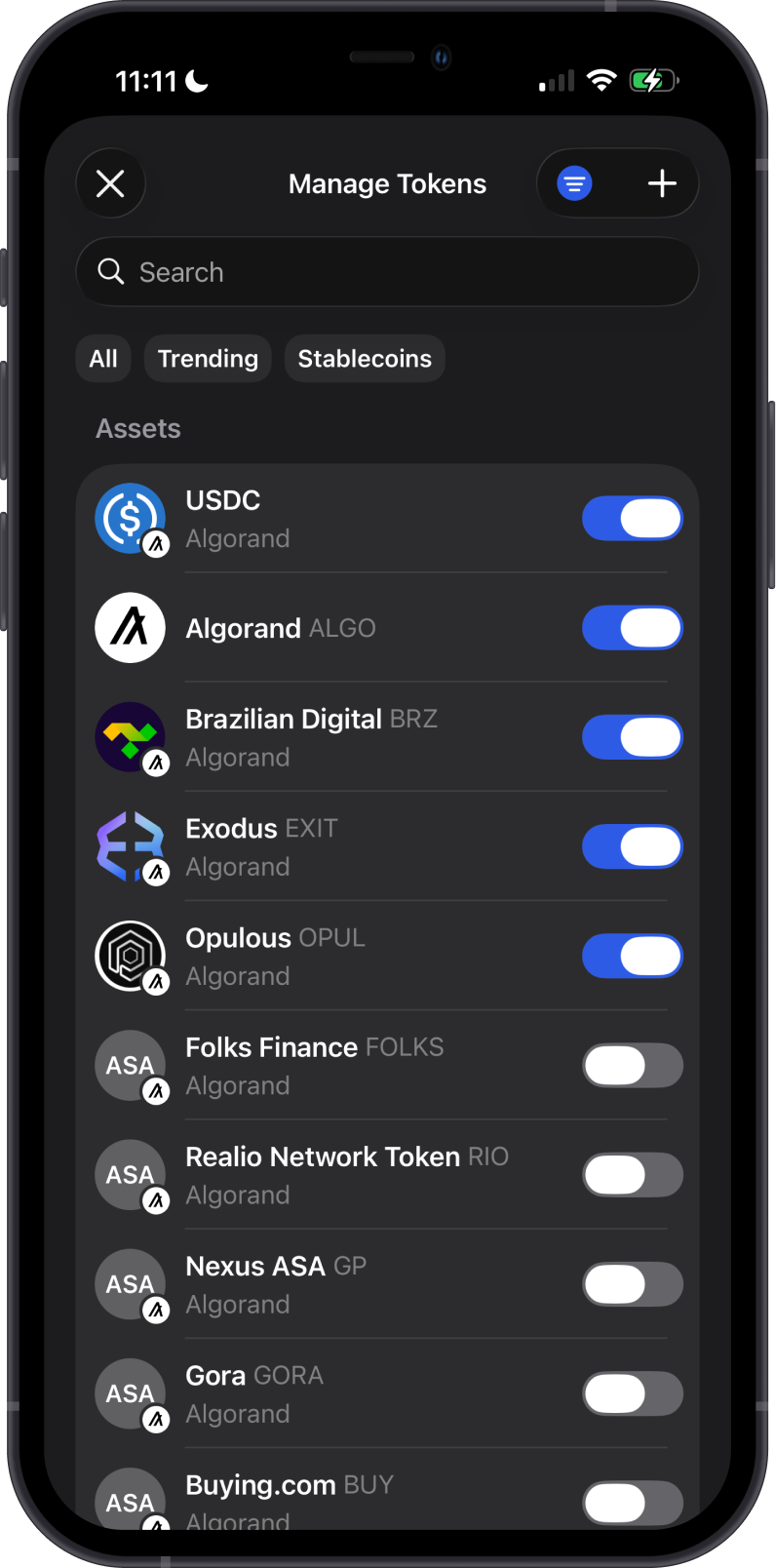
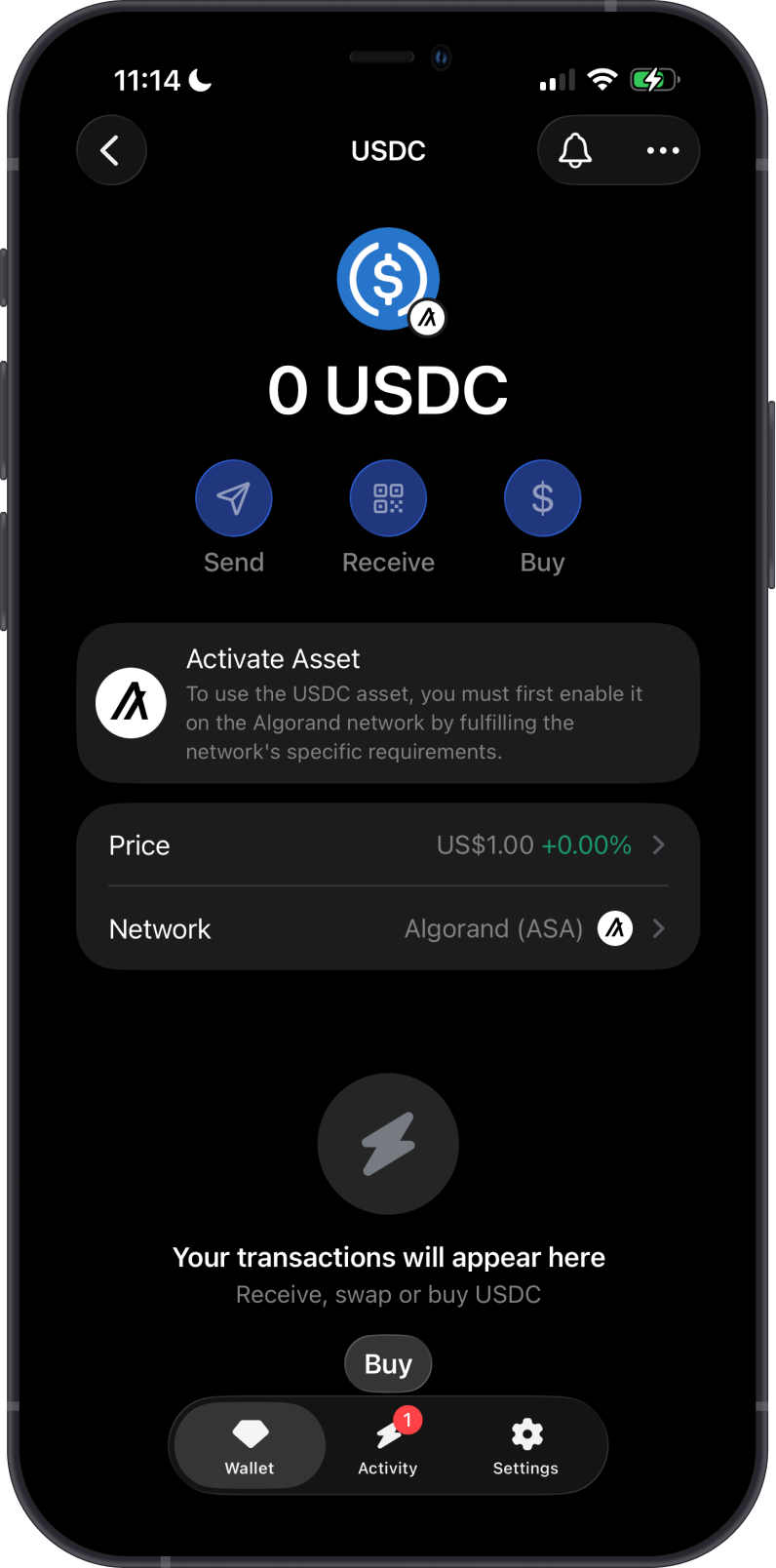
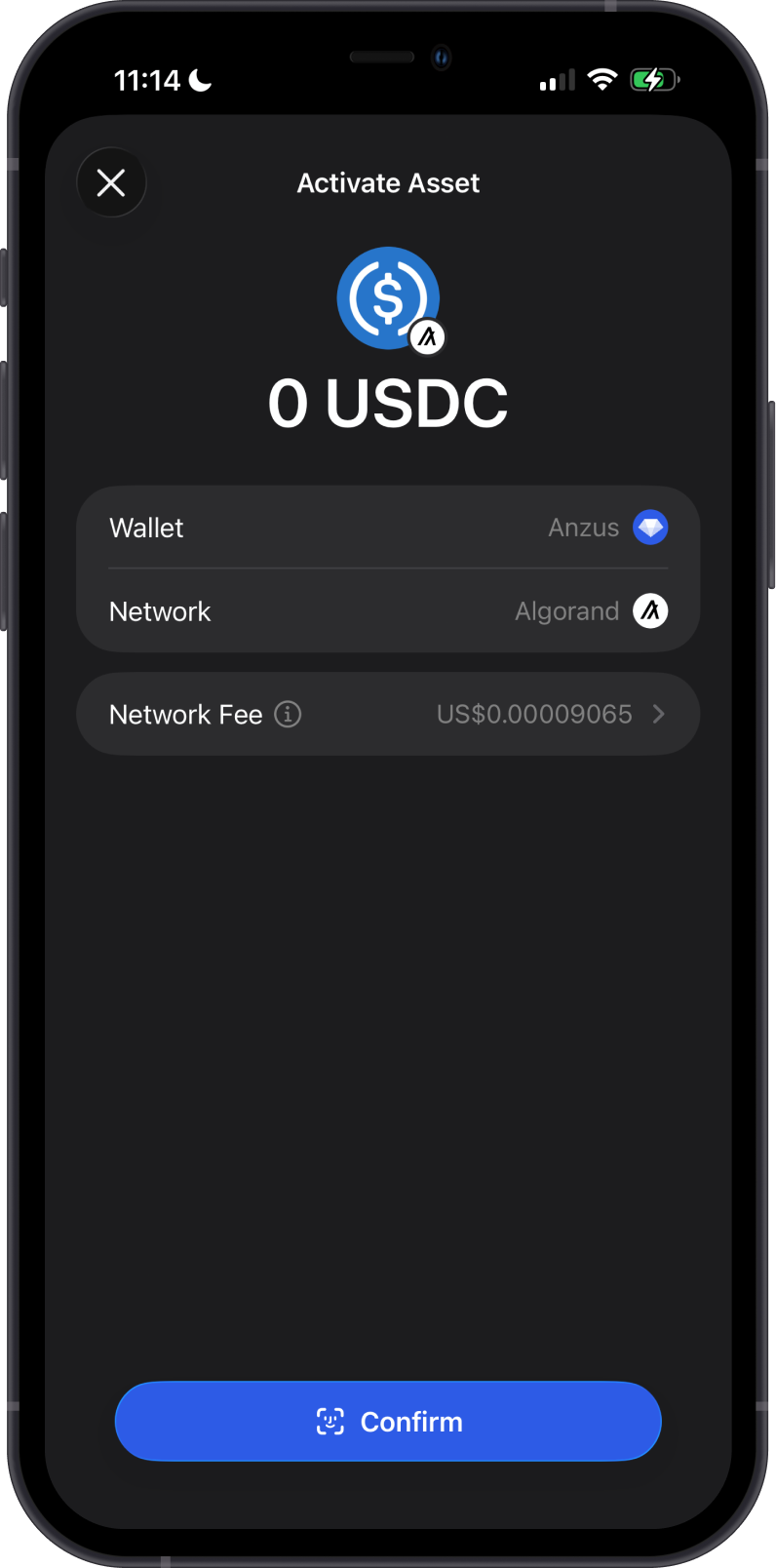
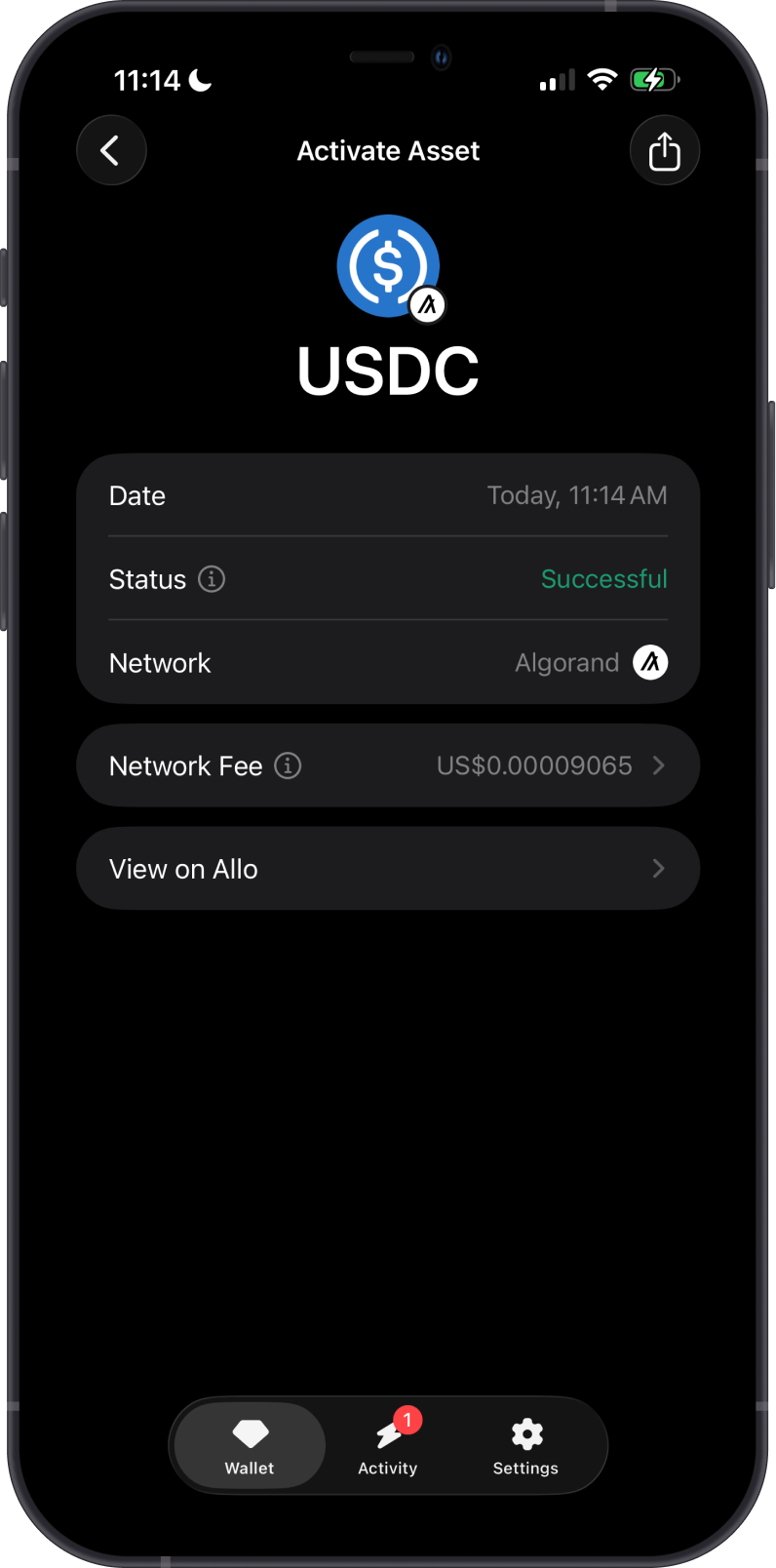
Before an Algorand address can receive an ASA, it must be activated for that specific asset. Activating an ASA creates an on-chain opt-in transaction and increases the account's minimum balance by 0.1 ALGO for as long as the asset remains opted in. Gem Wallet shows the network fee before confirmation.
How to Buy or Receive Algorand with Gem Wallet?
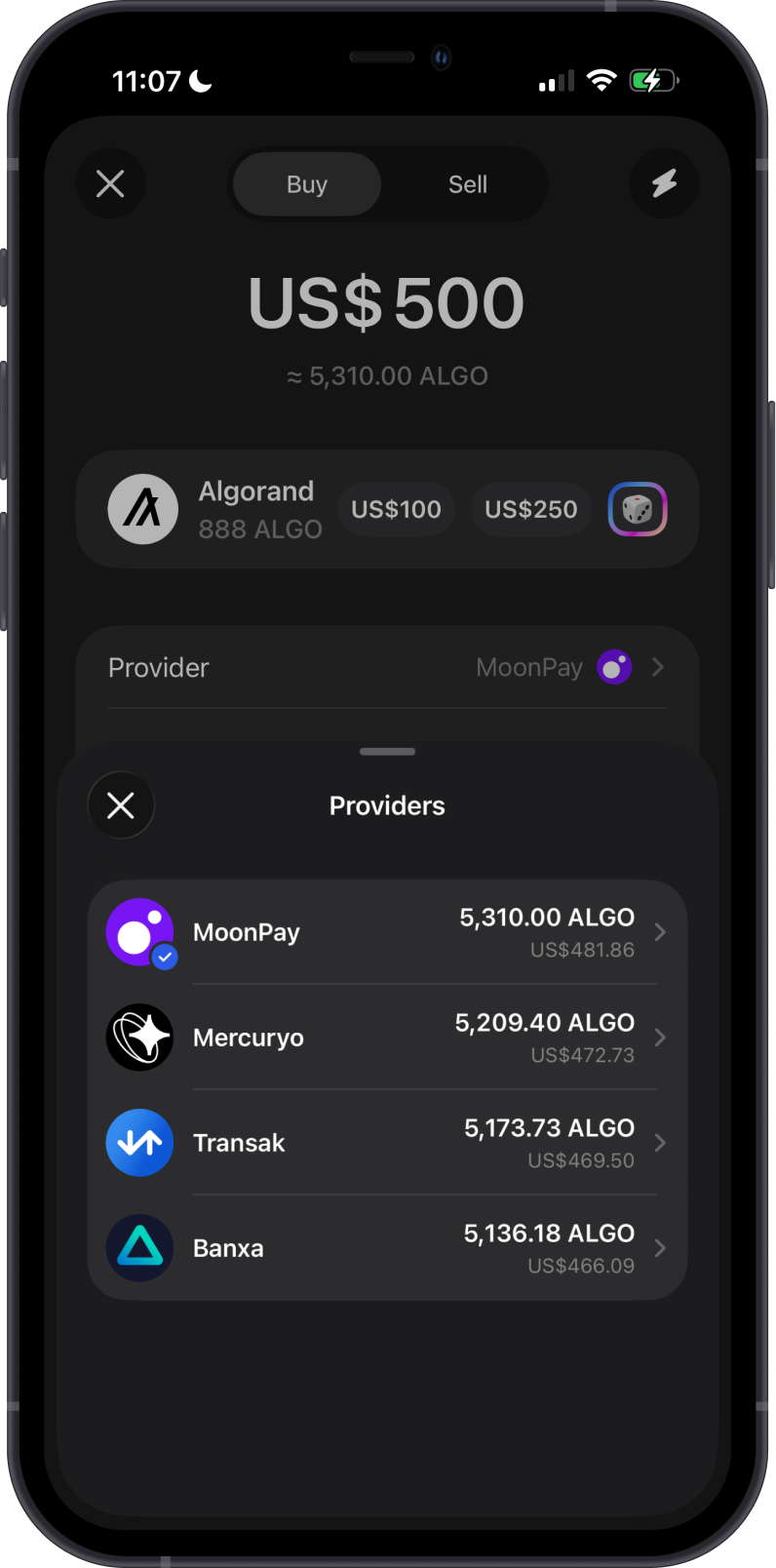
To buy ALGO, open the Algorand asset, tap Buy, enter the fiat amount, and select an available provider. Available providers, payment methods, limits, fees, and quoted amounts depend on your region and the provider.
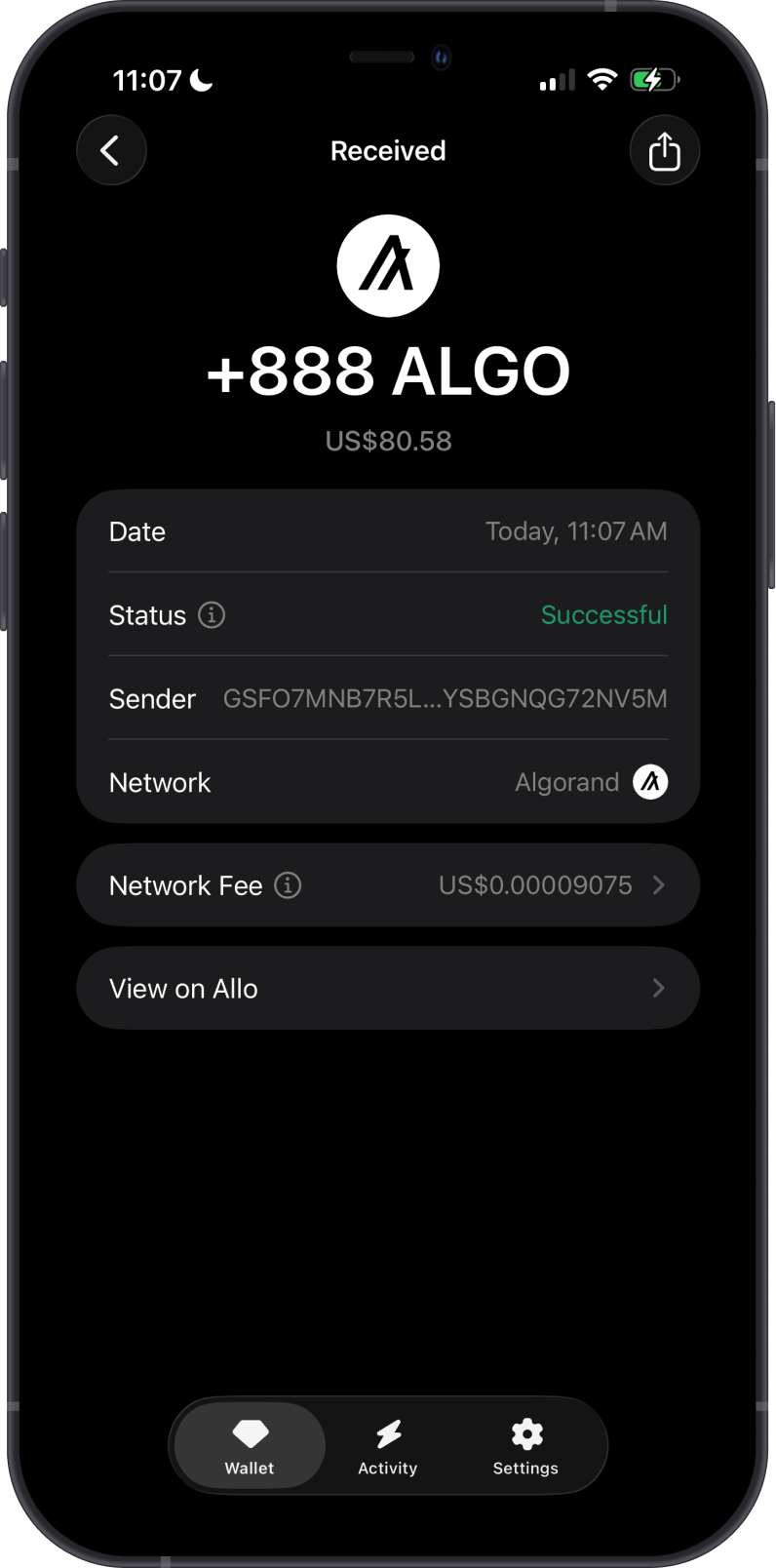
To receive ALGO, open the asset, tap Receive, then copy or share the Algorand address shown in Gem Wallet. Send only native ALGO on the Algorand network to this address. If you are receiving an ASA, activate that specific asset before the sender transfers it.
How to Send Algorand from Gem Wallet?
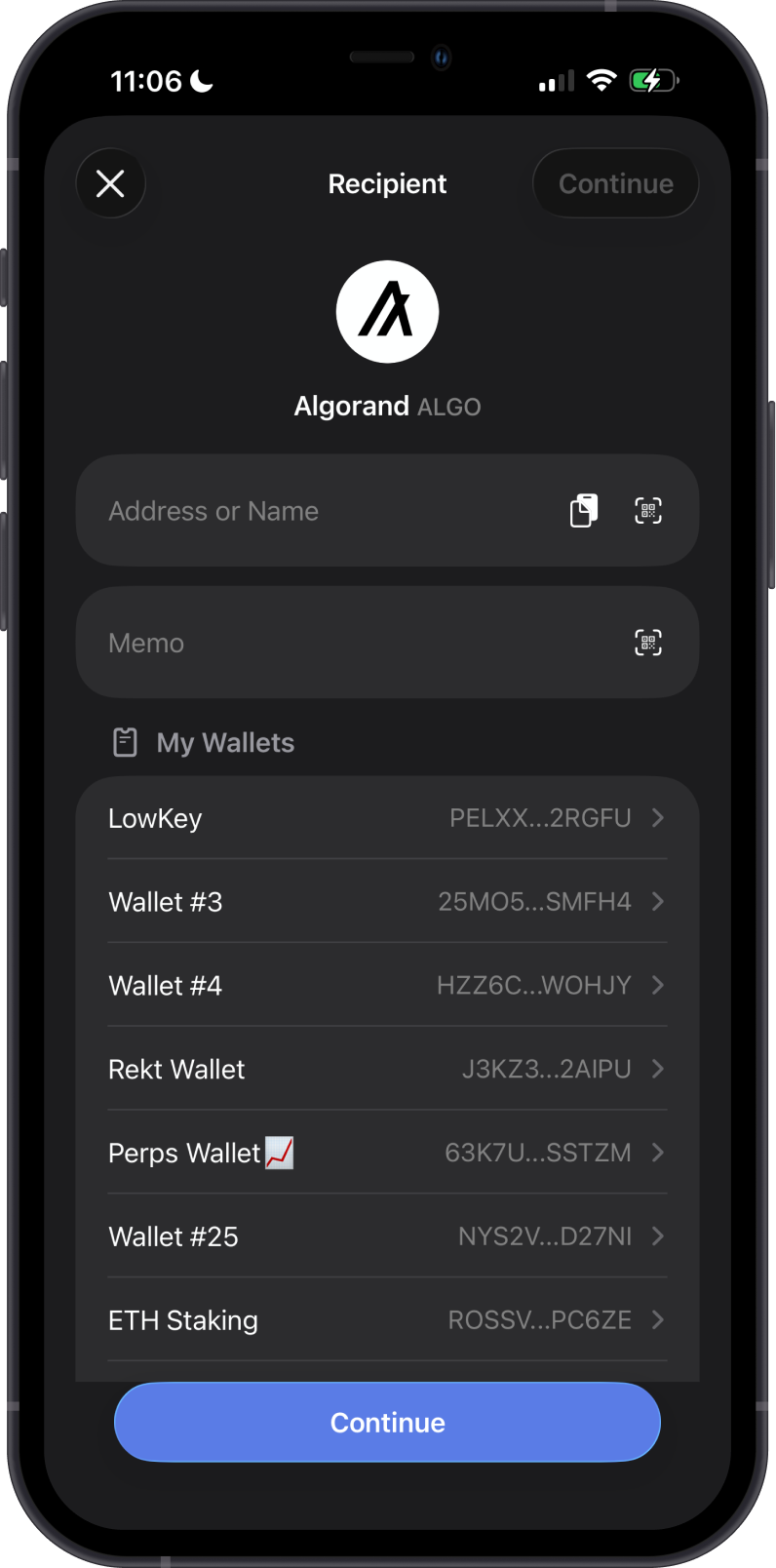
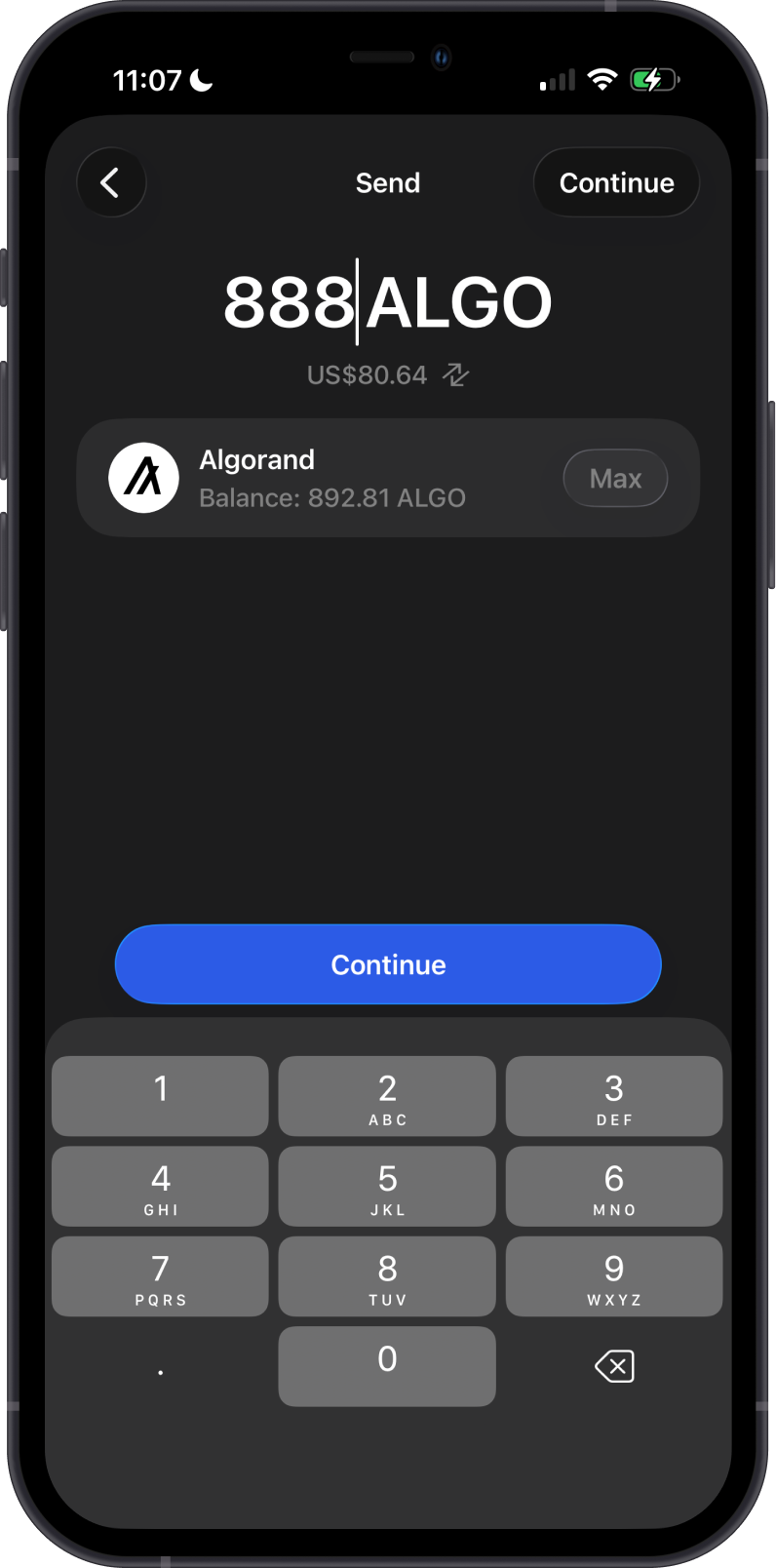
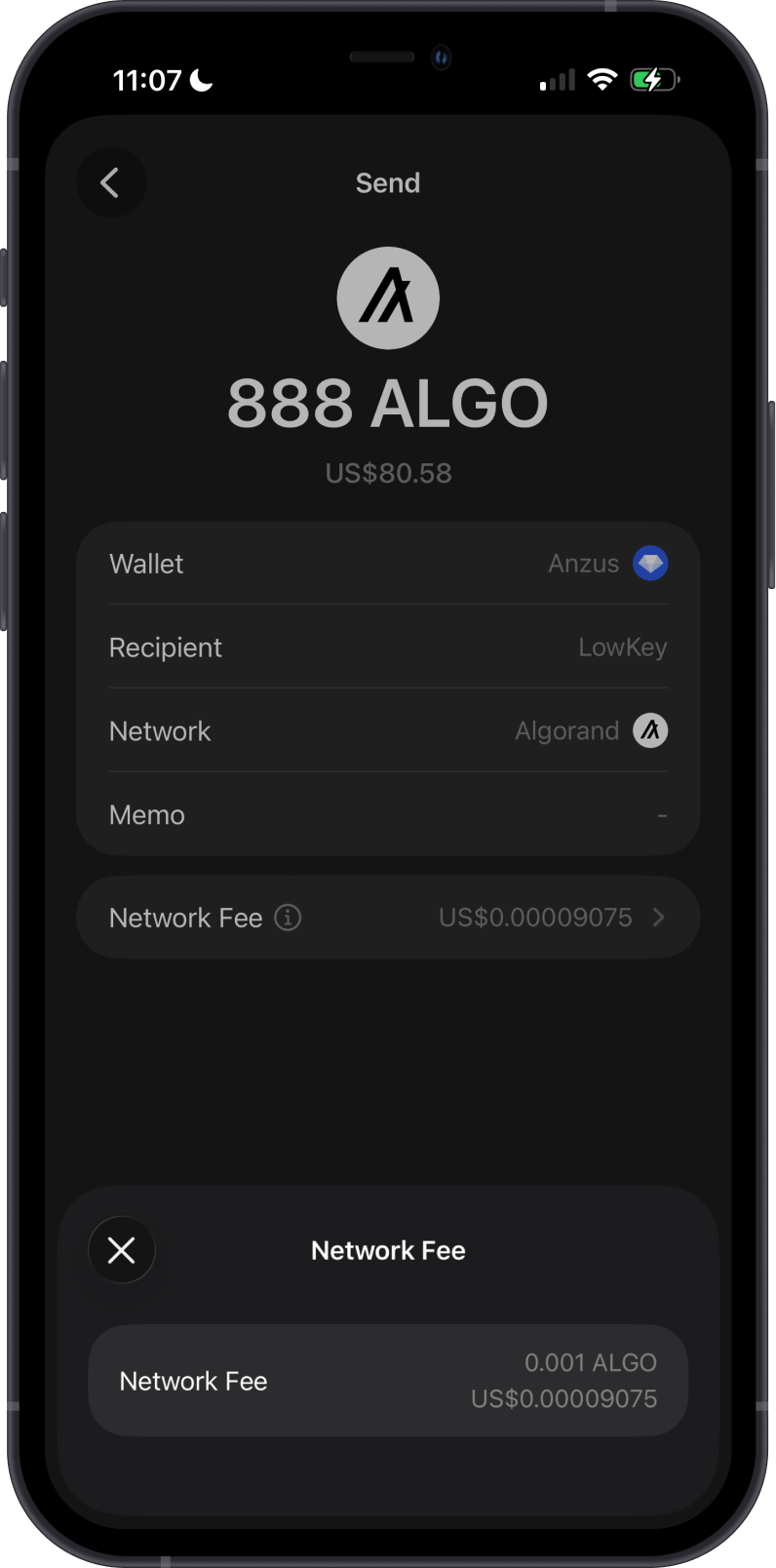
Open Algorand, tap Send, then enter the recipient address manually, paste it, scan its QR code, or select one of your wallets. Enter the amount, review the recipient, network, memo, and network fee, then confirm the transaction.
The memo field is optional for a regular wallet-to-wallet ALGO transfer. If a receiving exchange or service provides a memo or reference, use it exactly as instructed. Make sure the recipient can receive ALGO or has already opted in to the ASA you are sending.
Can I Swap ALGO on Gem Wallet?
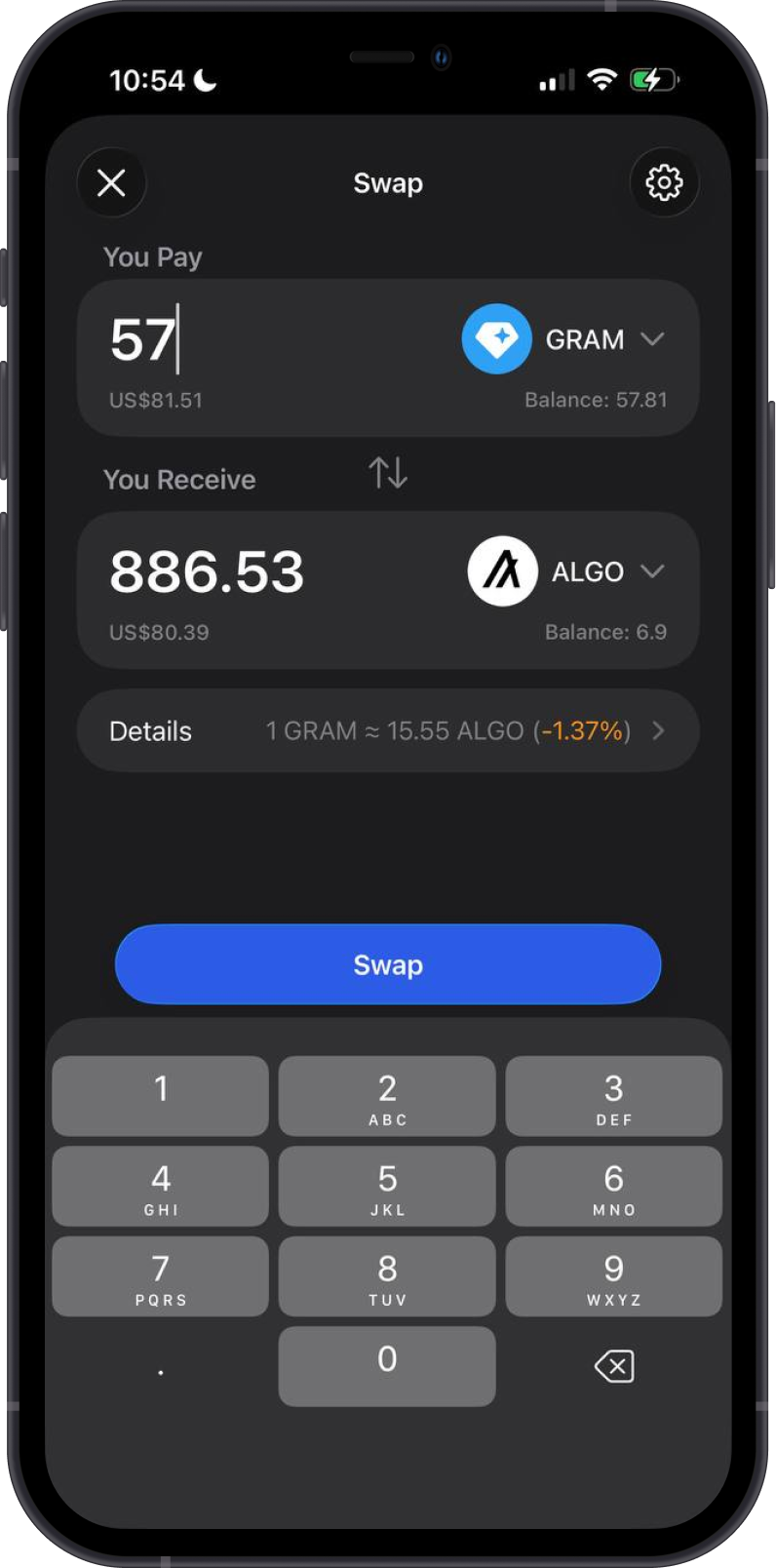
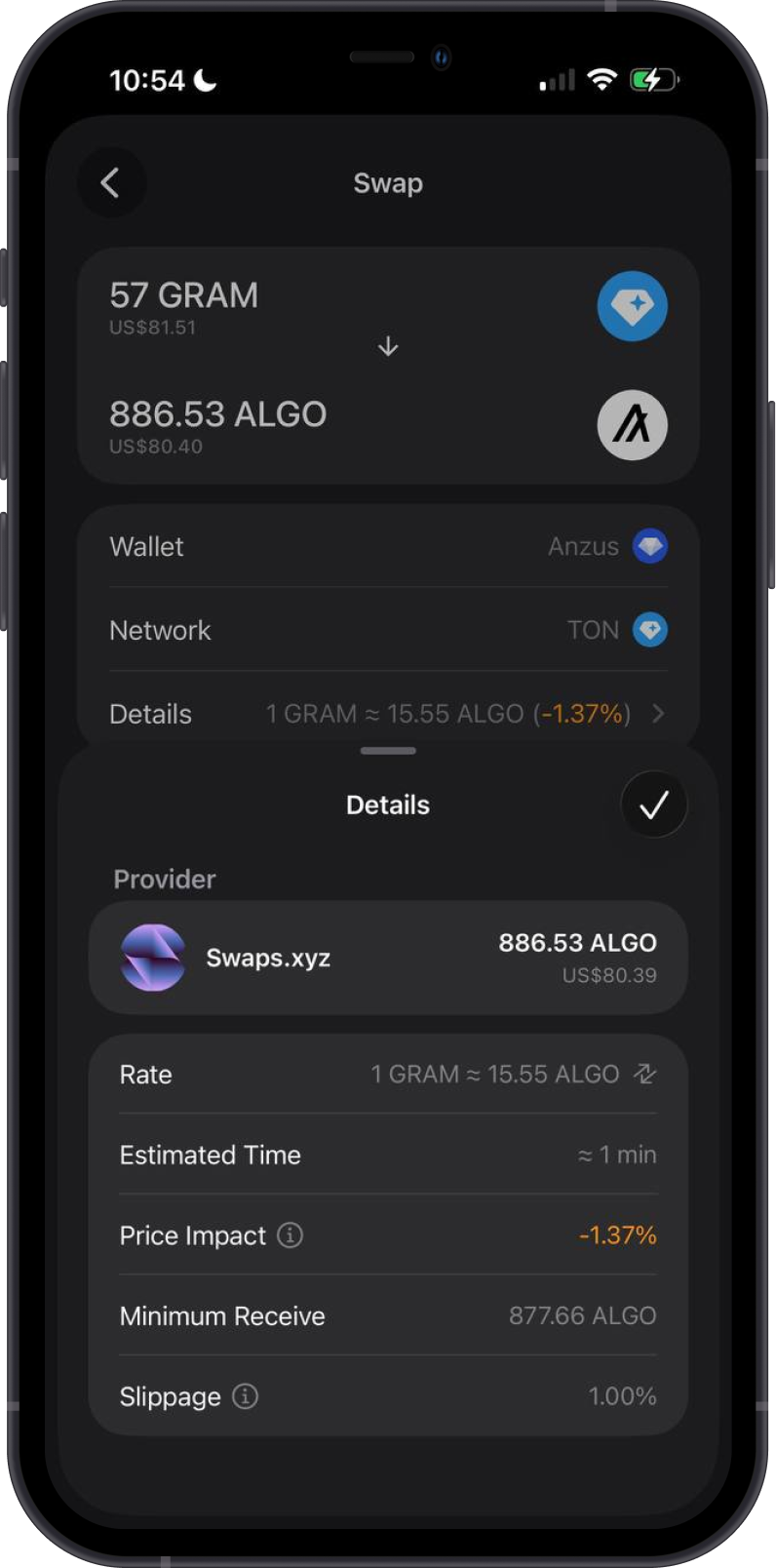
Gem Wallet can display cross-chain swap quotes to or from ALGO for routes supported by its providers. Availability varies by asset, amount, provider, and market conditions.
The example below swaps GRAM on TON to ALGO. Before confirming, review the provider, rate, estimated time, price impact, minimum received amount, slippage, and the destination network.
Transaction Fees on Algorand
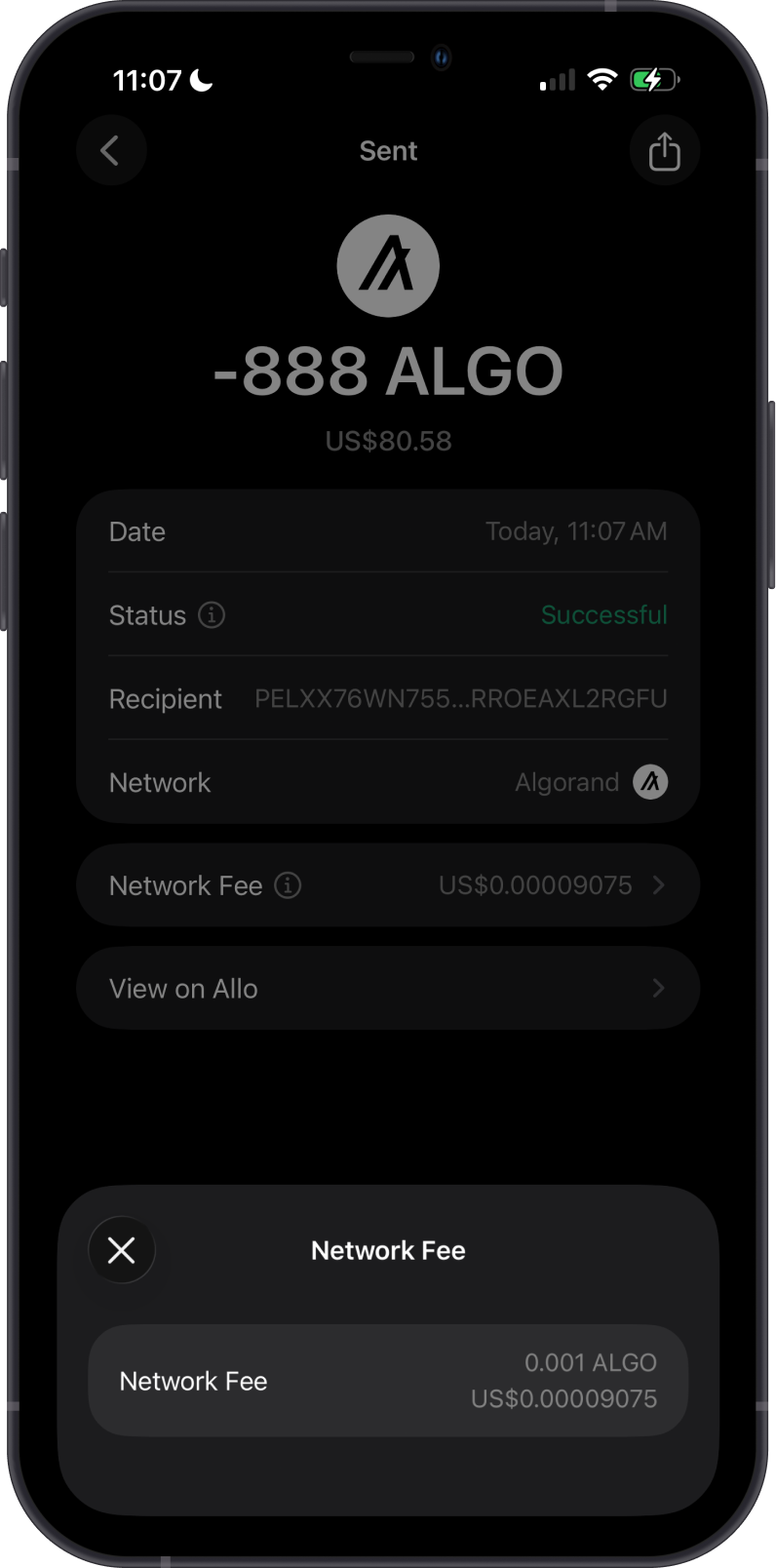
Algorand's minimum transaction fee is generally 0.001 ALGO. The required fee can be higher when a transaction is larger or when the network applies a congestion-based fee per byte. Gem Wallet calculates and displays the network fee before you confirm.
Keep enough ALGO to cover both the amount you are sending and the network fee. You must also keep the applicable minimum-balance reserves for your Algorand account and any ASAs you have activated.
How to Check ALGO Balance?
Gem Wallet displays your ALGO and supported ASA balances, along with address activity. Open the Algorand asset menu and choose View address on Allo to inspect the public address in the blockchain explorer.
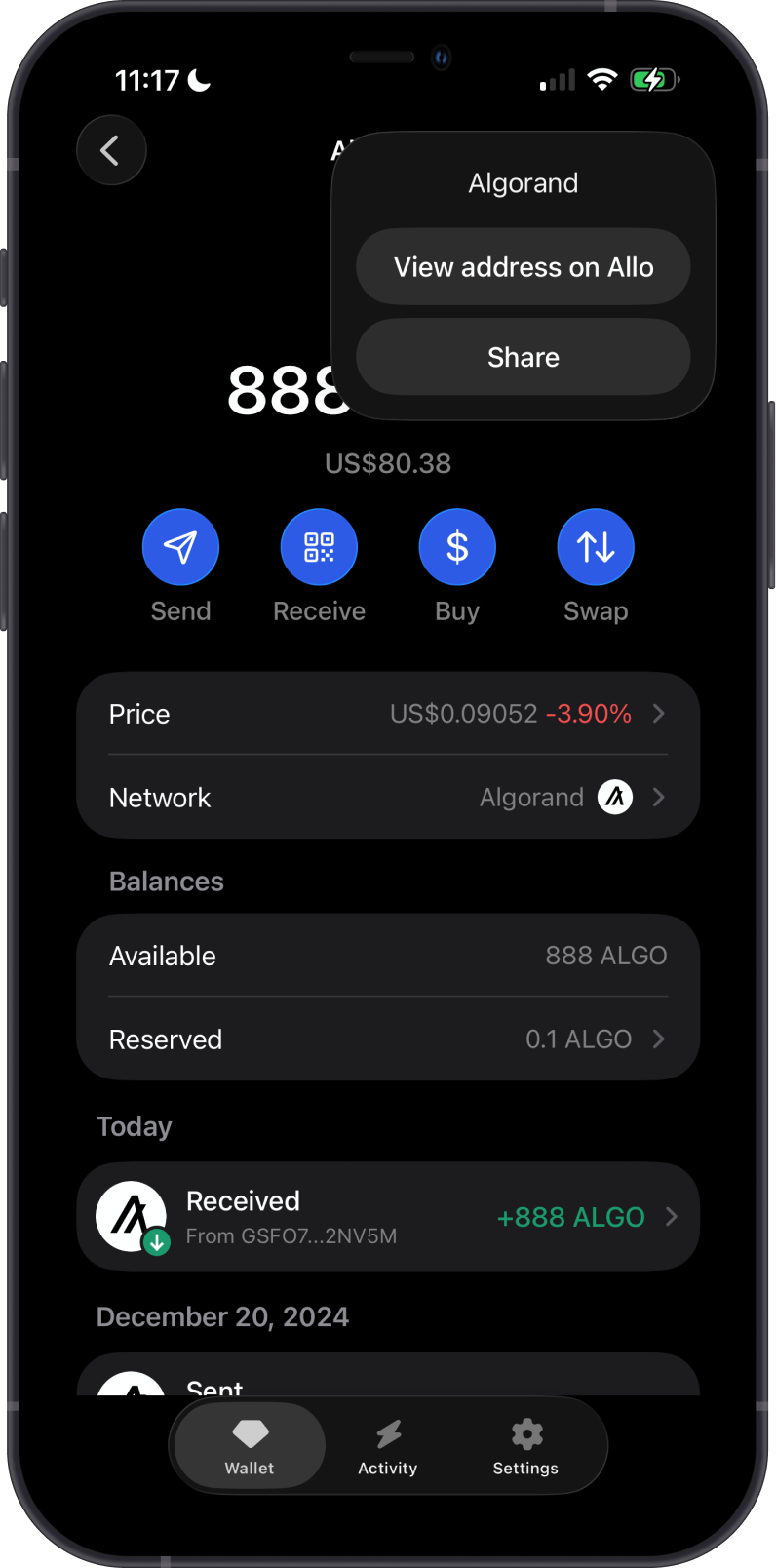
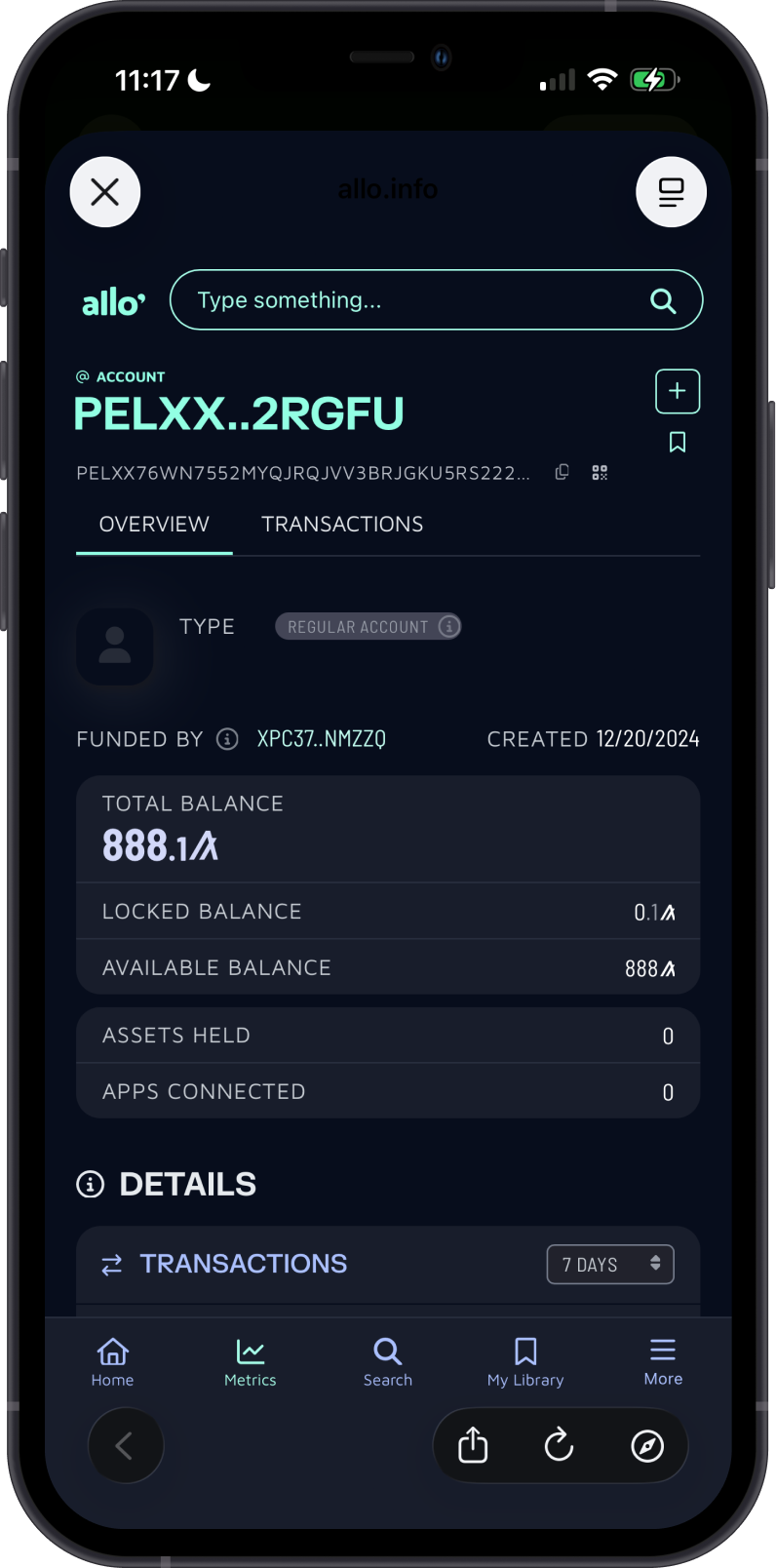
Allo is the default Algorand explorer in Gem Wallet. Search for an Algorand address or transaction ID to review public balances, activated assets, transaction status, and fees.
Why Choose Gem Wallet for Algorand?
- Self-Custody: You retain control of your ALGO, supported ASAs, and private keys.
- ASA Management: Find supported Algorand assets and activate them directly in the wallet.
- Buying and Cross-Chain Swaps: Compare available provider quotes for buying ALGO or swapping supported assets to or from ALGO.
- Explorer Access: Open an address or transaction in Allo for additional public-chain details.
Conclusion
Gem Wallet gives you a self-custodial way to manage ALGO and supported ASAs, make payments, compare available buy and cross-chain swap quotes, and verify activity on Allo. Before activating an ASA or sending funds, keep enough ALGO available for the network fee and the required minimum-balance reserve.