What are Fiat Providers?
Fiat providers in Gem Wallet let you buy crypto with traditional payment methods such as cards, mobile payments, and supported bank payment options. Some providers also let you sell crypto and receive fiat through the payout methods available in your country.
Gem Wallet is a non-custodial wallet. Fiat providers handle payment processing, KYC, quotes, fees, supported countries, and fiat payouts. Gem Wallet does not store your payment details or process bank transfers directly.
Which Fiat Providers are Available on Gem Wallet?
Gem Wallet integrates with several trusted fiat providers, including:
| Provider | Buy crypto | Sell crypto |
|---|---|---|
| Mercuryo | Yes | Yes |
| MoonPay | Yes | Yes |
| Transak | Yes | Yes |
| Paybis | Yes | Yes |
| Banxa | Yes | No |
| Cash App | Yes | No |
Each provider offers different payment methods, supported currencies, fees, limits, and country coverage. The available options shown inside Gem Wallet are the most accurate source for your location and selected asset.
Provider availability can change based on the selected asset, country, payment method, transaction amount, and provider maintenance. Always check the provider's quote and requirements directly before confirming a transaction.
Check our self-help guides for buying crypto and selling crypto.
Mercuryo
Mercuryo is a crypto payments company that provides fiat-to-crypto and crypto-to-fiat infrastructure for wallets, exchanges, and other Web3 apps. Its services help users buy and sell crypto using supported payment methods while the provider handles payment processing, compliance checks, limits, and transaction support. In Gem Wallet, Mercuryo may appear for both Buy and Sell when the selected asset, country, amount, and payout option are supported.
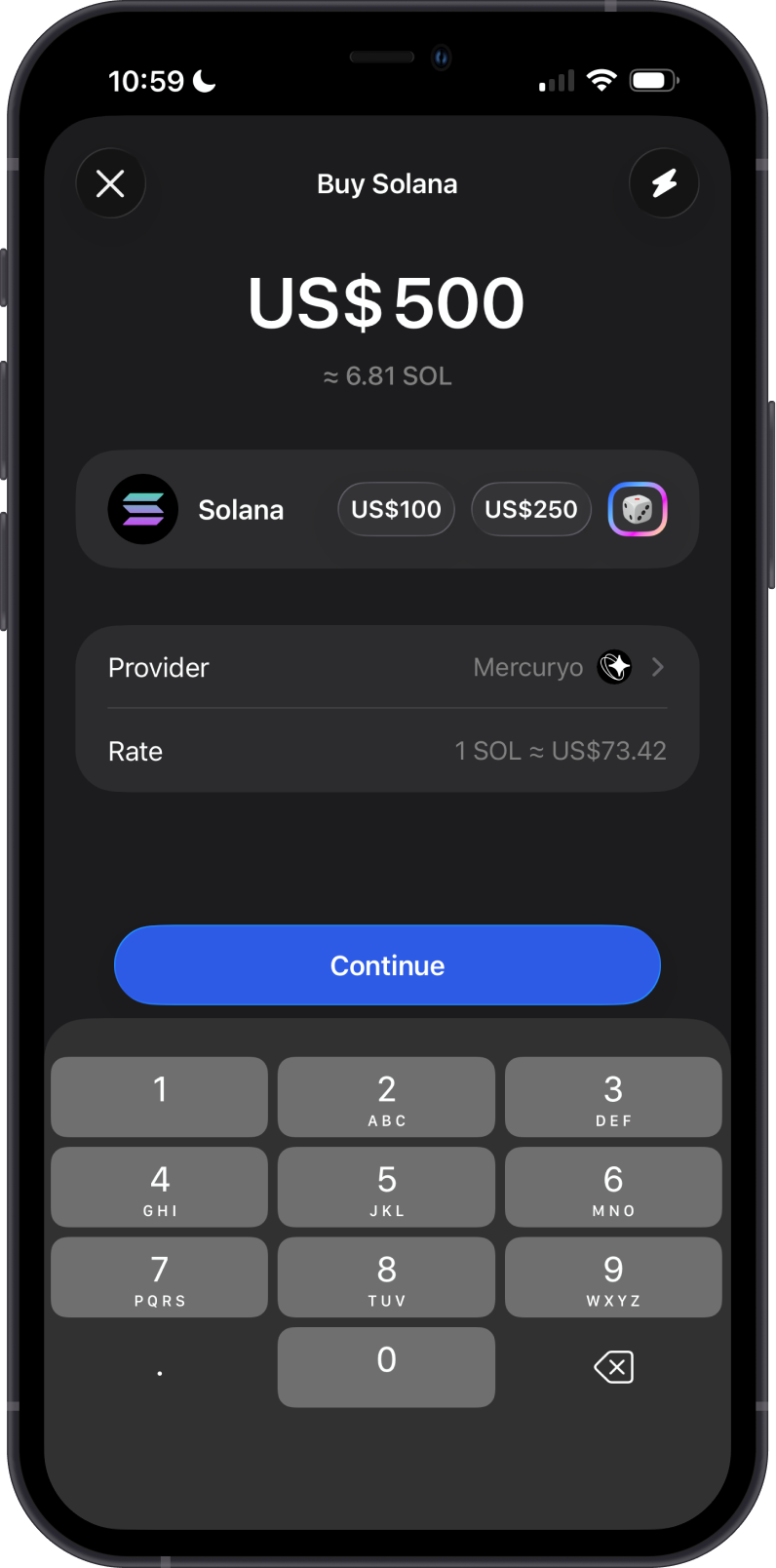
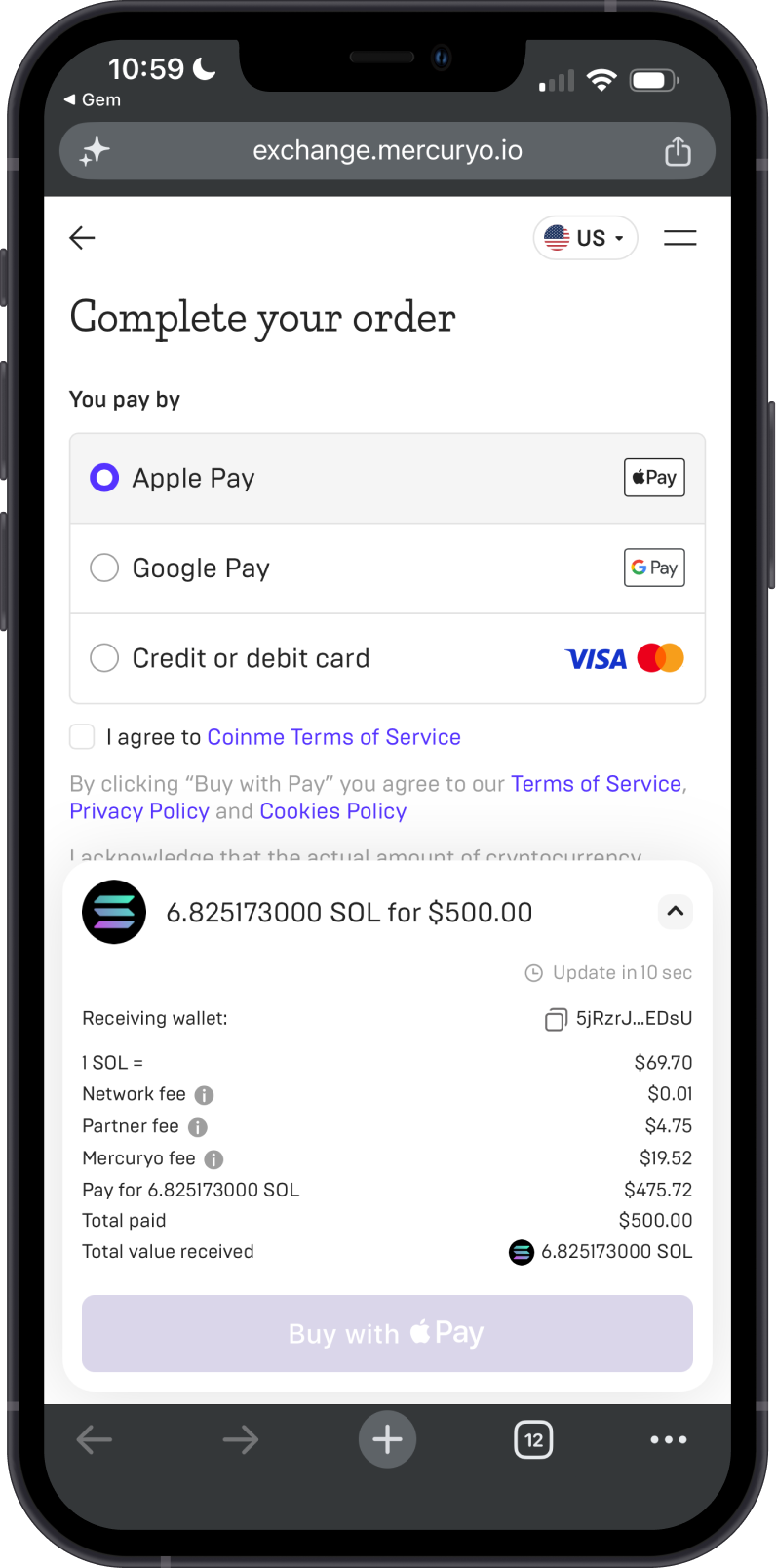
See the example below for buying $500 worth of Solana on Mercuryo.
Having issues with your Mercuryo transaction? Visit Mercuryo Support.
MoonPay
MoonPay is a crypto payments company known for on-ramp and off-ramp checkout tools used by wallets, apps, and marketplaces. It lets eligible users buy crypto with fiat payment methods and, where supported, sell crypto back to fiat through MoonPay's hosted flow. In Gem Wallet, MoonPay may appear for major coins, stablecoins, and supported networks when the selected asset, country, and transaction amount are eligible.
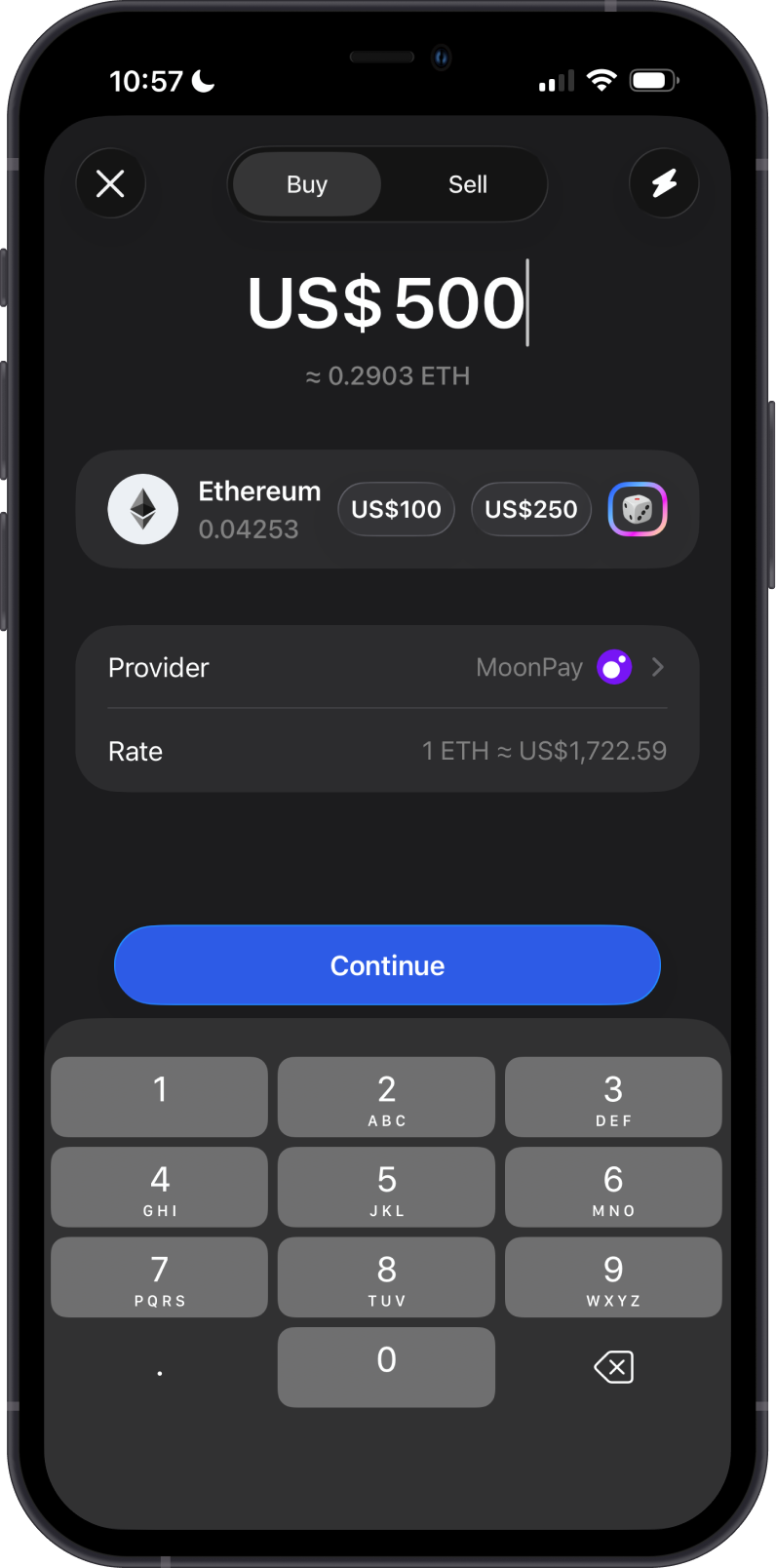
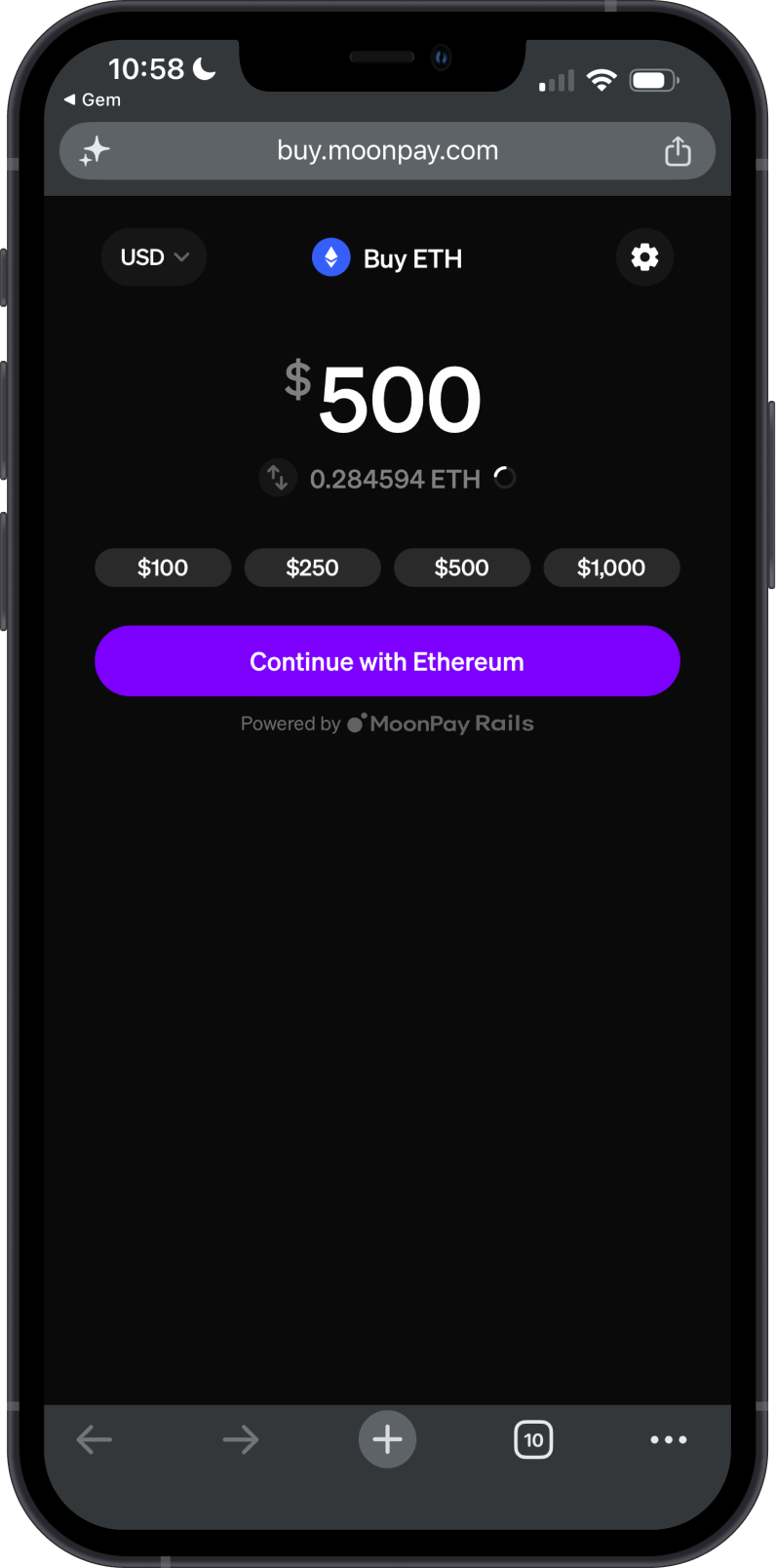
See the example below for buying $500 worth of Ethereum on MoonPay.
Having issues with your MoonPay transaction? Visit MoonPay Support.
Transak
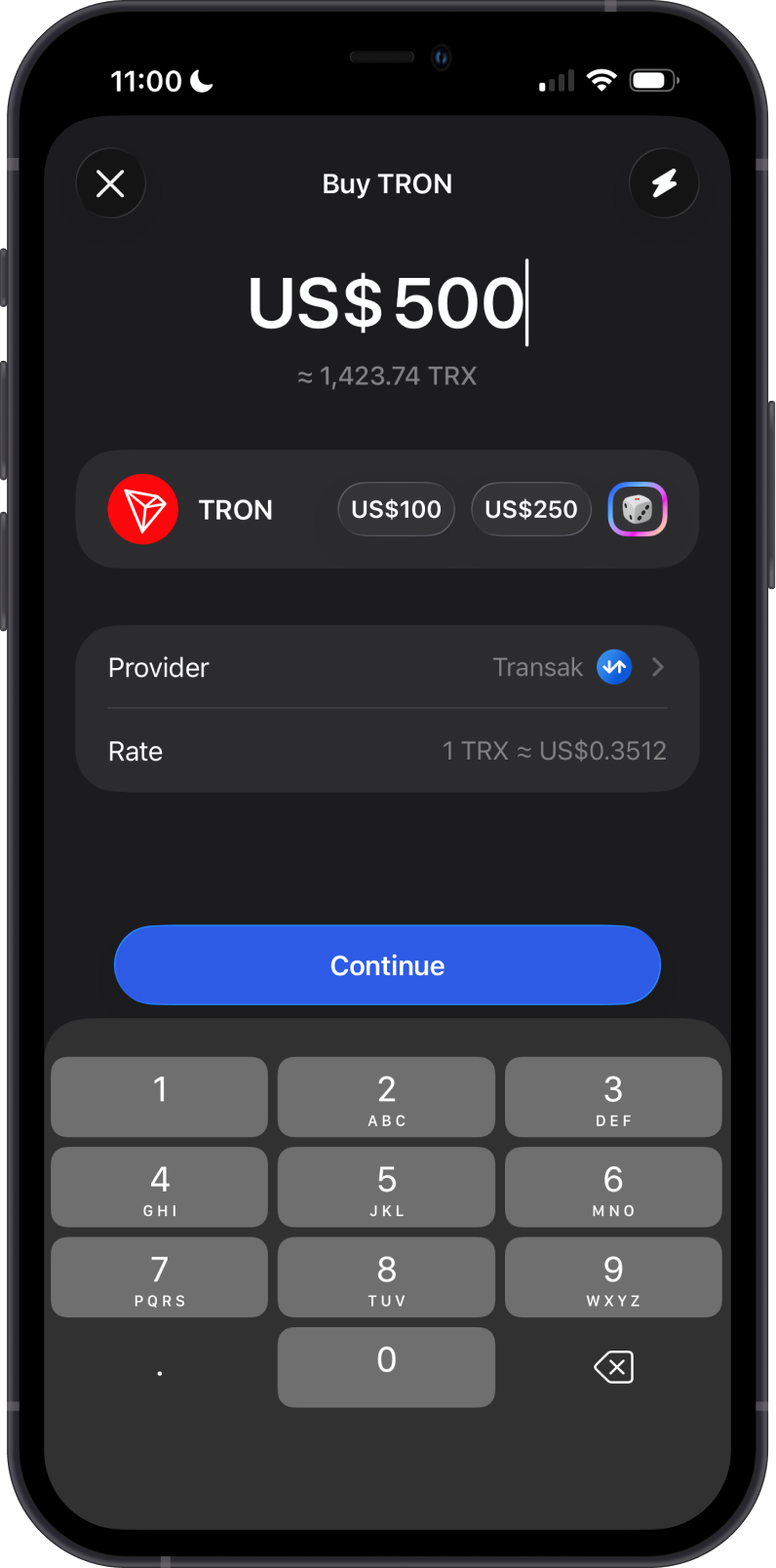
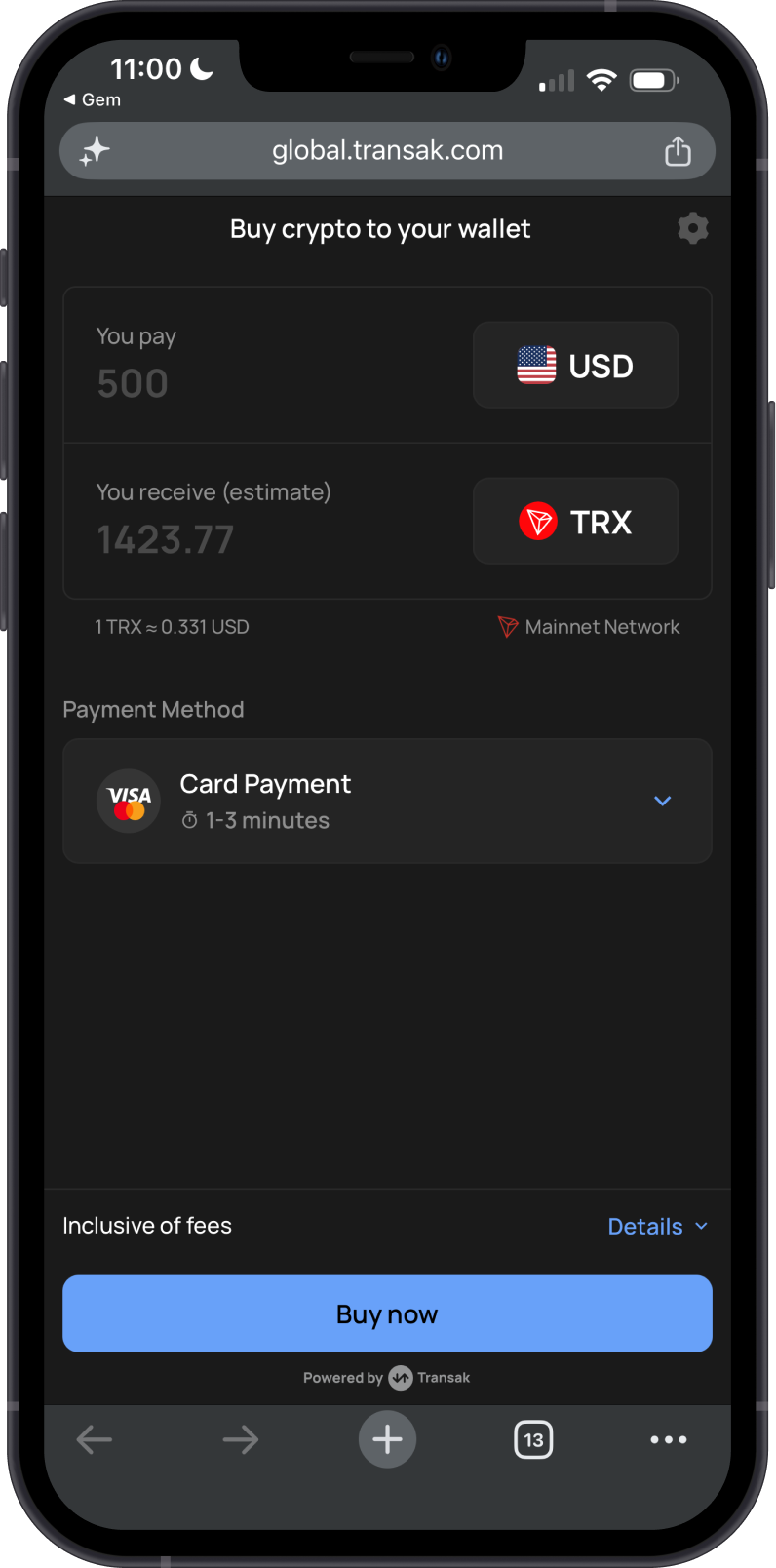
Transak is a Web3 payments infrastructure provider that offers on-ramp and off-ramp services for apps and wallets. It focuses on letting users buy or sell crypto directly inside partner apps while handling KYC, payment methods, local currency support, and compliance requirements. In Gem Wallet, Transak may appear for supported assets across multiple networks, depending on region, payment or payout method, and transaction limits.
See the example below for buying $500 worth of TRON on Transak.
Having issues with your Transak transaction? Visit Transak Support.
Banxa
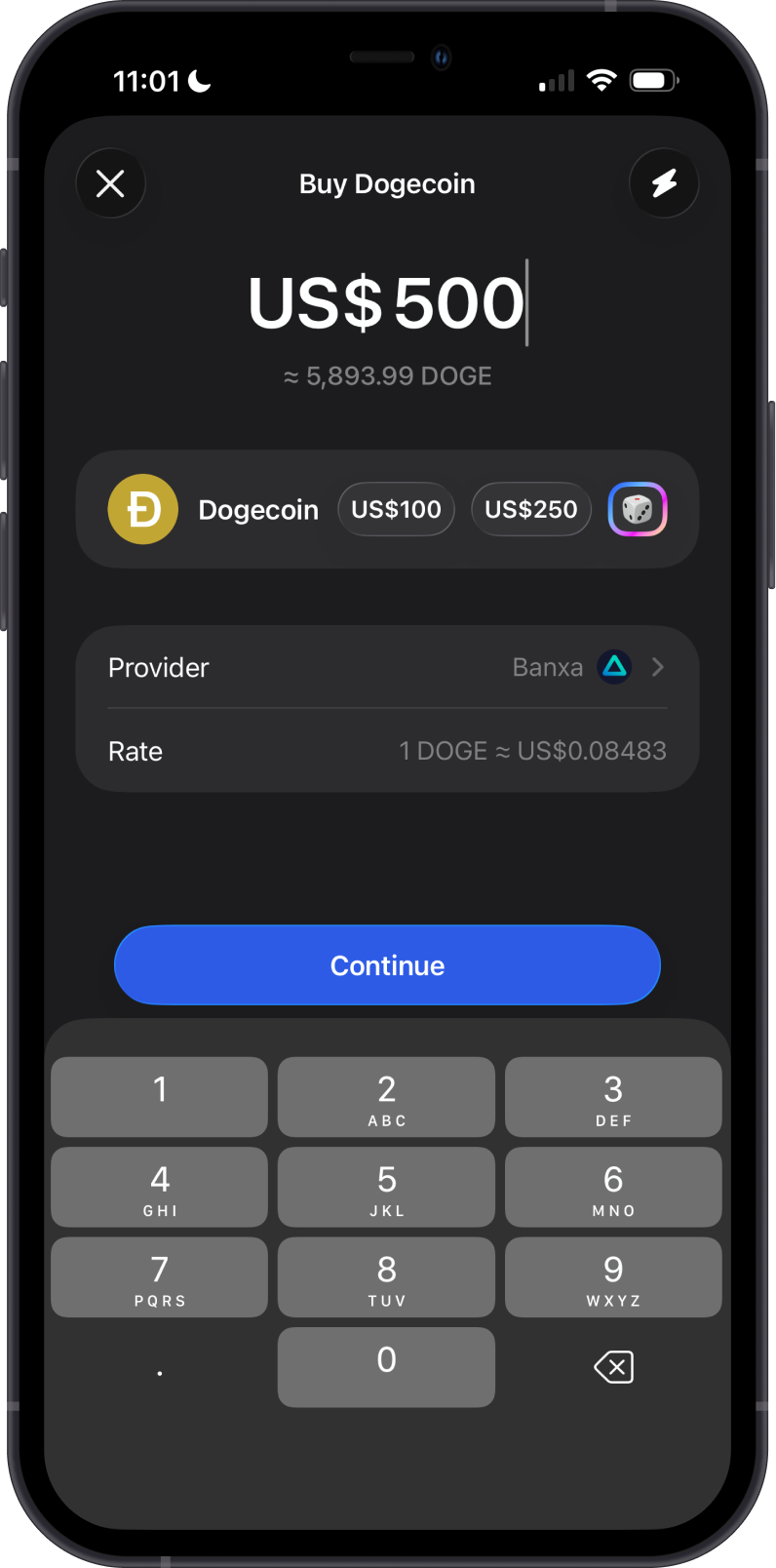
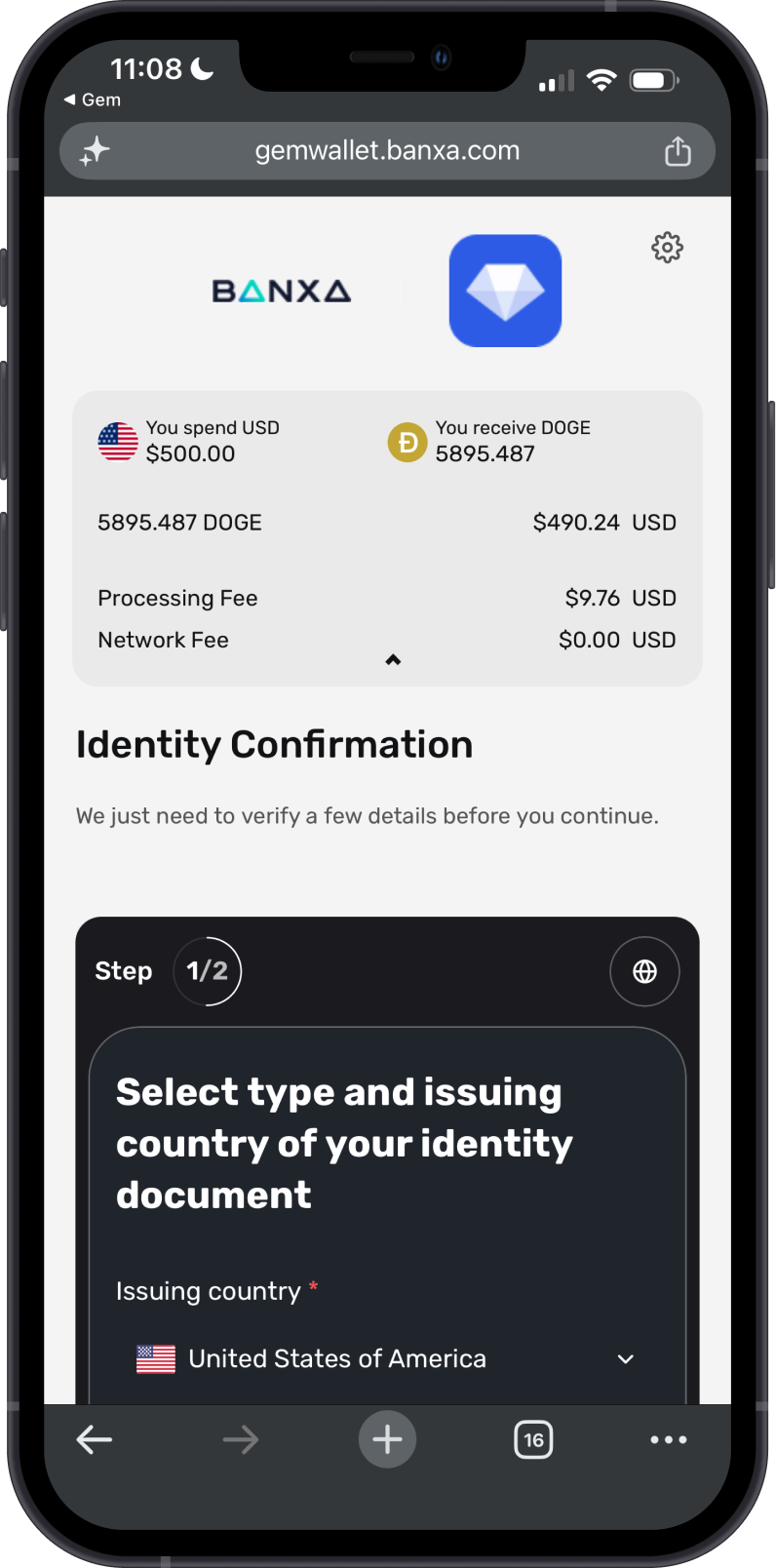
Banxa is a crypto payments infrastructure company that helps businesses offer fiat-to-crypto and crypto-to-fiat conversion through APIs and hosted checkout experiences. It supports common payment methods such as cards and mobile payments, depending on the user's country and selected asset. In Gem Wallet, Banxa is currently used for purchases only, so it will not appear as a Sell provider or bank withdrawal option.
See the example below for buying $500 worth of Dogecoin through Banxa.
Having issues with your Banxa transaction? Visit Banxa Support.
Paybis
Paybis is a crypto exchange and fiat provider that helps users buy and sell digital assets using supported payment methods. It offers crypto purchase and sell flows for selected assets, with availability depending on the user's country, currency, and payment method. In Gem Wallet, Paybis may appear for common coins and stablecoins, but Sell support is asset-specific.
See the example below for buying $500 worth of Bitcoin on Paybis.
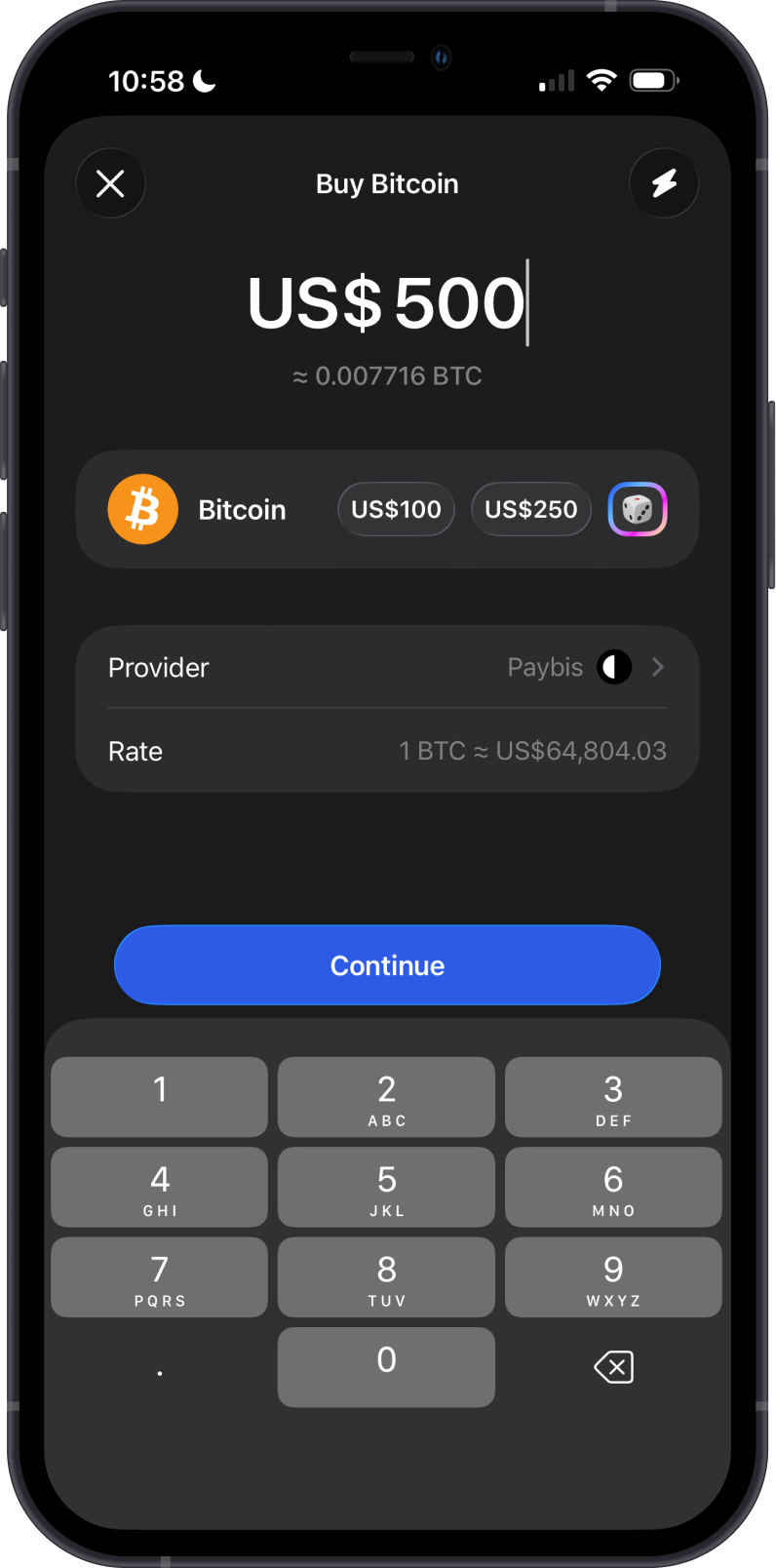
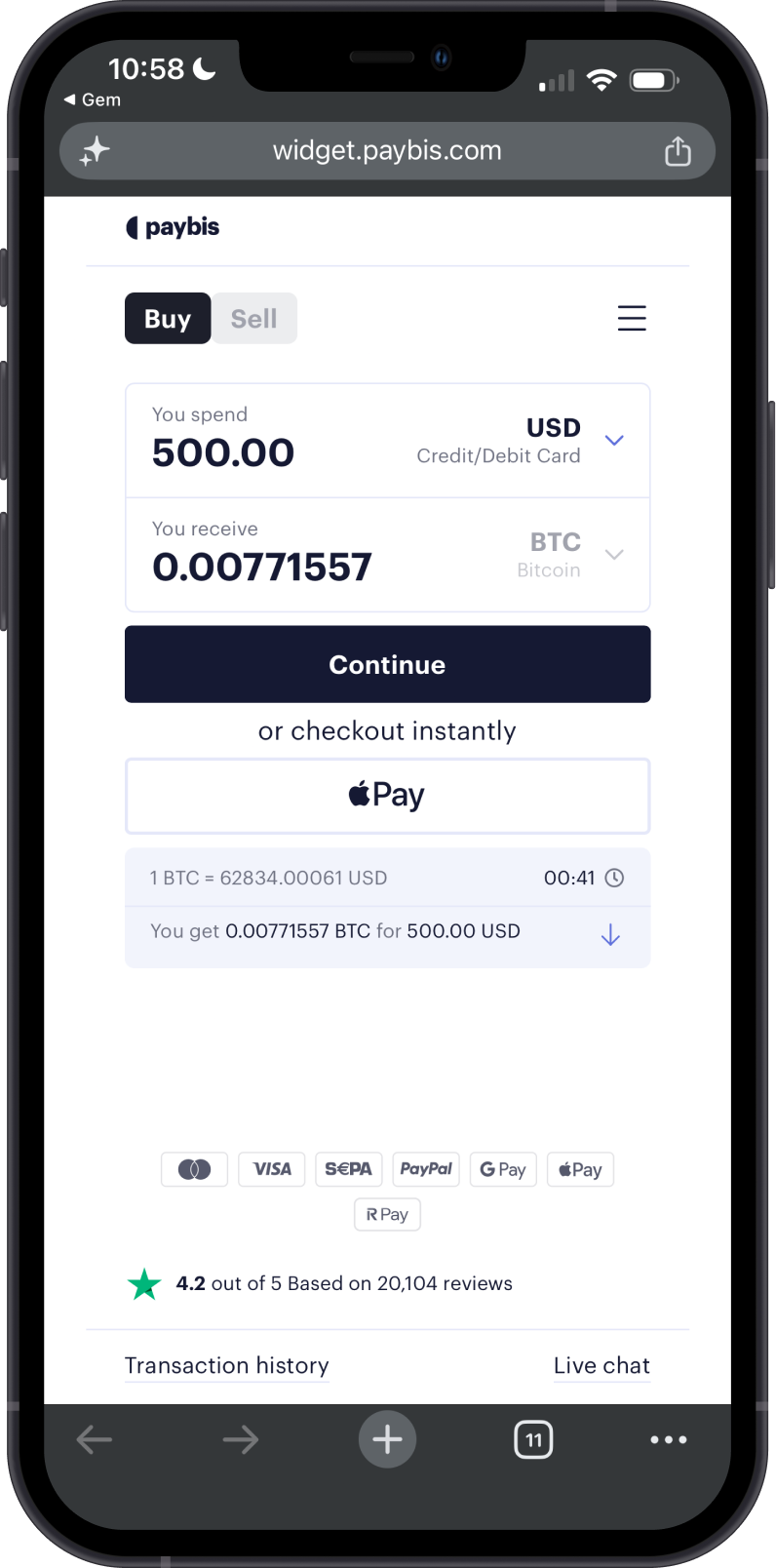
Having issues with your Paybis transaction? Visit Paybis Support.
Cash App
Cash App is a consumer finance app for sending, spending, saving, and investing money, including Bitcoin features in supported regions. In Gem Wallet, Cash App is available as a buy-only payment option for selected crypto assets where supported. When available, the flow sends the user to a Cash App payment link to complete the purchase; Cash App does not currently support Sell or bank cash-out transactions through Gem Wallet.
Having issues with your Cash App payment? Visit Cash App Support.
Common Supported Coins and Tokens
The table below focuses on main coins and commonly supported tokens in Gem Wallet. Provider support can change based on your country, payment method, transaction amount, liquidity, and provider maintenance.
| Crypto | Network | Buy providers | Sell providers |
|---|---|---|---|
| Bitcoin (BTC) | Bitcoin | Mercuryo, MoonPay, Transak, Banxa, Paybis, Cash App | Mercuryo, MoonPay, Transak |
| Ethereum (ETH) | Ethereum | Mercuryo, MoonPay, Transak, Banxa, Paybis | Mercuryo, MoonPay, Transak, Paybis |
| BNB (BNB) | BNB Smart Chain | MoonPay, Transak, Banxa, Paybis | MoonPay, Transak |
| Solana (SOL) | Solana | Mercuryo, MoonPay, Transak, Banxa, Paybis | Mercuryo, MoonPay, Transak, Paybis |
| TRON (TRX) | Tron | Mercuryo, MoonPay, Transak, Banxa, Paybis | Mercuryo, MoonPay, Transak |
| Polygon (POL) | Polygon | Mercuryo, MoonPay, Transak, Banxa, Paybis | Mercuryo, MoonPay, Transak |
| USDT | Ethereum, Tron, Solana, Polygon | Mercuryo, MoonPay, Transak, Banxa, Paybis | Mercuryo, MoonPay, Transak |
| USDC | Ethereum, Base, Solana, Polygon | Mercuryo, MoonPay, Transak, Banxa, Paybis, Cash App | Mercuryo, MoonPay, Transak, Paybis |
| XRP (XRP) | XRP Ledger | MoonPay, Transak, Banxa, Paybis | MoonPay, Transak |
If a provider or Sell option does not appear in the app, it usually means the selected crypto, country, payment method, or amount is not supported by that provider at that time.
Follow Why Is a Fiat Provider Unavailable for an Asset? for a complete eligibility and troubleshooting checklist.
Fiat Provider FAQs
Can I Choose Different Providers for Different Transactions?
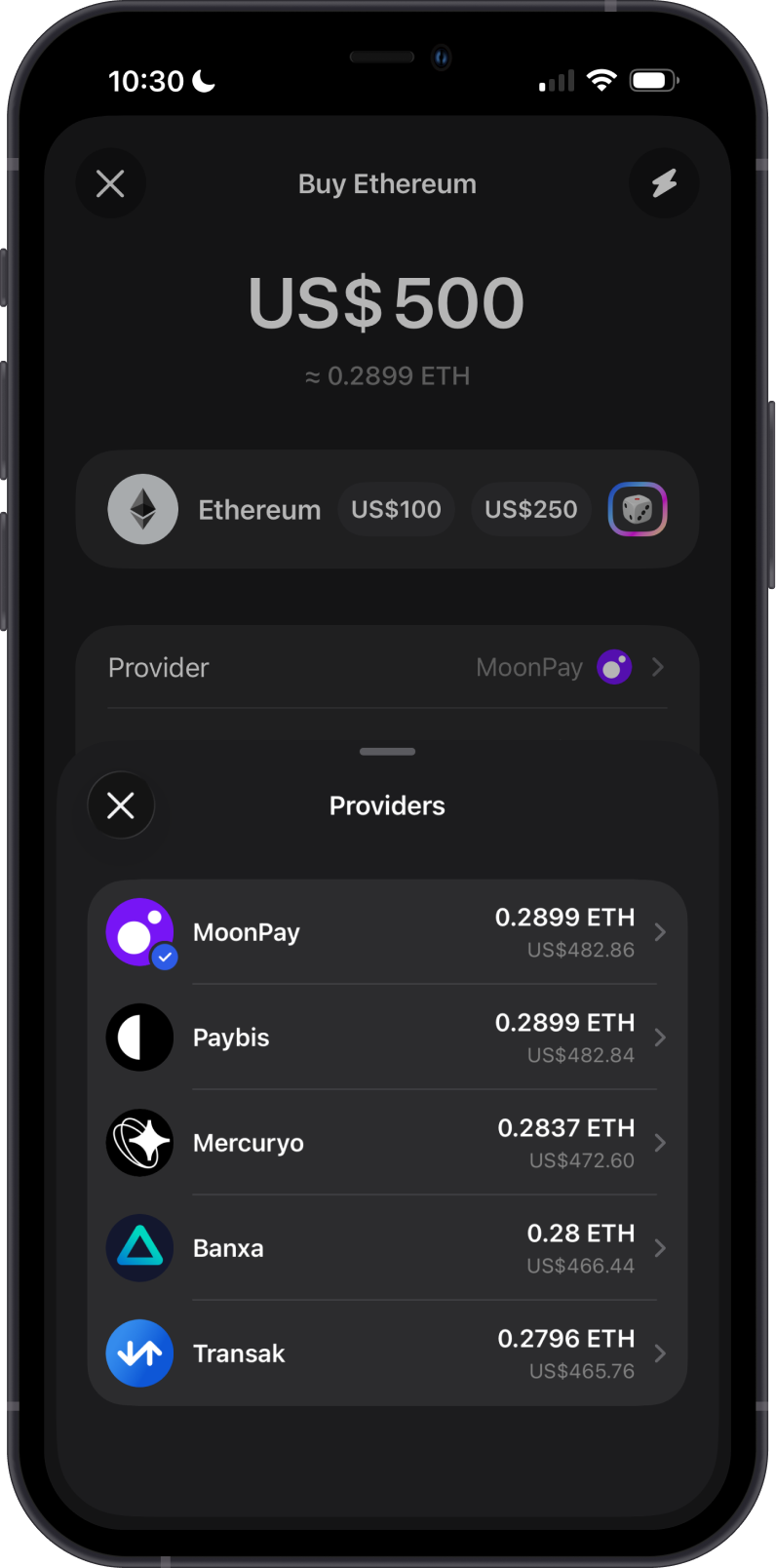
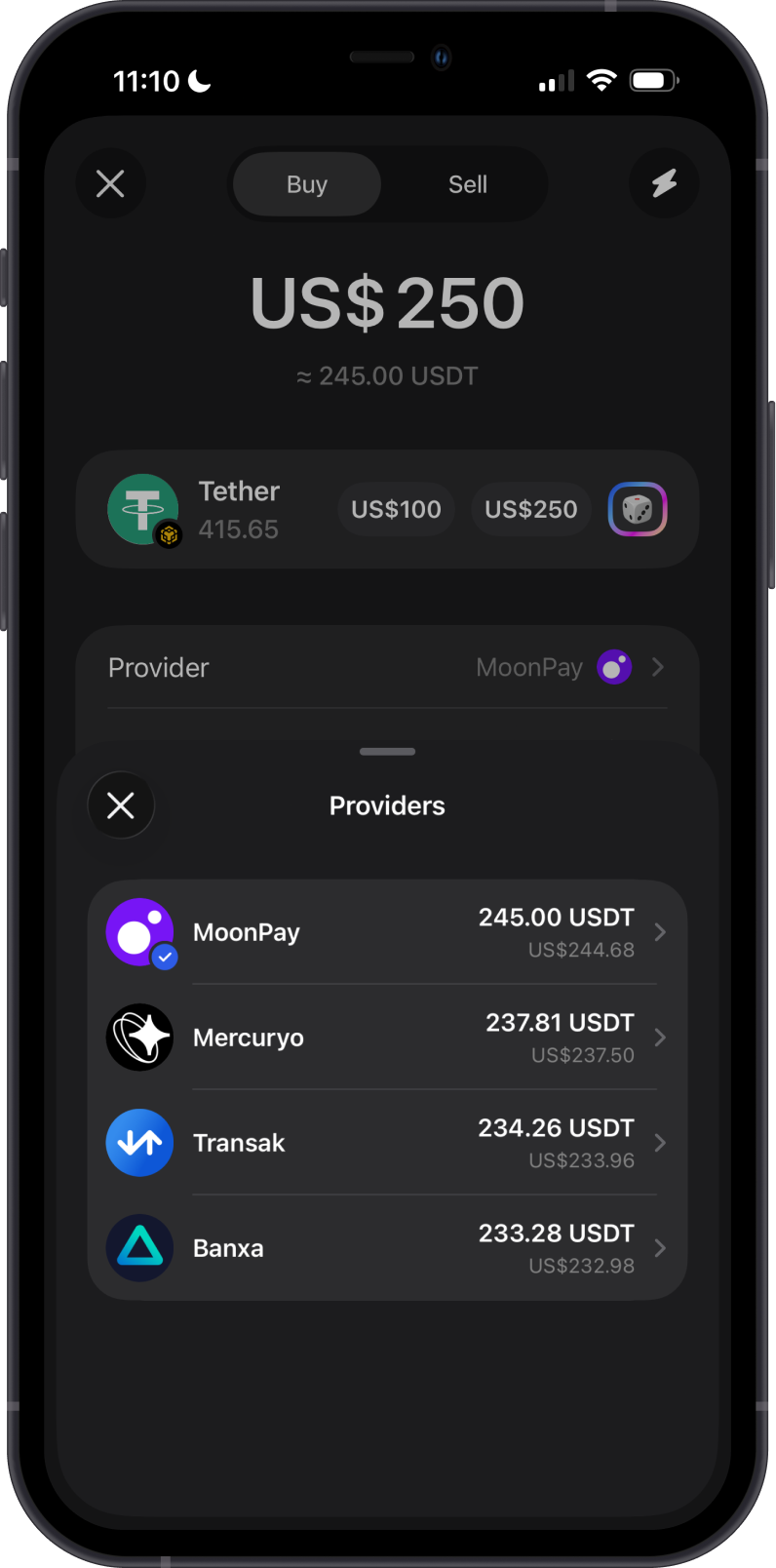
Yes, you can compare rates and fees among providers and choose the best one for each transaction. Tap the provider option in the Buy or Sell screen to see available providers.
How are Fiat Providers Shown in the App?
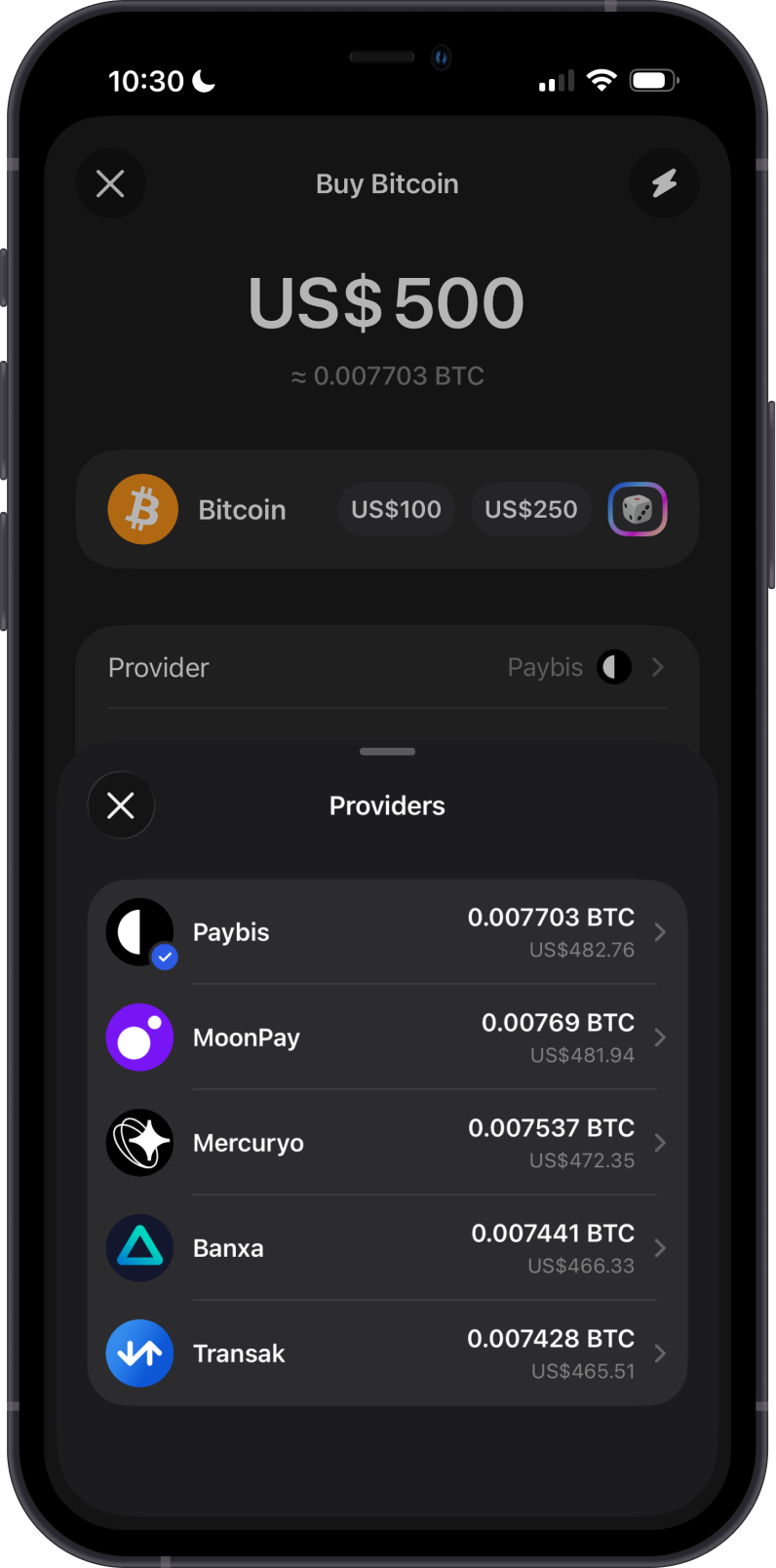
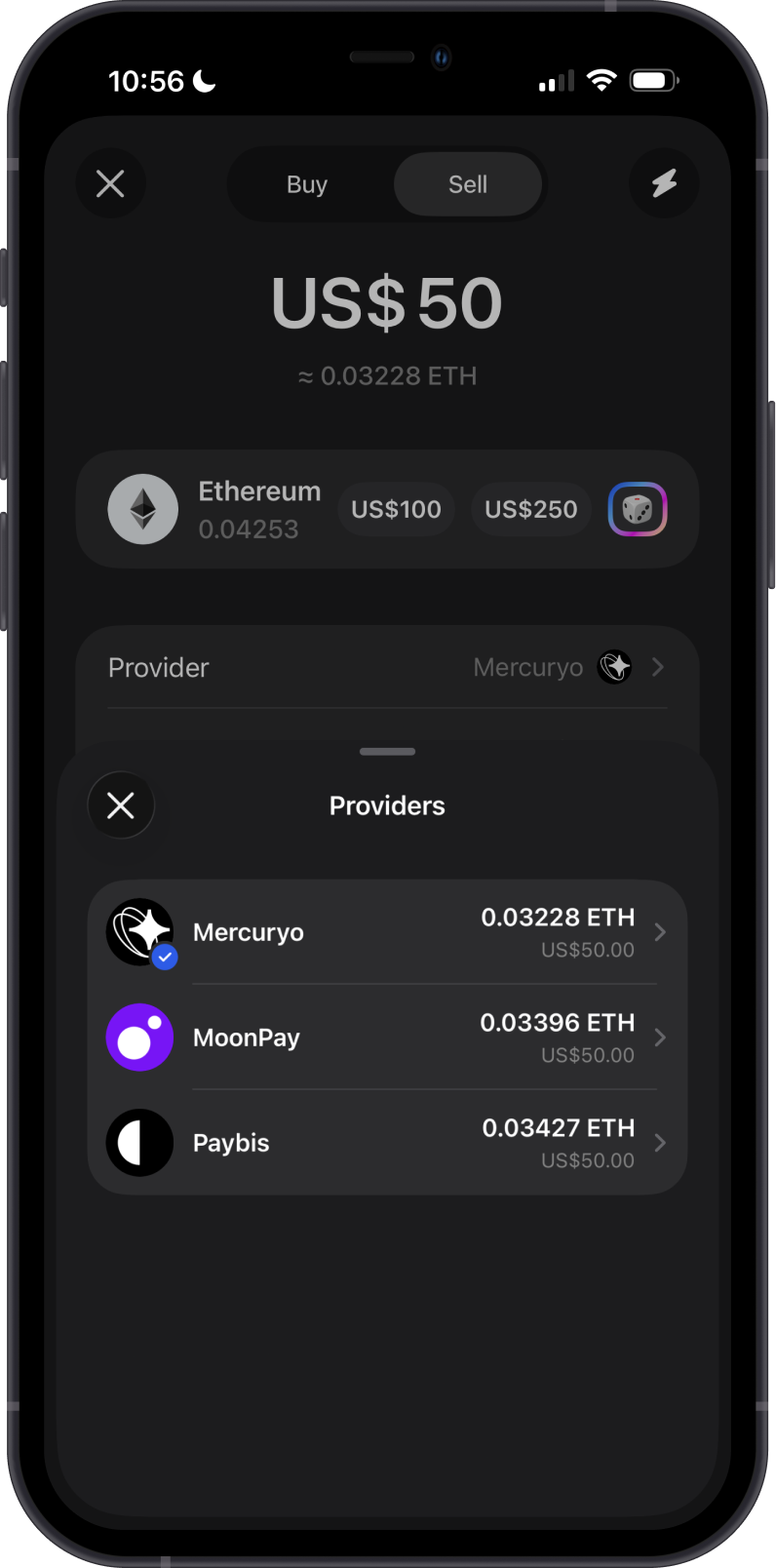
Gem Wallet does not show every fiat provider for every transaction. The app first checks which providers support your selected crypto, country or region, payment method, and transaction amount.
When multiple providers are available, the list is based on the quotes returned by those providers:
- For Buy, providers with better crypto amounts are generally shown first.
- For Sell, providers that require less crypto for the requested fiat amount are generally shown first.
Gem Wallet may also apply provider priority settings when ordering results. Because quotes, limits, payment methods, and regional support can change, always review the final provider quote before confirming.
Why Is There No Fiat Provider Available in my Country/Region?
Fiat providers are regulated financial services and must comply with local laws and licensing requirements. They are not able to offer every service in every country or region.
Common reasons a provider may be unavailable for you:
- Your country or region is currently restricted by the provider’s compliance policy
- Certain U.S. states or other jurisdictions have additional regulatory requirements
- Temporary maintenance or service limitations
Gem Wallet works with multiple providers to maximize global coverage. If none are available for your location right now, check again later or use a regulated exchange that supports your country.
Are There Fees for Using Fiat Providers?
Yes, each fiat provider applies its own fees based on the payment method, transaction amount, selected asset, and payout method. Before confirming a transaction, review the provider quote and total cost.
Why Don’t I See My Purchased Crypto Immediately?
Processing times vary depending on the provider, payment method, and network congestion. Most transactions complete within minutes, but some may take longer due to bank processing times or identity verification.
Follow Why Is My Crypto Purchase Still Pending? to identify whether the delay is with the payment, verification, provider processing, or blockchain delivery.
Why Don’t I See a Sell Option?
The Sell option only appears when a provider supports selling the selected asset in your country and for your transaction amount. If Sell is not available, you can try another supported asset, check again later, or use a regulated exchange that supports your region.
For more details, see How do I cash out or withdraw to my bank?.
Is My Payment Information Secure?
Yes, all fiat transactions are handled by third-party providers with industry-standard security measures. Gem Wallet does not store or process payment details directly.
Need Help?
If you encounter payment, KYC, refund, bank transfer, or payout issues, use How to Contact a Fiat Provider to find the provider's official support channel. For help using the Gem Wallet app, go to Settings > Support to use In-App AI Support. The fiat provider controls the transaction itself.