How to Turn On Perpetuals in Gem Wallet
Perpetuals are available as an optional trading feature in Gem Wallet. Before you can fund a perpetual account or open a position, turn on Perpetuals from your wallet preferences.
Perpetual trading is high risk. Leverage can increase both profits and losses, and your position can be liquidated if the market moves against you.
Turn On Perpetuals
Step 1 - Open Preferences
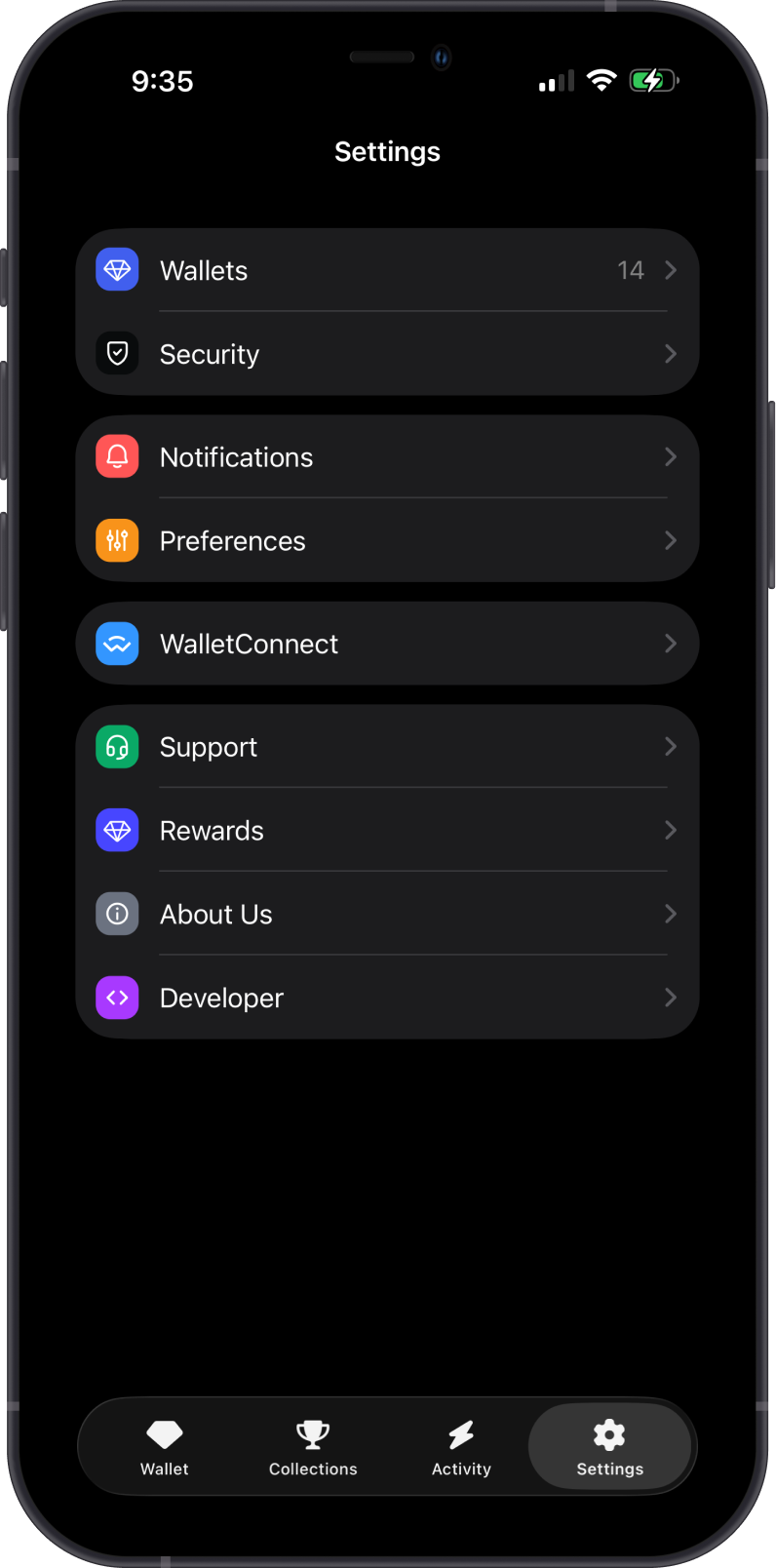
Open Gem Wallet, tap Settings, then tap Preferences.
Step 2 - Enable Perpetuals
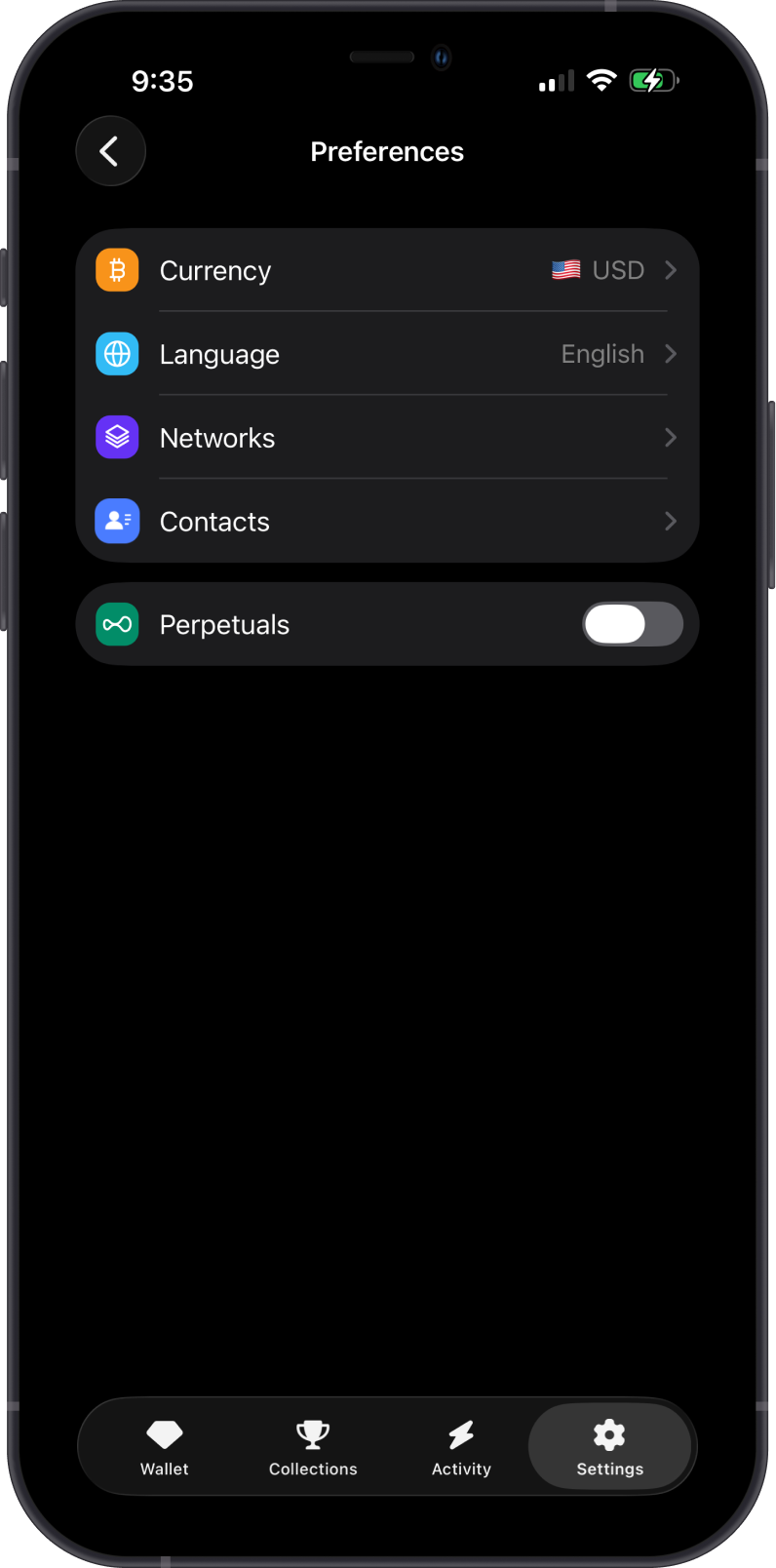
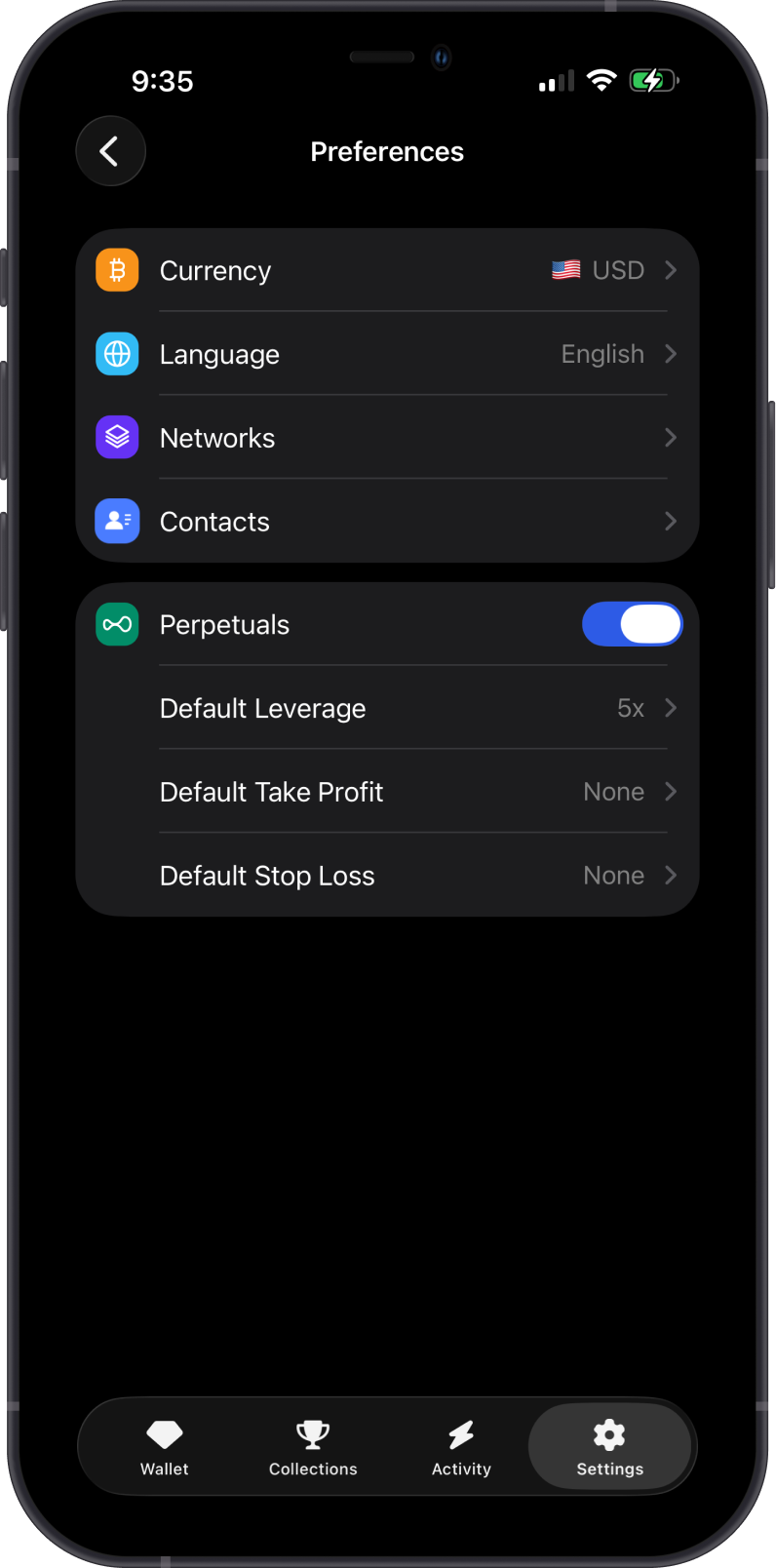
On the Preferences screen, turn on Perpetuals. Gem Wallet will show additional default trading settings once the feature is enabled.
Step 3 - Set Default Leverage
Tap Default Leverage and choose the leverage you want Gem Wallet to use by default when opening a position. You can still adjust leverage before confirming each trade.
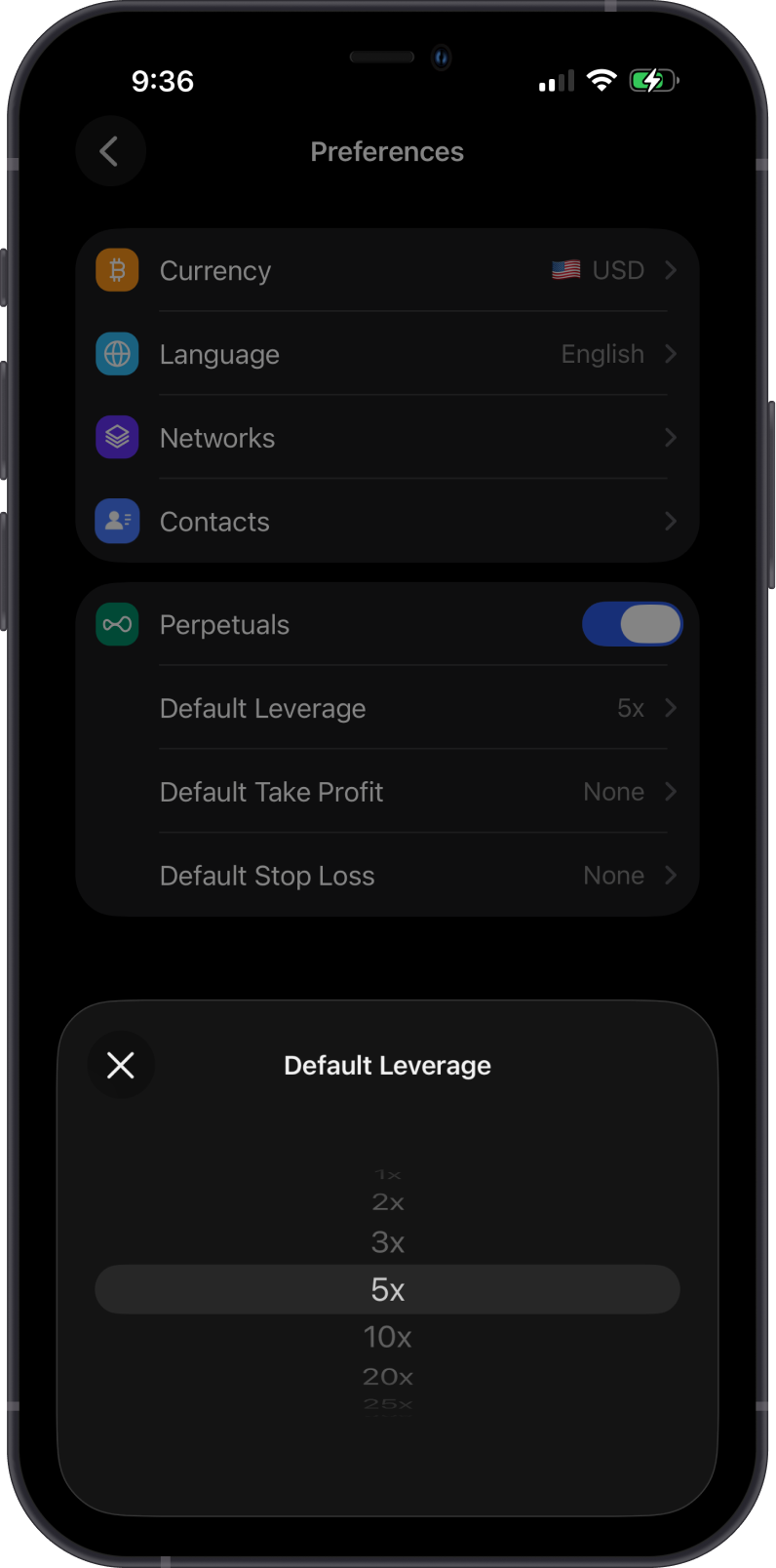
Lower leverage gives a position more room before liquidation. Higher leverage increases exposure and risk.
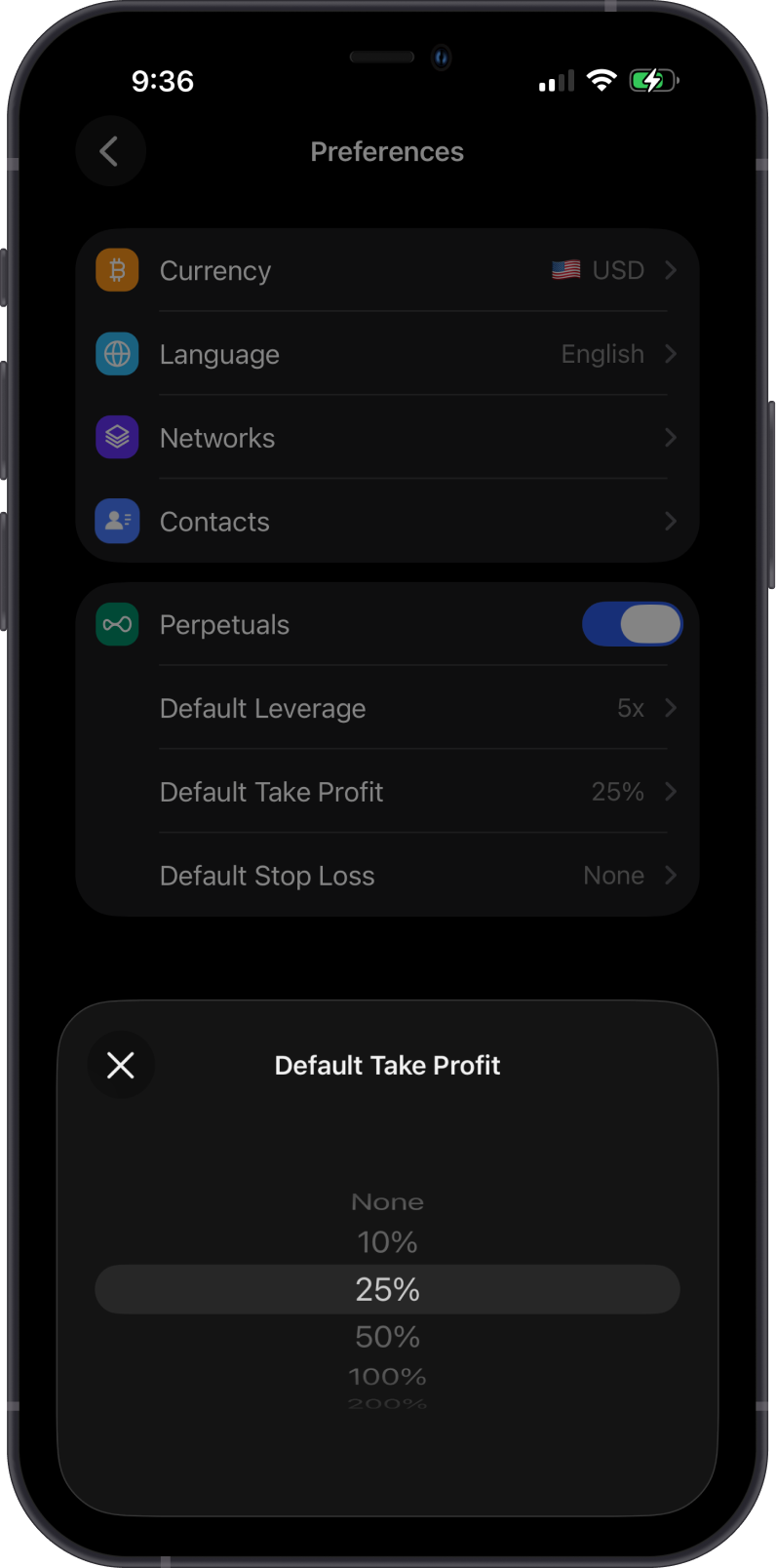
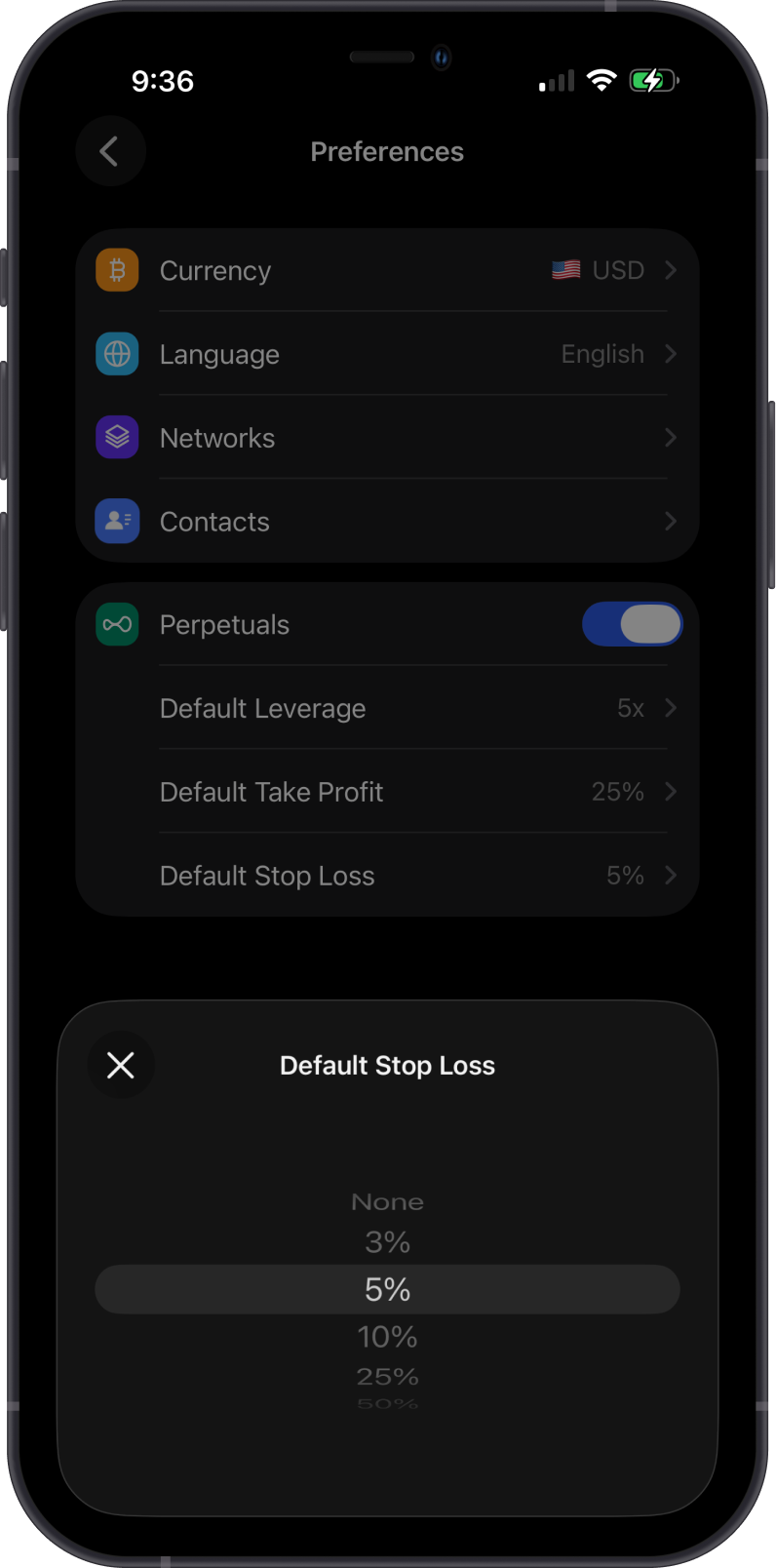
Step 4 - Set Auto Close Defaults
You can set default Take Profit and Stop Loss values. These help prefill Auto Close values when you open a trade.
Step 5 - Open Trade Perpetuals
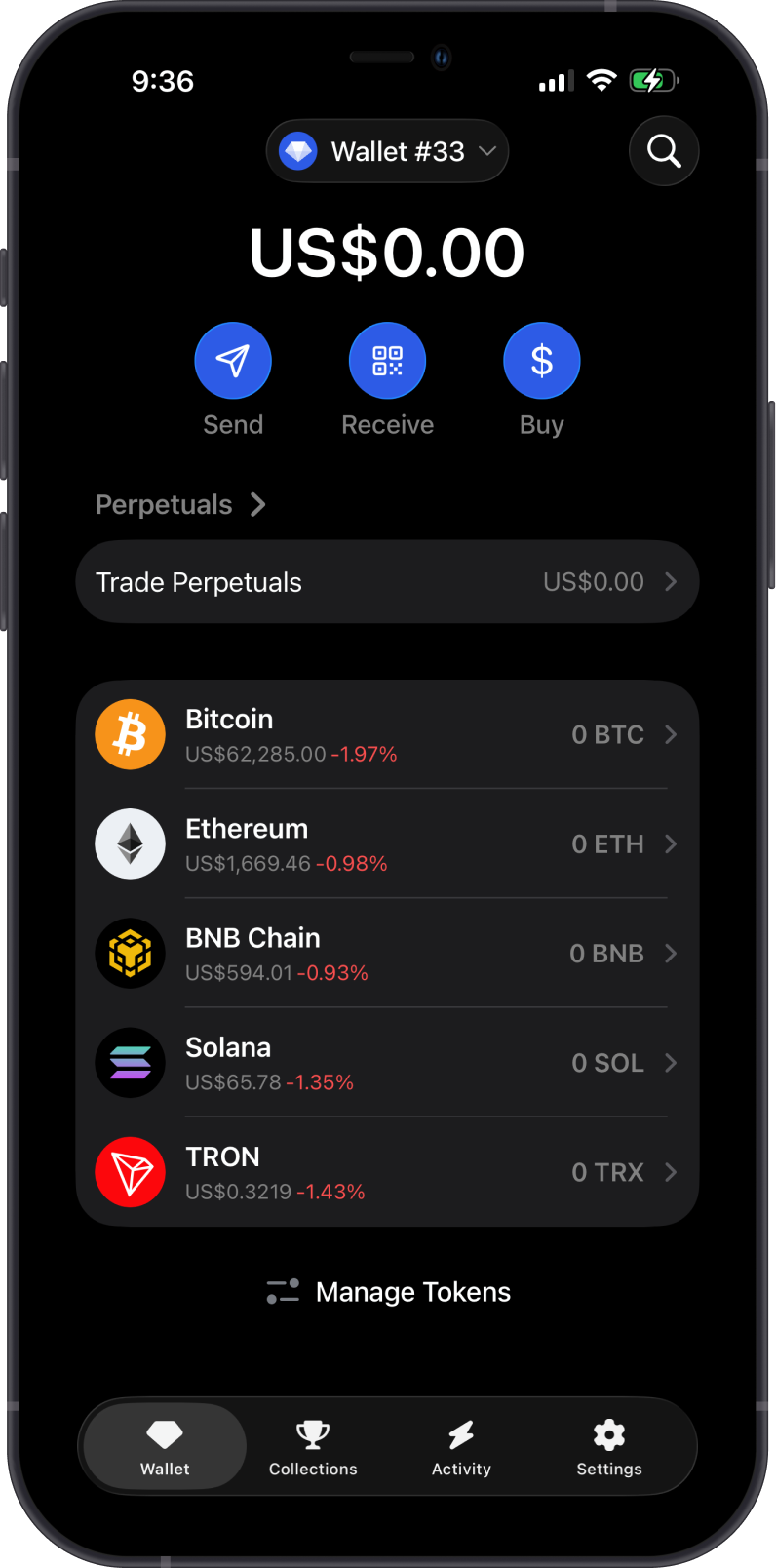
Return to the Wallet tab. You should now see a Perpetuals section with Trade Perpetuals. Tap it to open the Perpetuals screen.
Next Step
After Perpetuals are enabled, fund your perpetual account before opening a position.