How to Send Tether (USDT-Jetton) with Gem Wallet
This guide provides step-by-step instructions for sending Tether (USDT) Jettons on the TON blockchain network using the Gem Wallet app.
Things to Remember before Sending USDT (Jetton)
- Enabled USDT-Jetton Wallet: Gem Wallet installed and you have added a USDT-Jetton wallet.
- Double-Check the Network: Ensure the recipient’s wallet supports USDT Jettons to avoid loss of funds.
- Verify the Address: Always confirm the recipient’s wallet address to prevent errors. Using a QR code reduces the risk of mistakes.
- Maintain Sufficient GRAM: Have some GRAM (e.g., 0.5-1 GRAM) in your wallet to cover Network Fees.
How to Send Tether (USDT-Jetton)
-
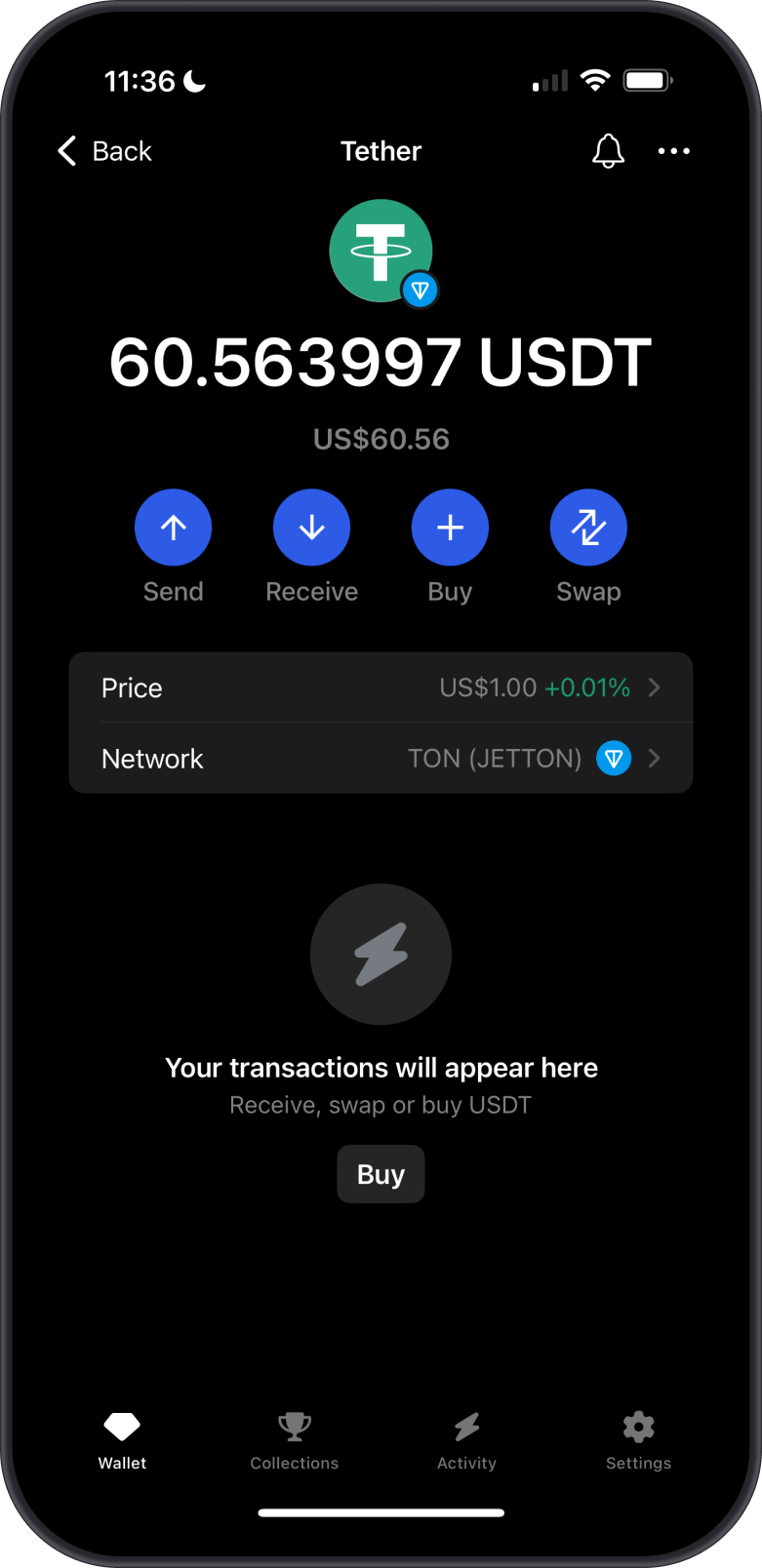
Launch the Gem Wallet App
- Open the Gem Wallet app on your mobile device.
- Tap on the USDT-Jetton Wallet then hit Send.
-
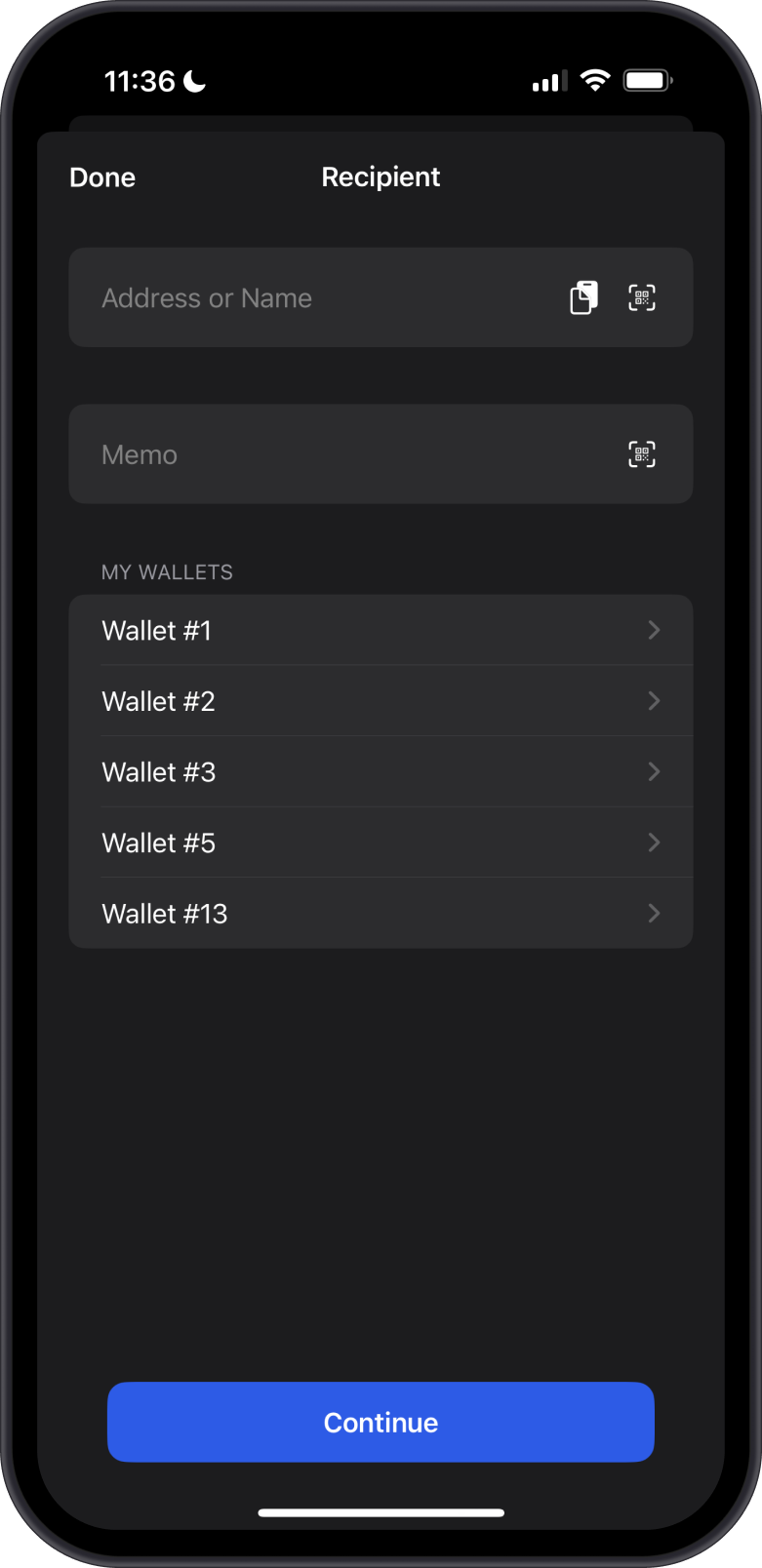
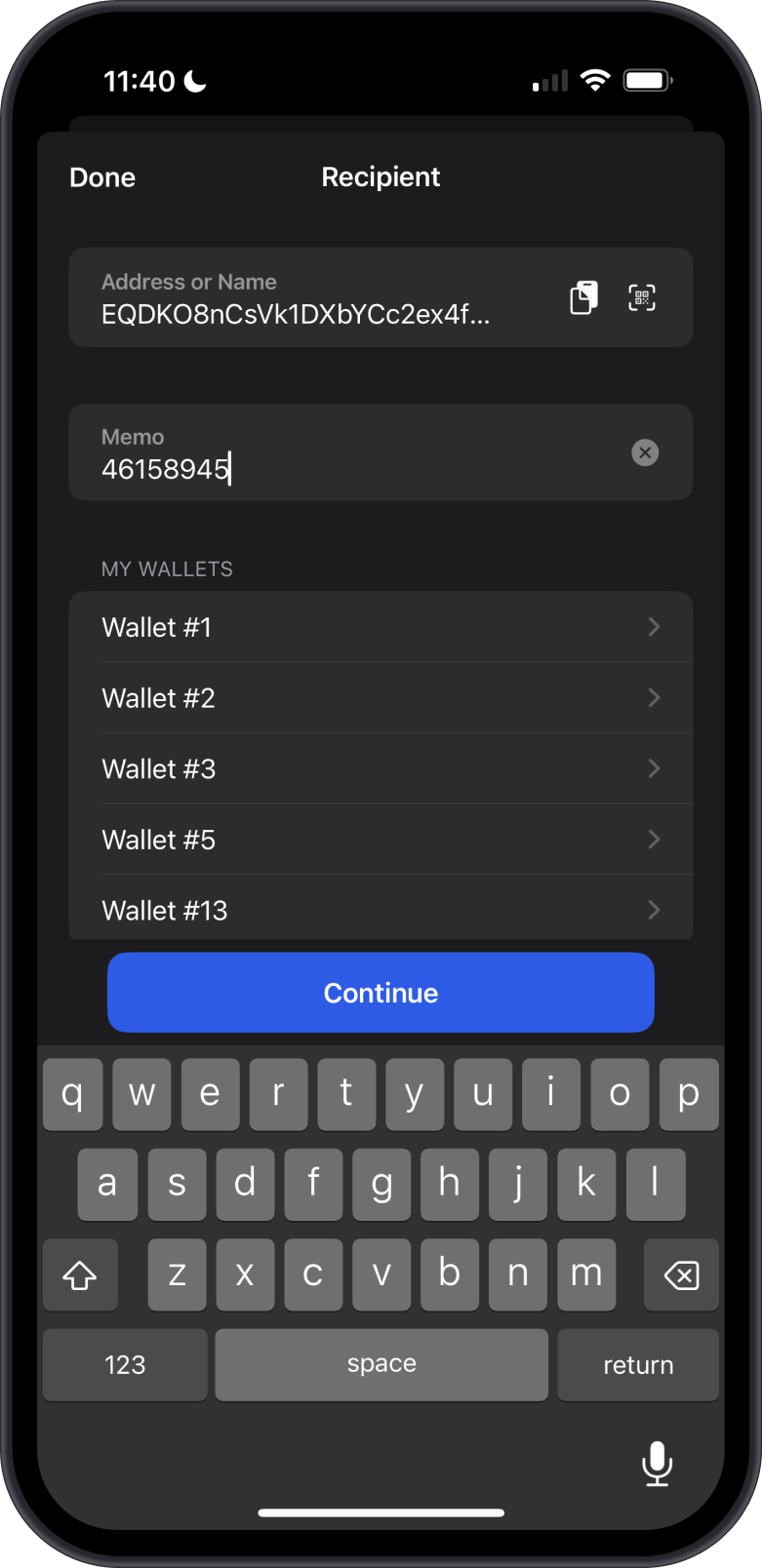
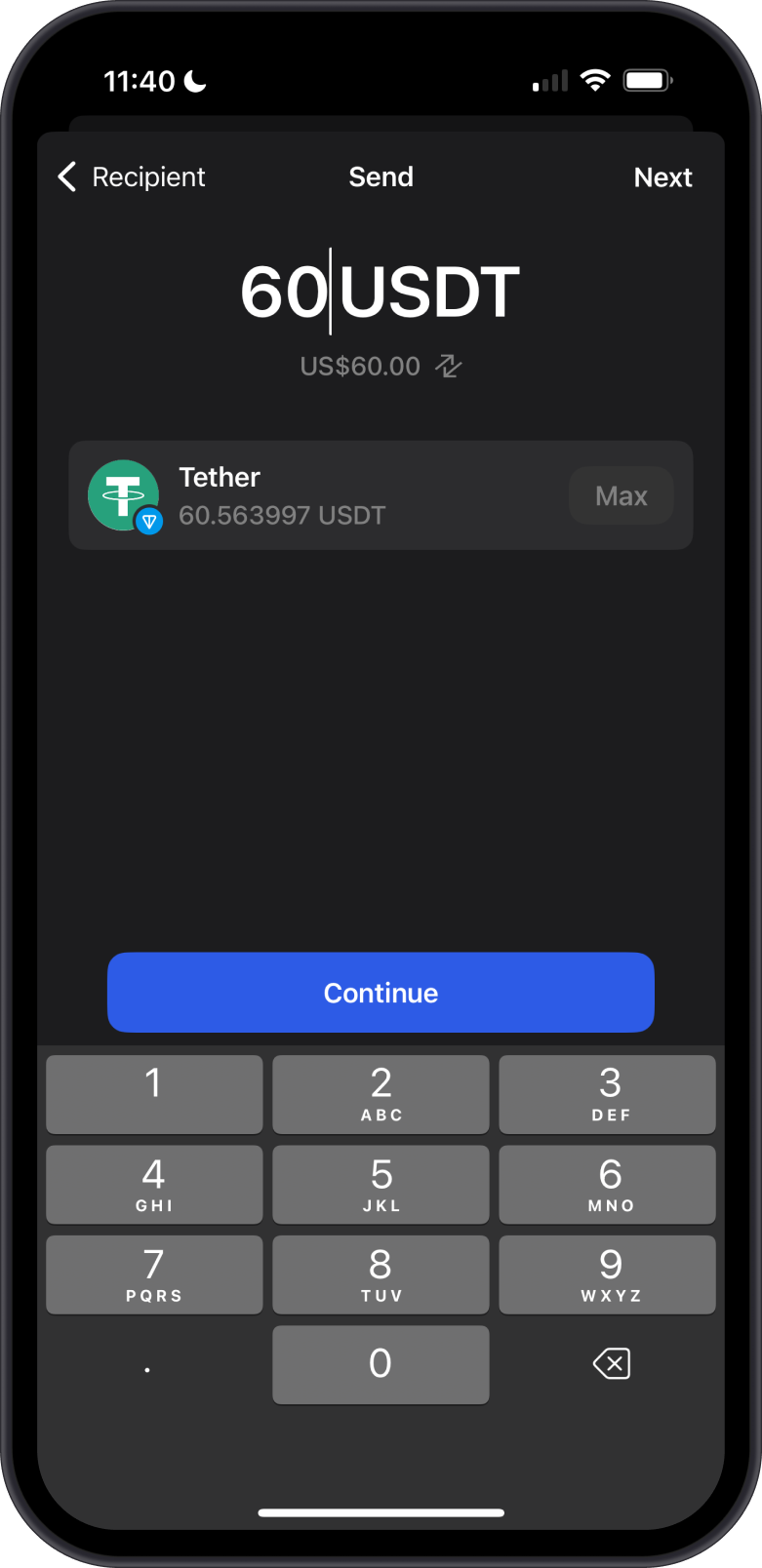
Input the Recipient Address and USDT Amount
- Enter the destination address or use the QR code scanner.
- If a Memo is required, do not forget to enter this as well.
- Input the amount of USDT that you want to transfer.
-
Initiate the Send Transaction
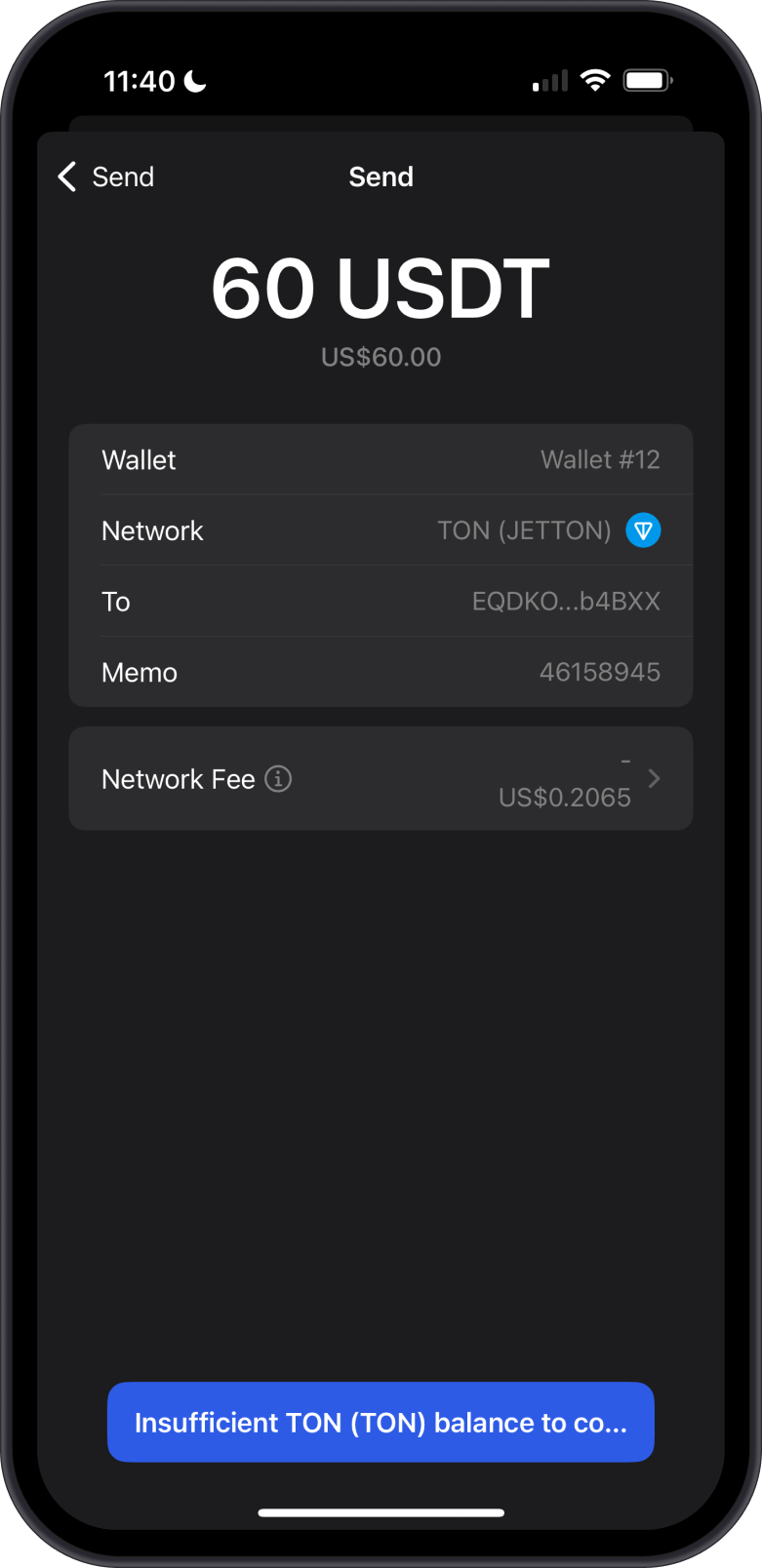
- Tap on Continue to proceed. Gem Wallet will now calculate the network fees.
- If your wallet has sufficient GRAM to cover the network fee, you can proceed with the transaction as usual. Otherwise, you will encounter an error message stating, "Insufficient GRAM balance..."
-
Handle Insufficient GRAM Error
-
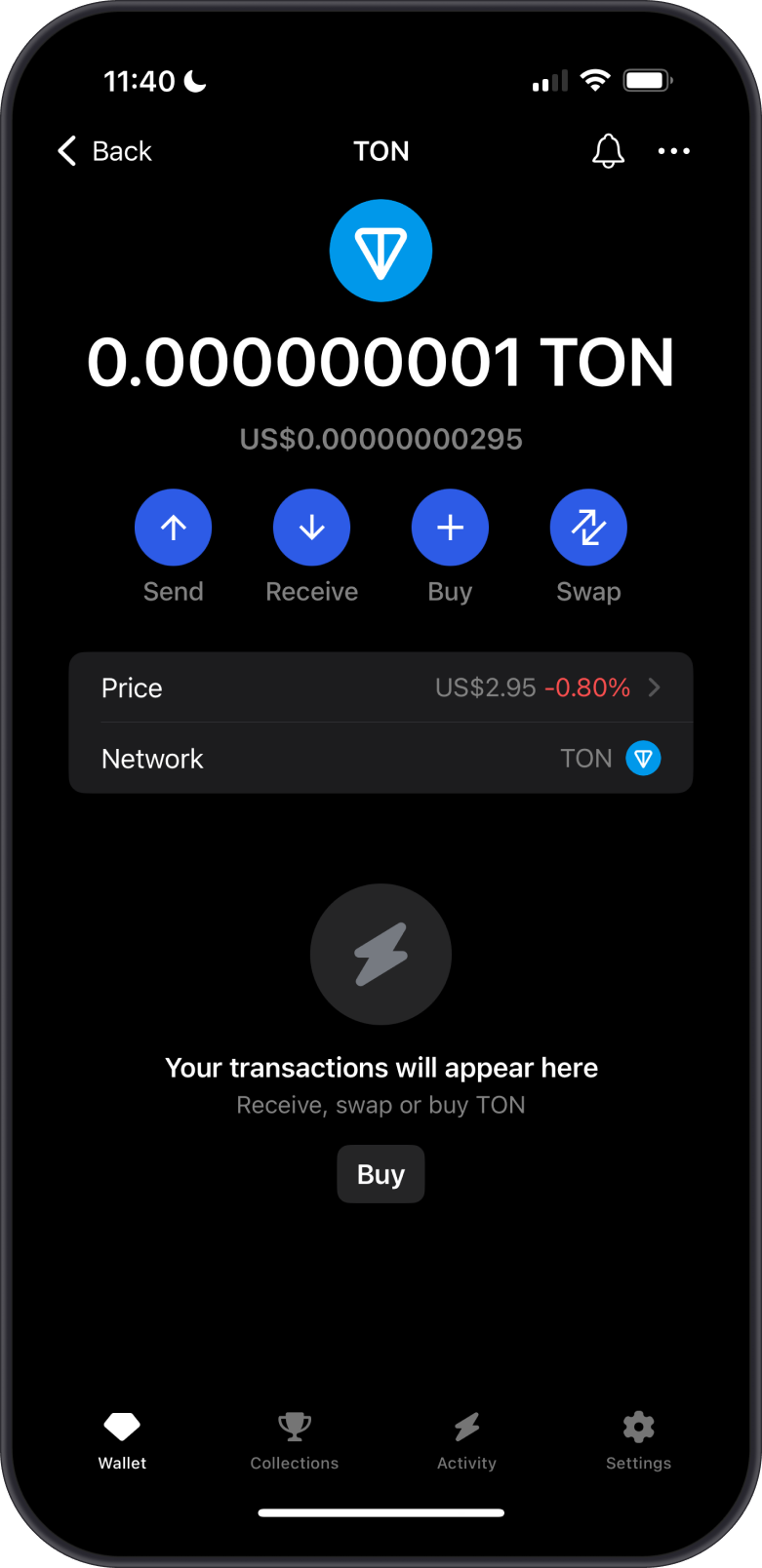
If you see an error message stating "Insufficient GRAM for network fee," it means you don't have enough GRAM in your wallet to cover the transaction fee. You can skip to Step 6 if you do not see any errors.
-
Fund GRAM for Network Fees:
- Go to the main screen of the Gem Wallet app.
- Tap on "Buy" or "Receive" to add GRAM to your wallet.
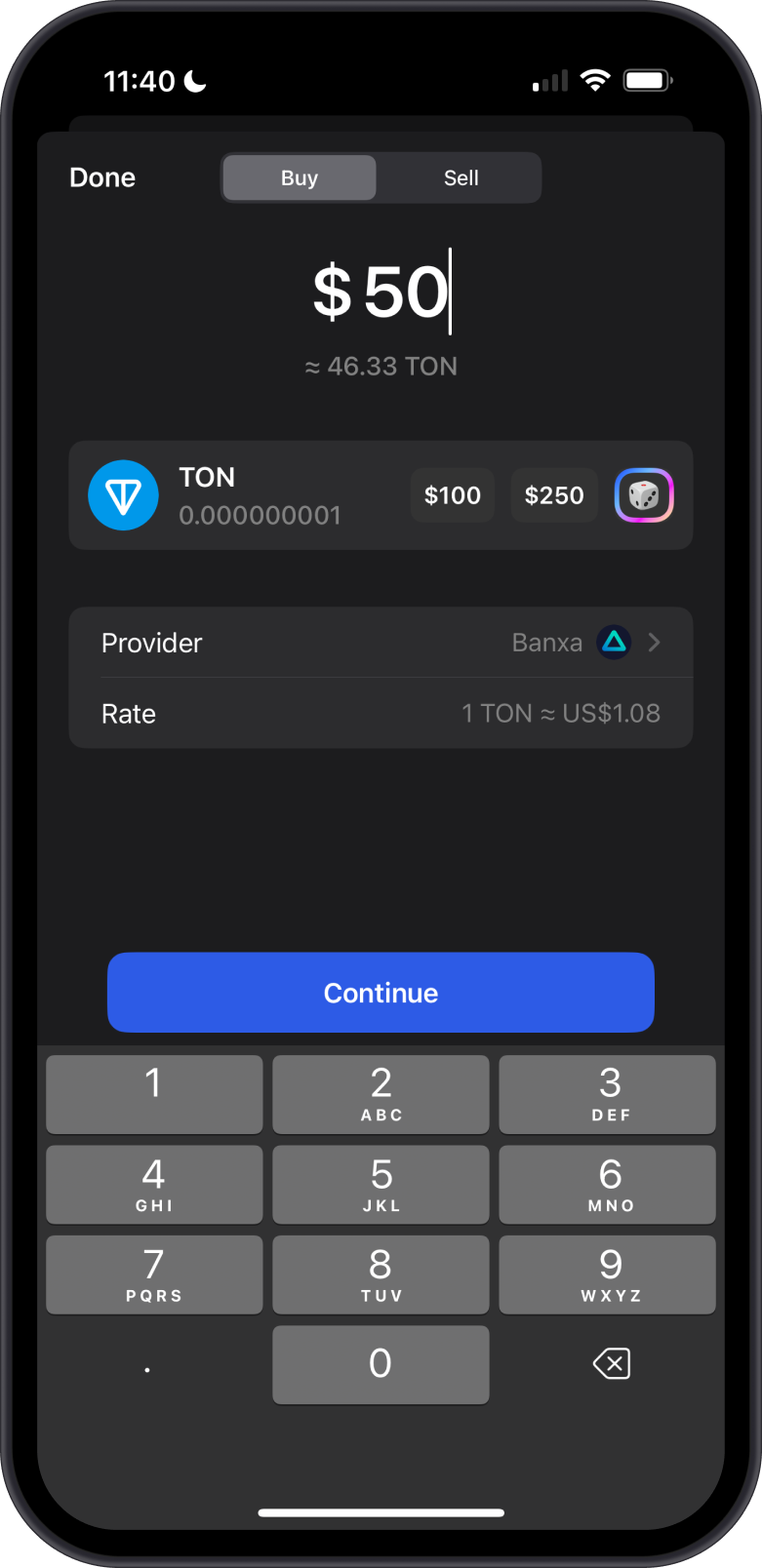
- To buy GRAM:
- Select "Buy" and choose GRAM.
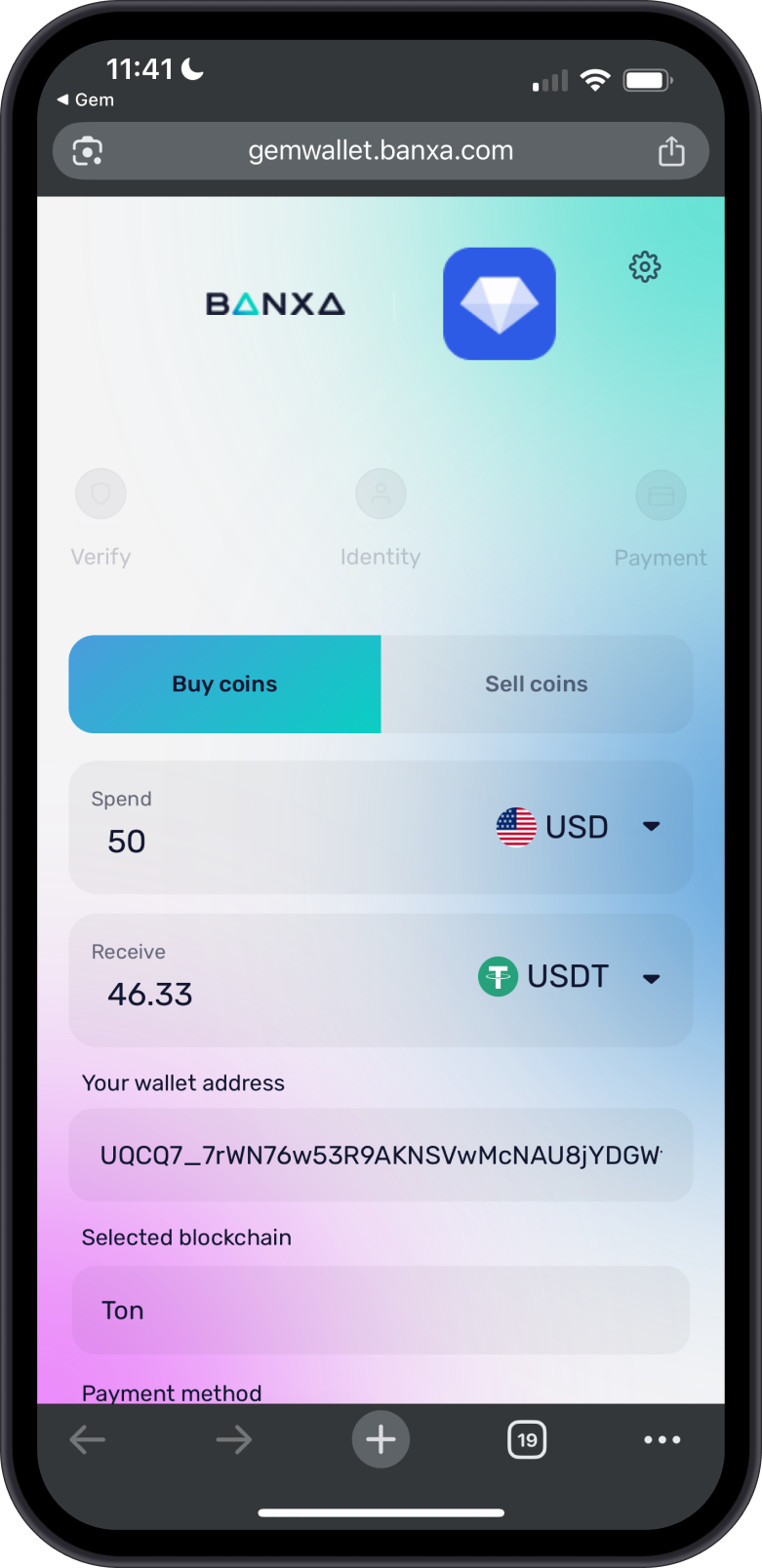
- Follow the prompts to purchase GRAM using a supported payment method (e.g., credit card).
- To receive GRAM:
- Tap "Receive" to display your TON wallet address or QR code.
- Share this address or QR code with an exchange or another wallet to transfer GRAM to your Gem Wallet.
- Wait for the GRAM to appear in your wallet (confirmation time depends on the TON blockchain).
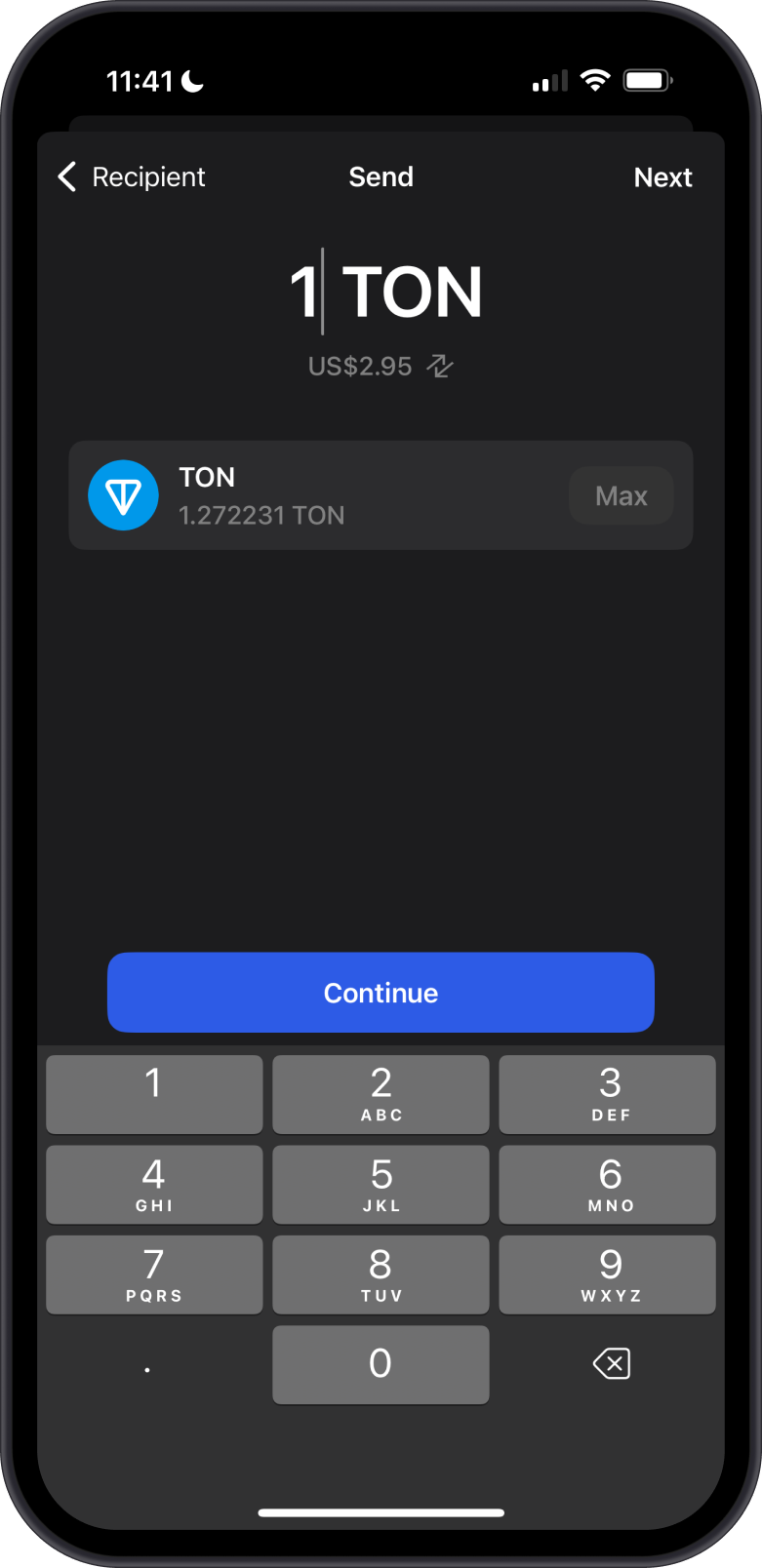
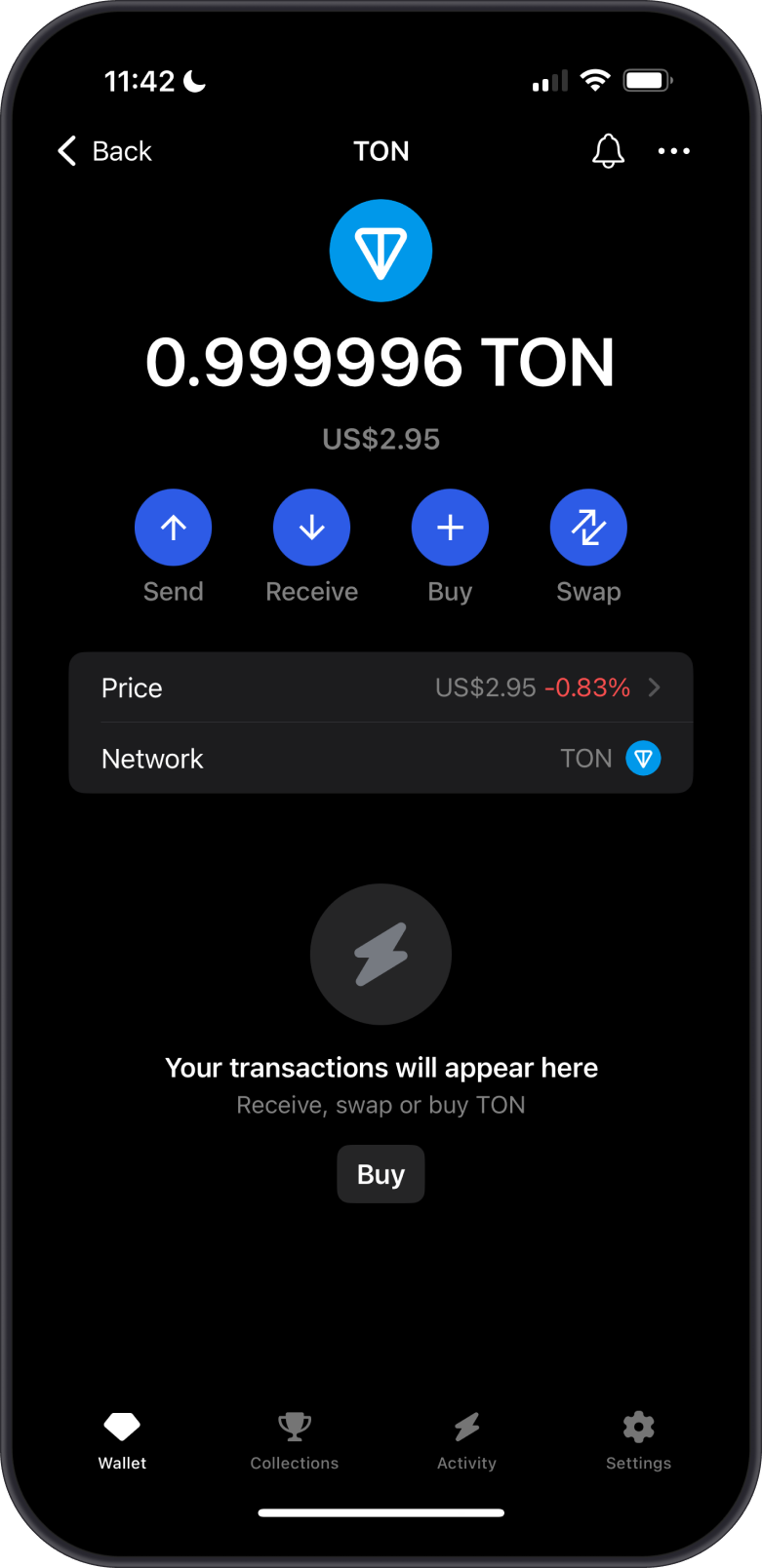
-
-
Retry Sending USDT-Jetton
- Return to the USDT-Jetton token in your wallet.
- Repeat Step 2: Select "Send," enter the recipient's TON wallet address, input the USDT amount, and tap "Continue."
-
Confirm the Transaction
- Confirm the transaction details. Gem Wallet will show the Network Fee.
- Tap "Confirm" to initiate the transfer.
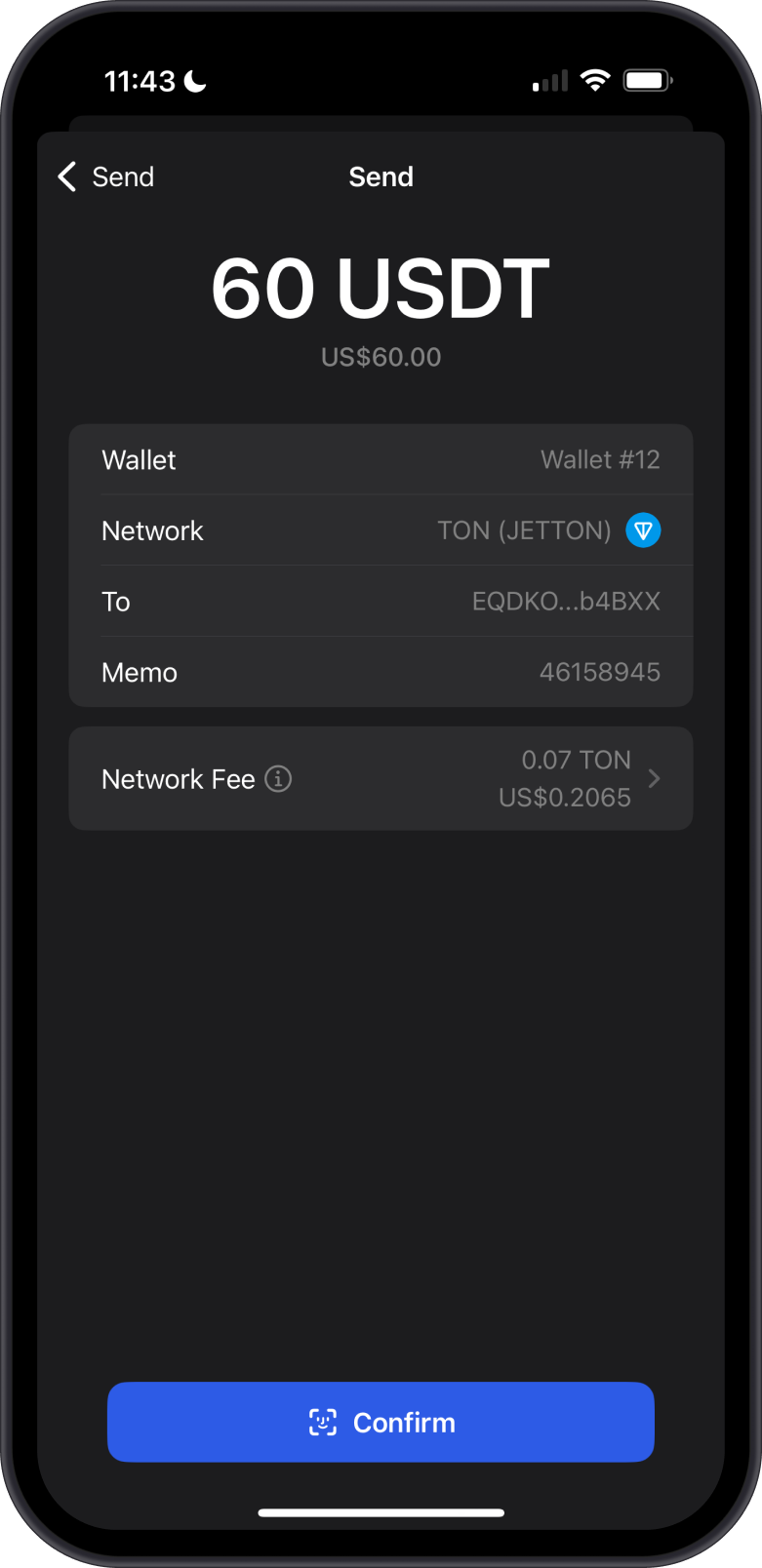
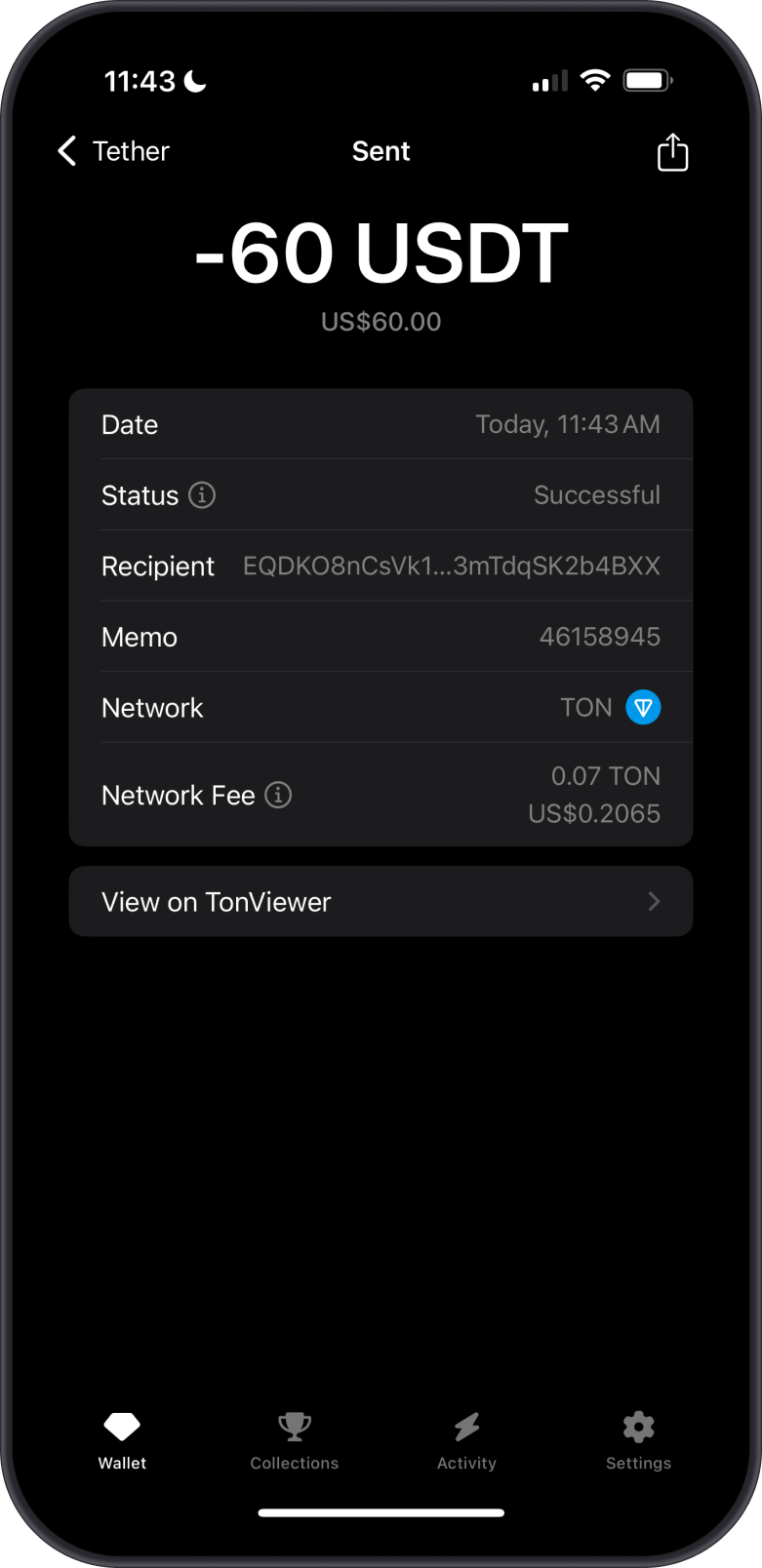
- Once the transaction is submitted, it will be processed on the TON blockchain (typically within seconds due to TON's high transaction speed).
- Check the transaction status in the Gem Wallet app or use a TON blockchain explorer (e.g., Tonviewer) by entering the transaction ID provided by the app.
- Confirm with the recipient that the USDT has been received in their TON wallet.
Congratulations! You have successfully sent your USDT-Jetton with Gem Wallet.