How to Migrate Monad (MON) From Phantom Wallet to Gem Wallet
This guide shows how to import the recovery phrase from Phantom Wallet into Gem Wallet and regain access to the same Monad address and assets. Importing a wallet does not send an on-chain transaction or remove the account; both apps can access it afterward.
Your recovery phrase gives complete control of your wallet. Never share it with anyone, enter it on a website, or send it to support. Complete these steps privately and make sure you installed the official Gem Wallet app. The recovery phrase visible in this guide is for demonstration only and must never be used.
Step 1 — Confirm the Monad Account in Phantom
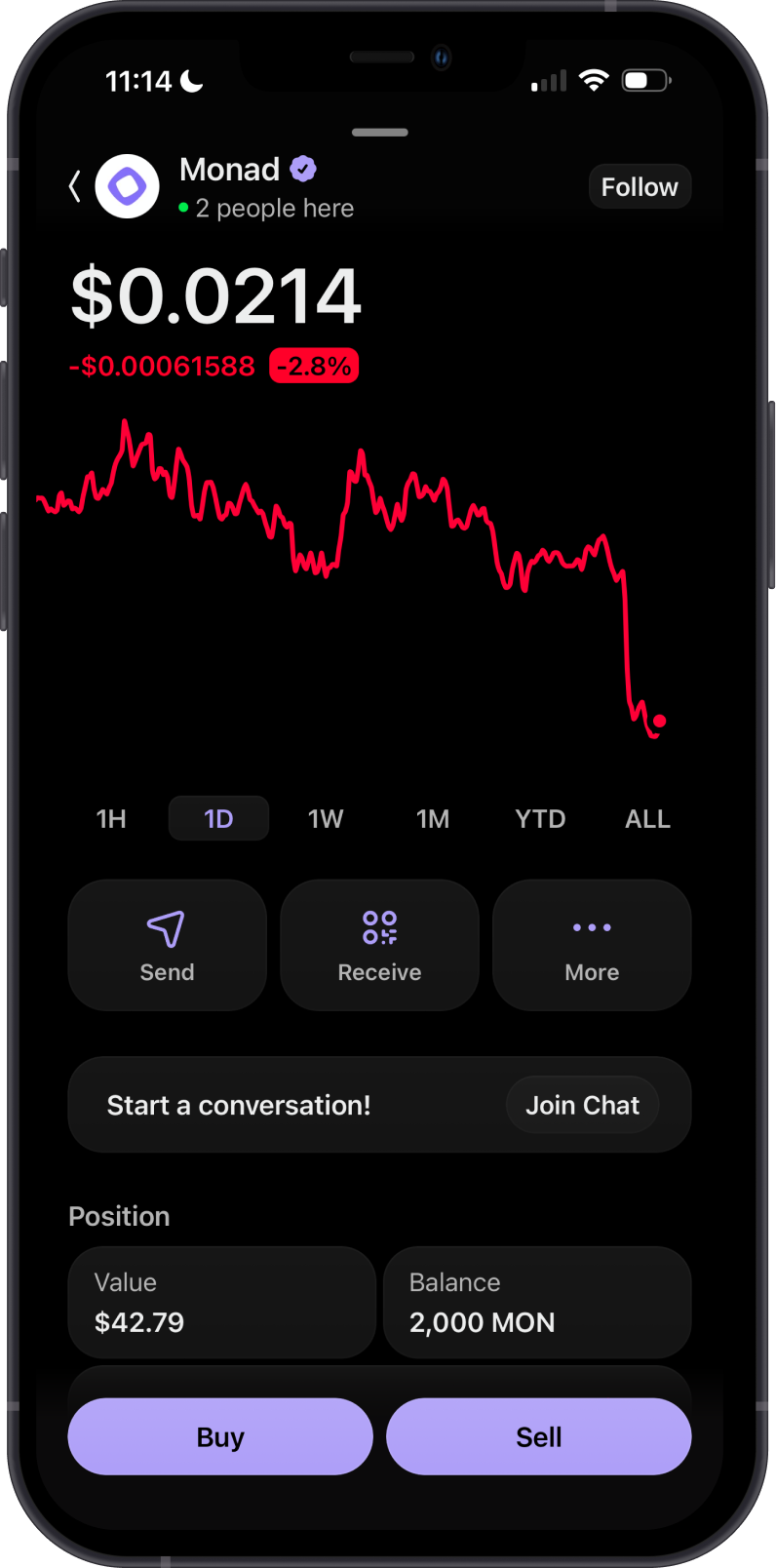
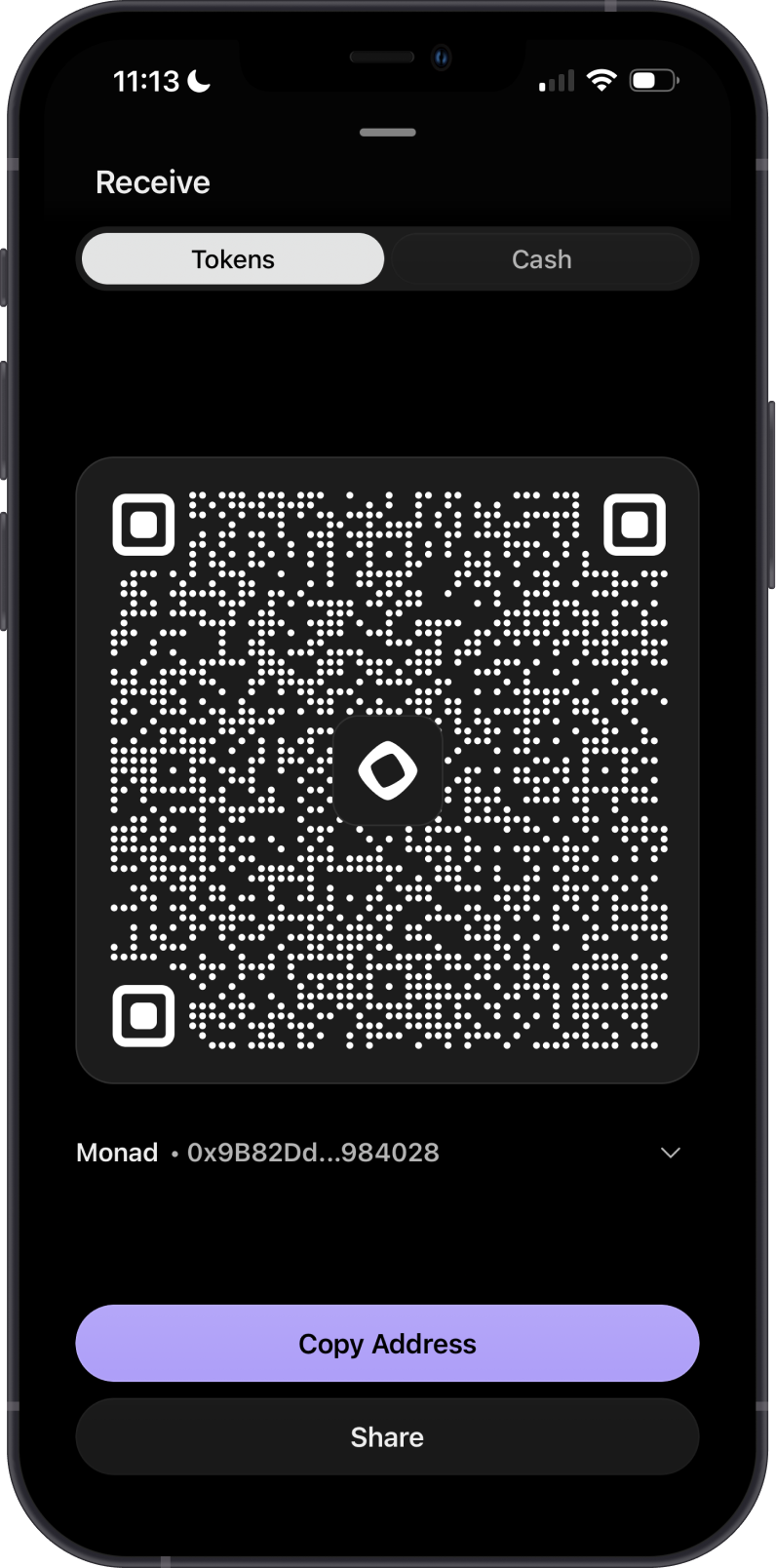
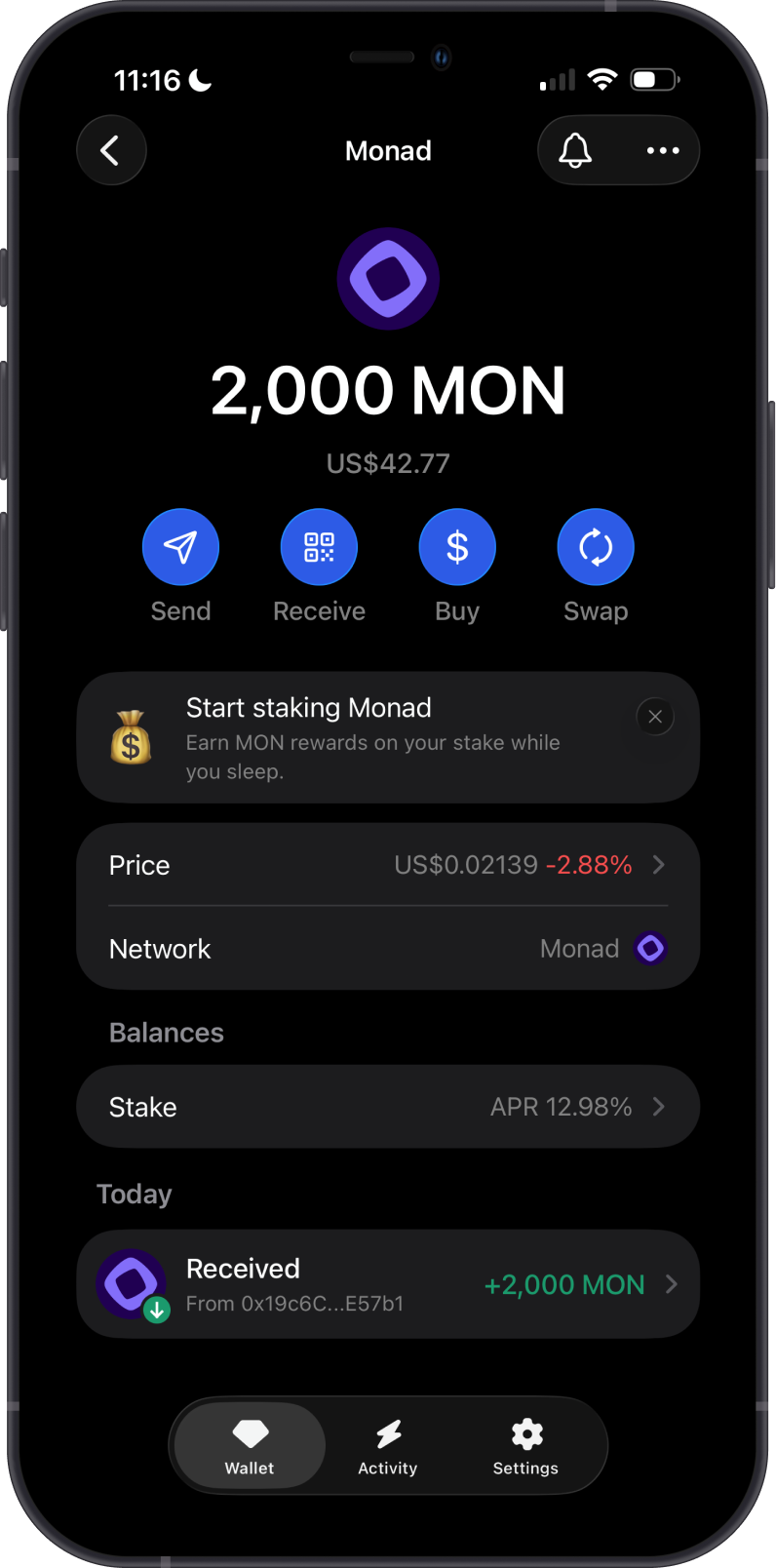
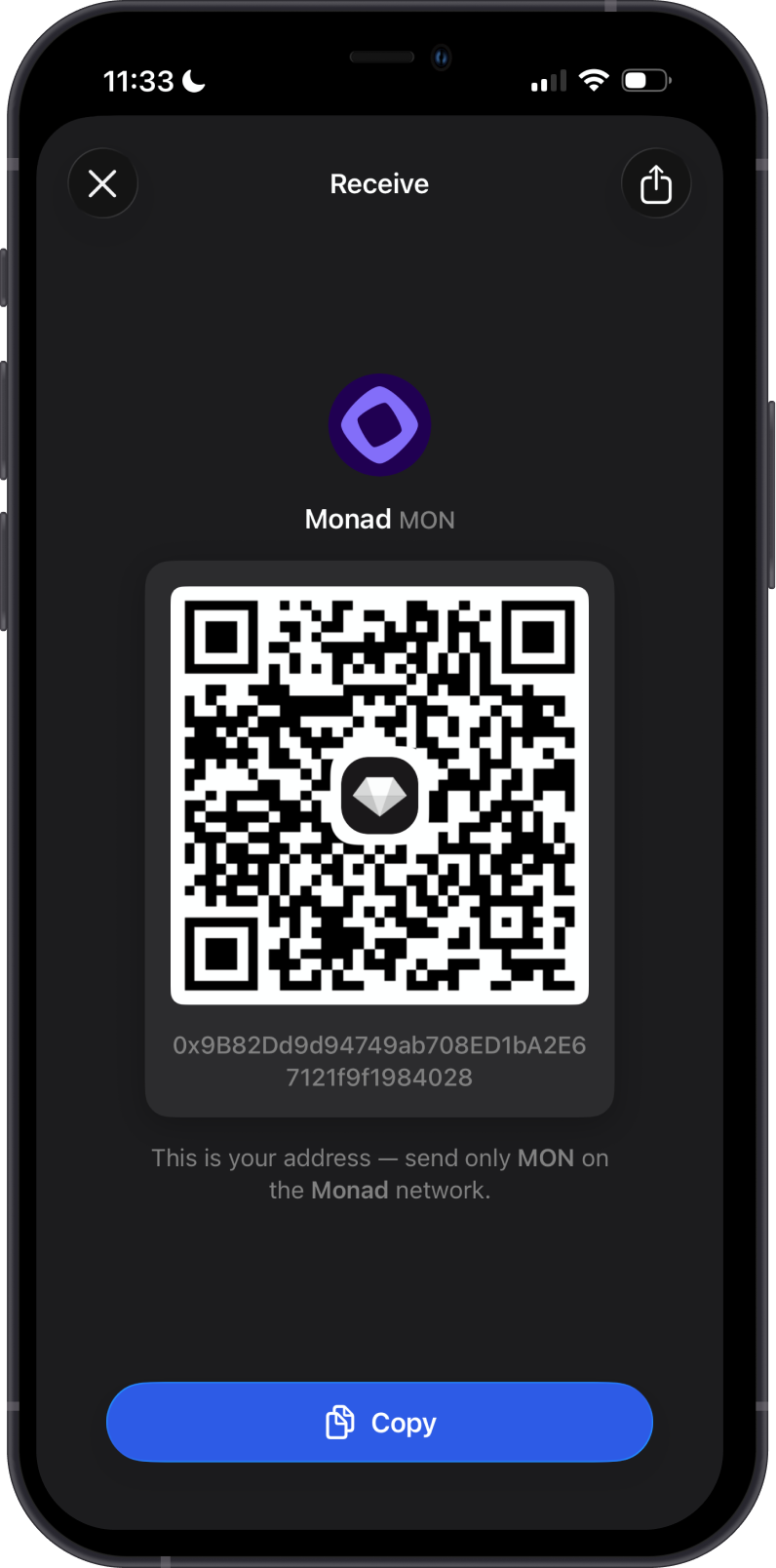
Open Monad in Phantom and confirm that you selected the account you want to import. Tap Receive to view its Monad address. You can compare this address with the one in Gem Wallet after the import.
Step 2 — Reveal the Phantom Recovery Phrase
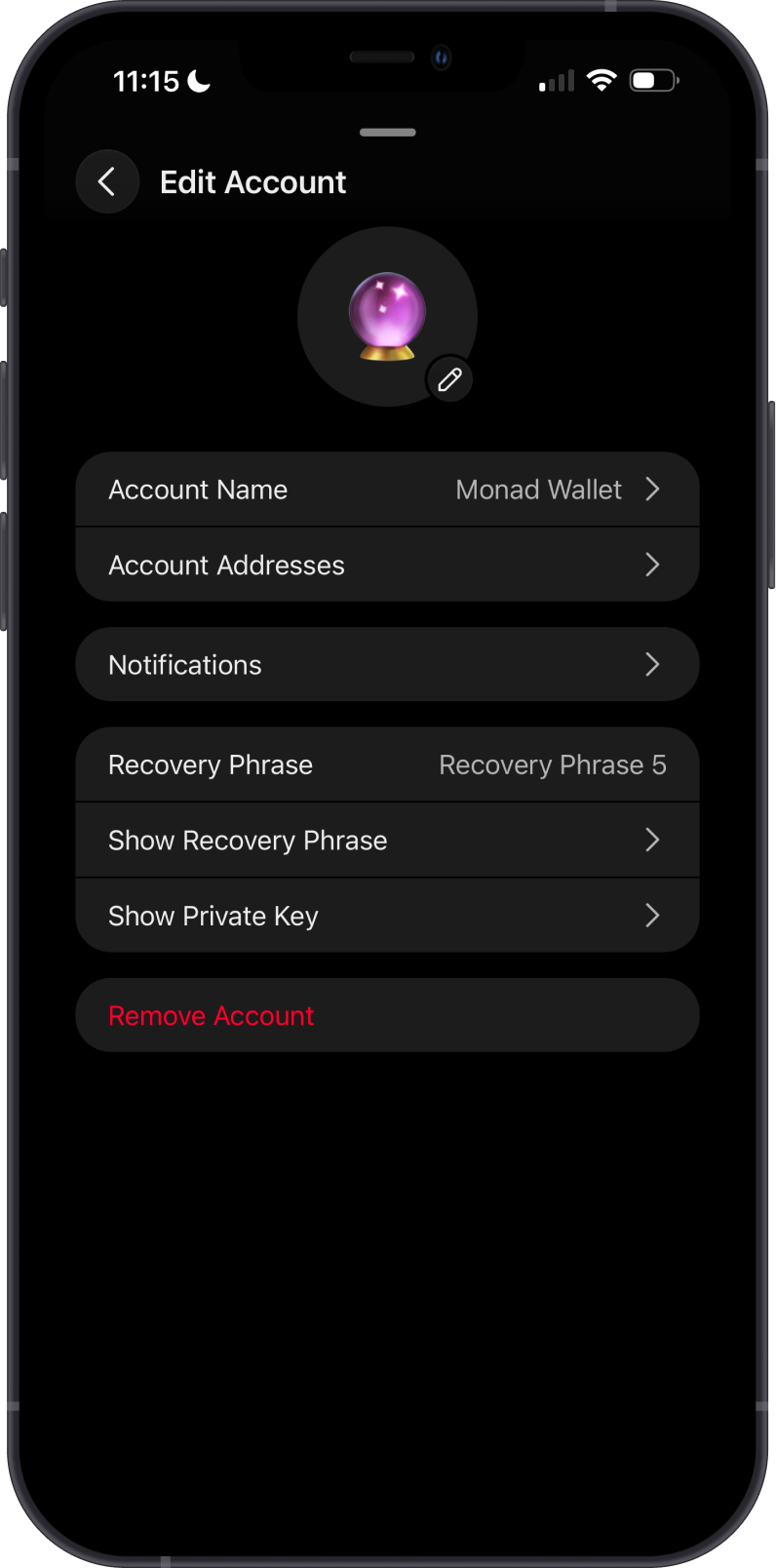
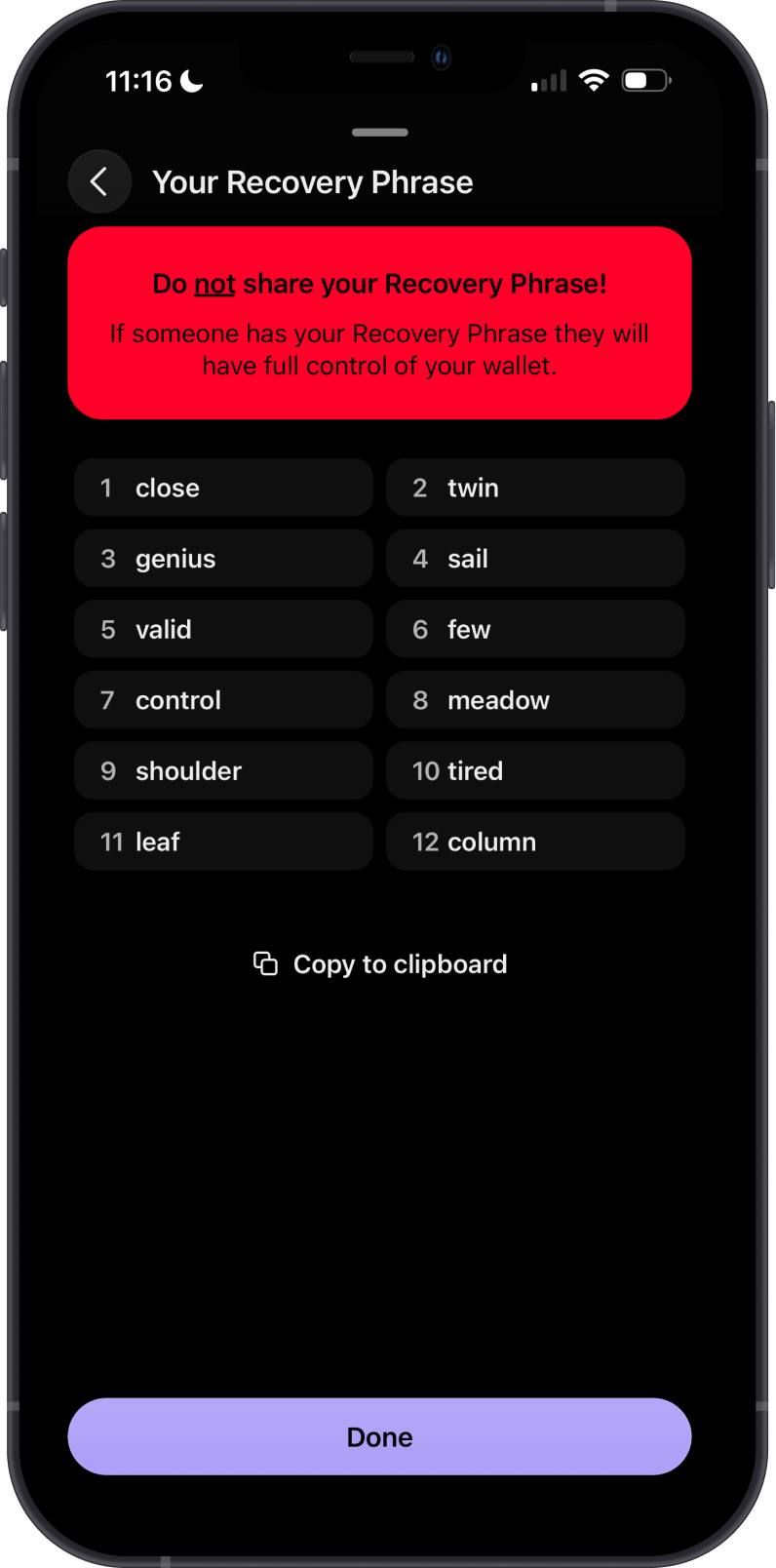
In Phantom, open Settings, tap on Manage Accounts then look for your Monad wallet. Tap on Show Recovery Phrase. Authenticate when prompted, acknowledge Phantom's warning, and securely copy or write down the words in their numbered order.
For additional details, see Phantom's official recovery phrase instructions.
If Show Recovery Phrase is unavailable, the account may have been imported with a private key or connected through a hardware wallet. Do not import a hardware wallet's recovery phrase into a software wallet.
Step 3 — Select Monad in Gem Wallet
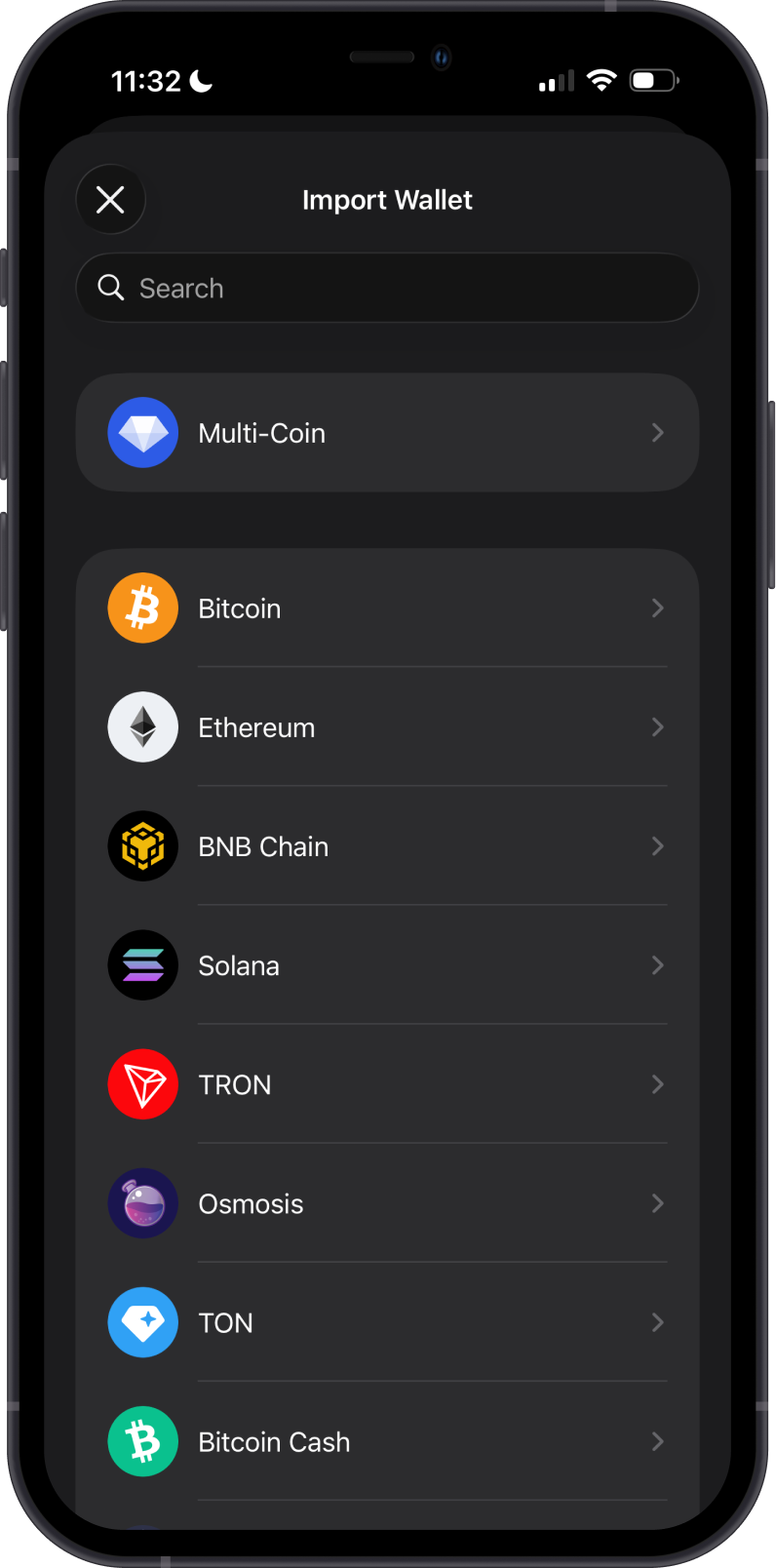
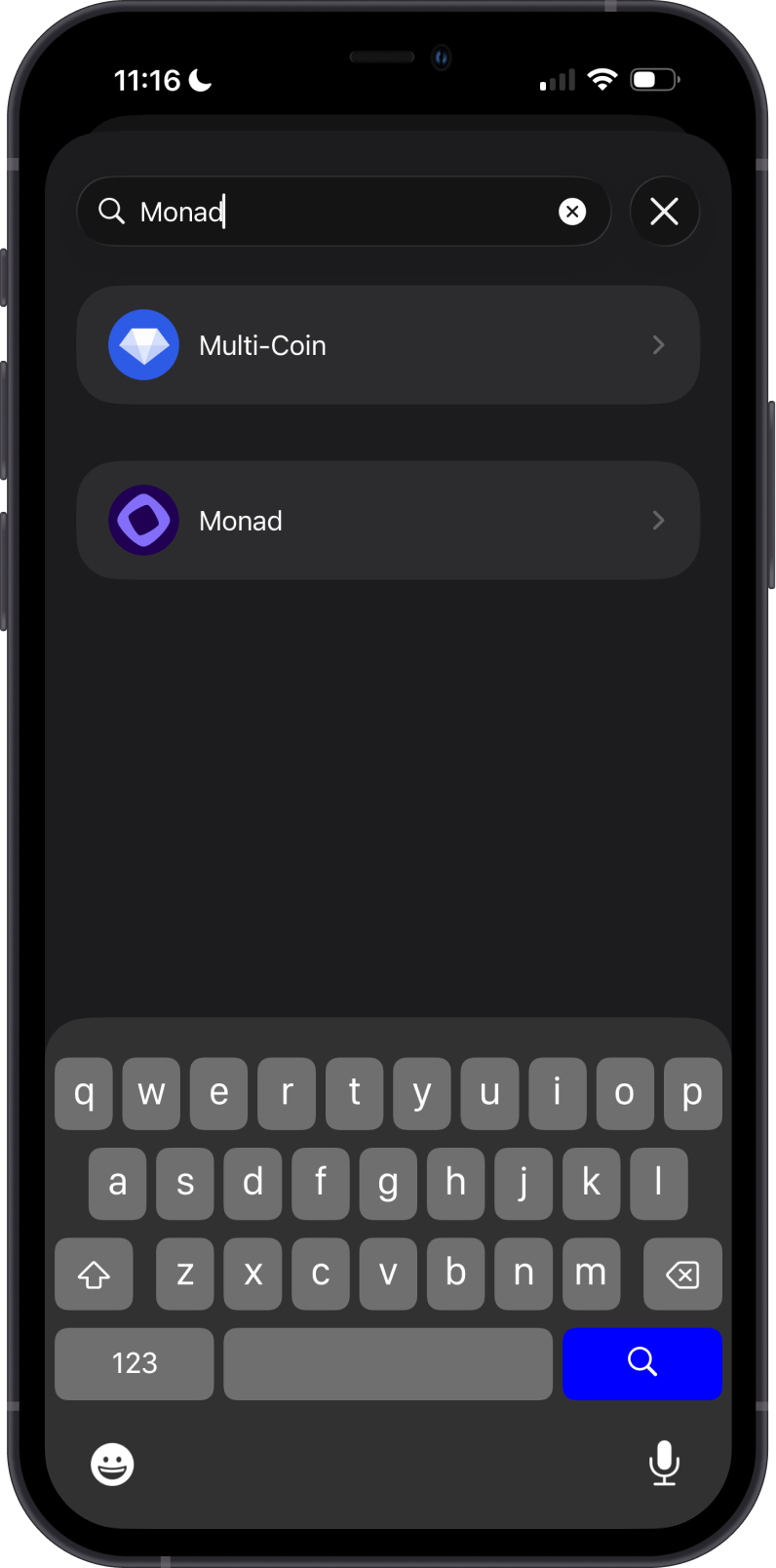
Open Gem Wallet and choose Import an Existing Wallet. On the blockchain selection screen, search for Monad, then select the Monad network rather than Multi-Coin.
Step 4 — Import the Recovery Phrase
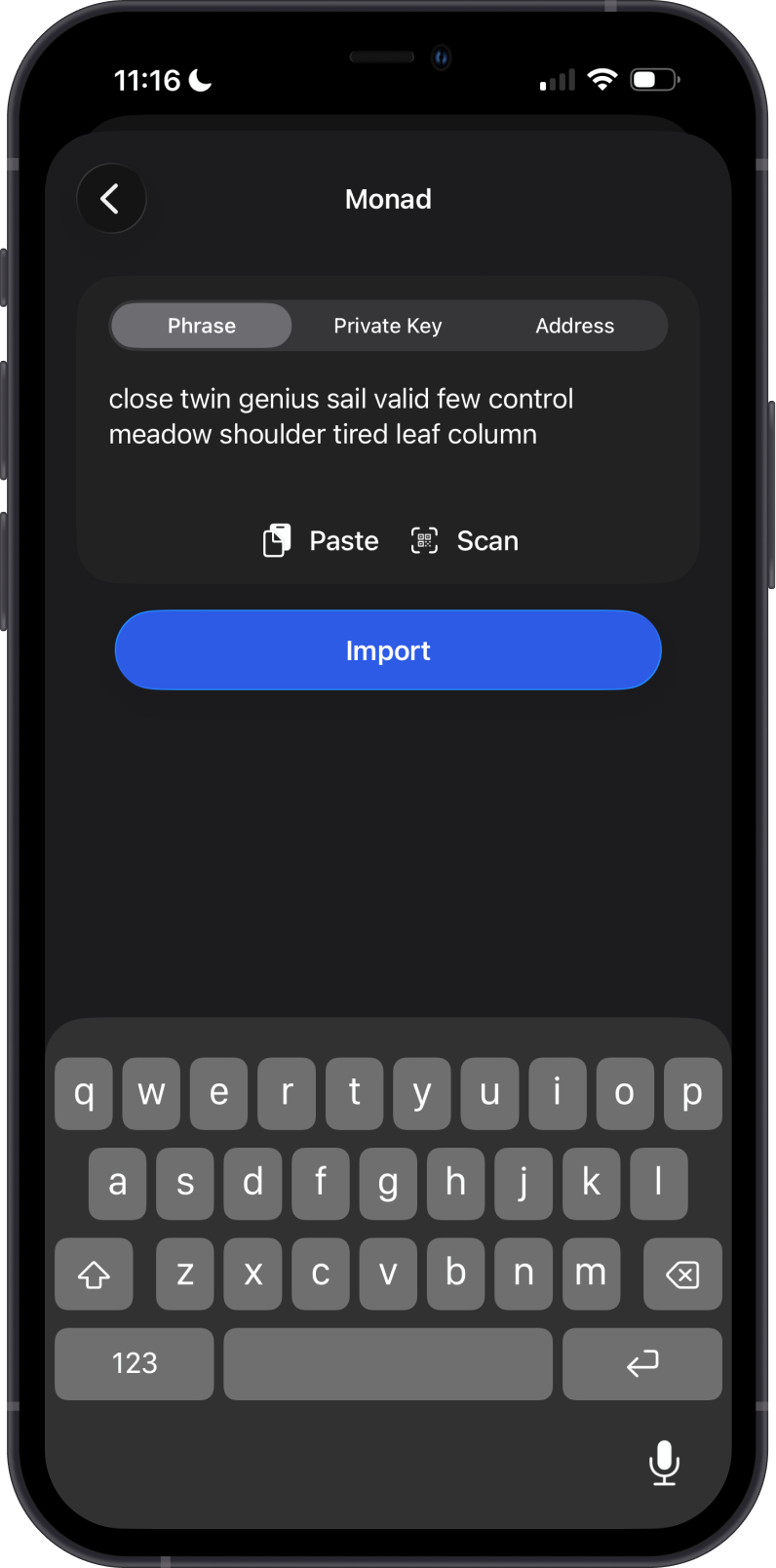
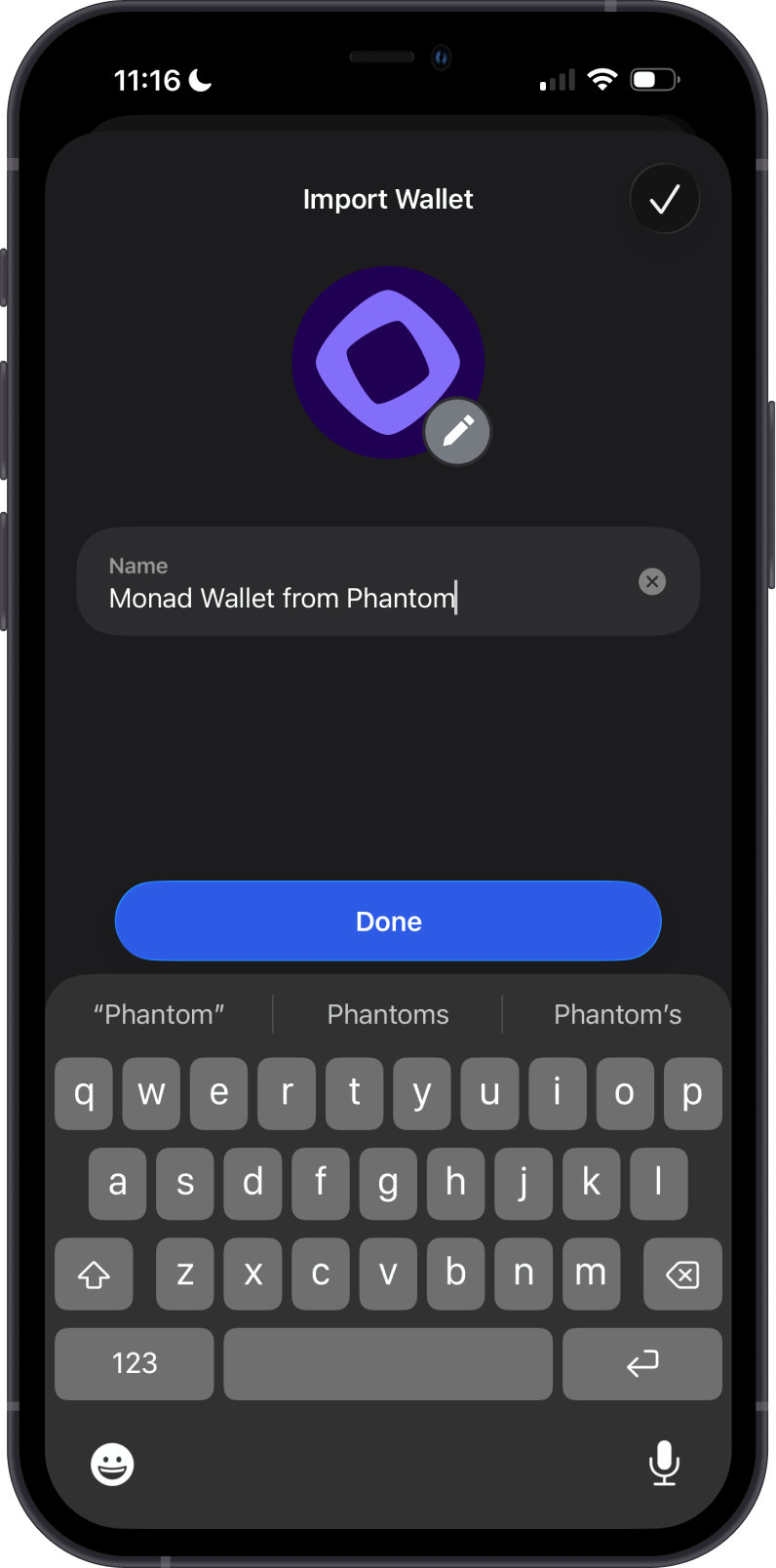
Keep the Phrase tab selected. Enter or paste the recovery phrase in the correct order, then tap Import. Give the wallet a recognizable name and tap Done.
Step 5 — Verify the Imported Wallet
Open Monad in Gem Wallet and check that the balance appears. Tap Receive to display the full address, then compare it with the Phantom address from Step 1 before using the wallet.
You have successfully imported your Phantom Monad wallet into Gem Wallet.
Keep your recovery phrase backed up securely offline. Clearing the clipboard after the import reduces the chance of another app reading it.