Gem Wallet Swap Fees Explained
Gem Wallet is a non-custodial, open-source mobile wallet (for iOS and Android) that lets you store, send, receive, and swap crypto across many blockchains (like Bitcoin, Ethereum, Solana, and more) without needing to leave the app.
When it comes to swap fees (exchanging one crypto for another, like BTC to USDT), here's a simple breakdown for beginners:
Gem Wallet Itself Charges No Extra Fees for Swaps
- Gem Wallet does not take any service fees, handling fees, or commissions on swaps.
- It's not like a centralized exchange (e.g., Binance or Coinbase) that adds its own cut. As a self-custody wallet, Gem Wallet doesn't hold your funds or skim anything off the top.
- All costs come directly from the blockchain networks and any third-party swap providers (like DEX aggregators or protocols such as THORChain, Uniswap, PancakeSwap, or others that Gem integrates with).
What Fees Do You Actually Pay When Swapping?
You usually pay two main types of costs during a swap in Gem Wallet:
Network Fees (Transaction / Gas Fees)
These are required by the blockchain(s) involved to process the transaction(s).
- Paid to miners or validators on the network — not to Gem Wallet.
- Examples:
- On Ethereum → Gas fees in ETH (can be higher during busy times).
- On Bitcoin → Fees in satoshis/BTC (you can choose low/medium/high priority in the app).
- On Solana → Usually very low (often under $0.01).
- Gem Wallet shows these fees upfront and often lets you adjust them (e.g., choose faster confirmation by paying more).
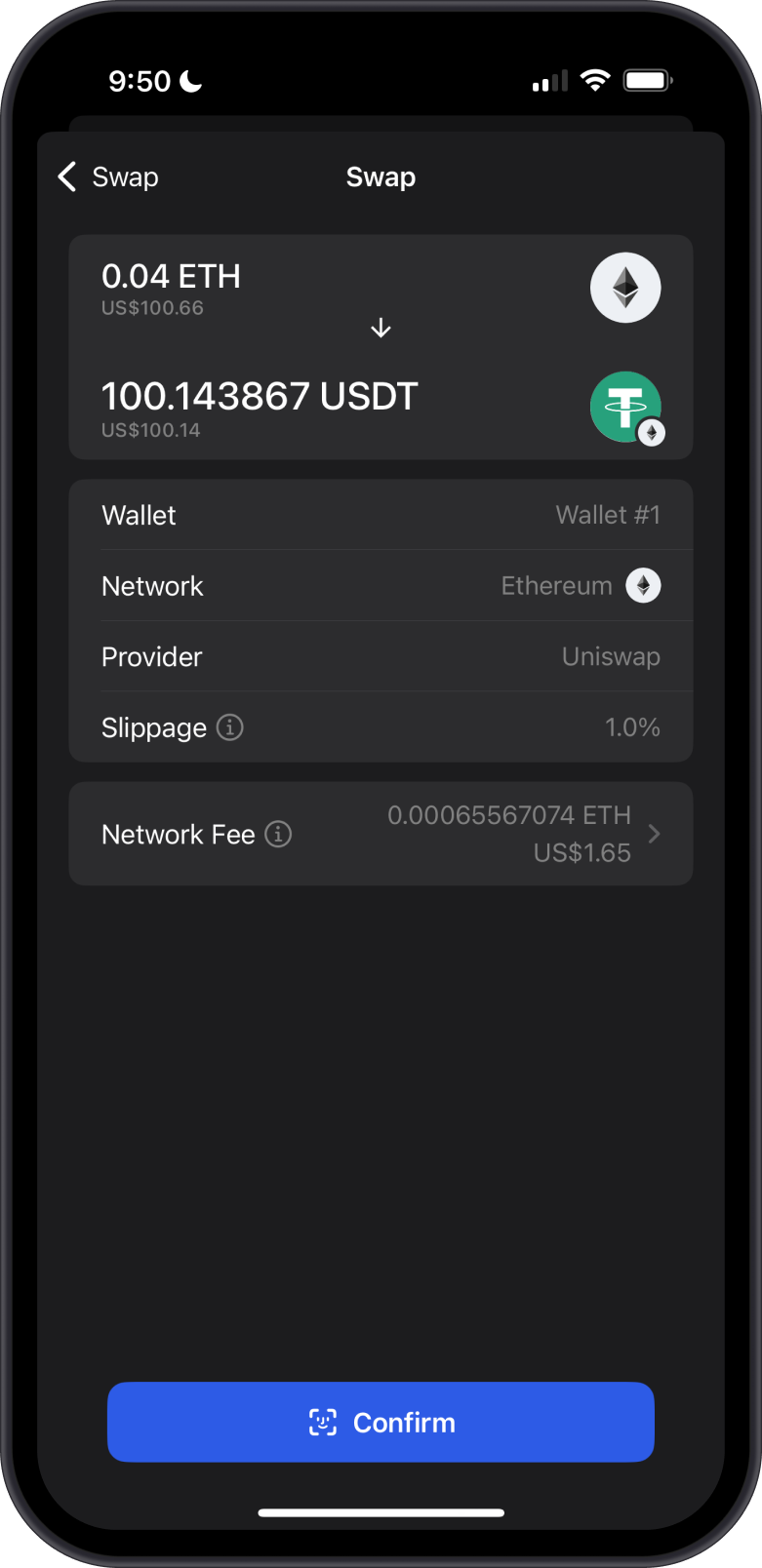
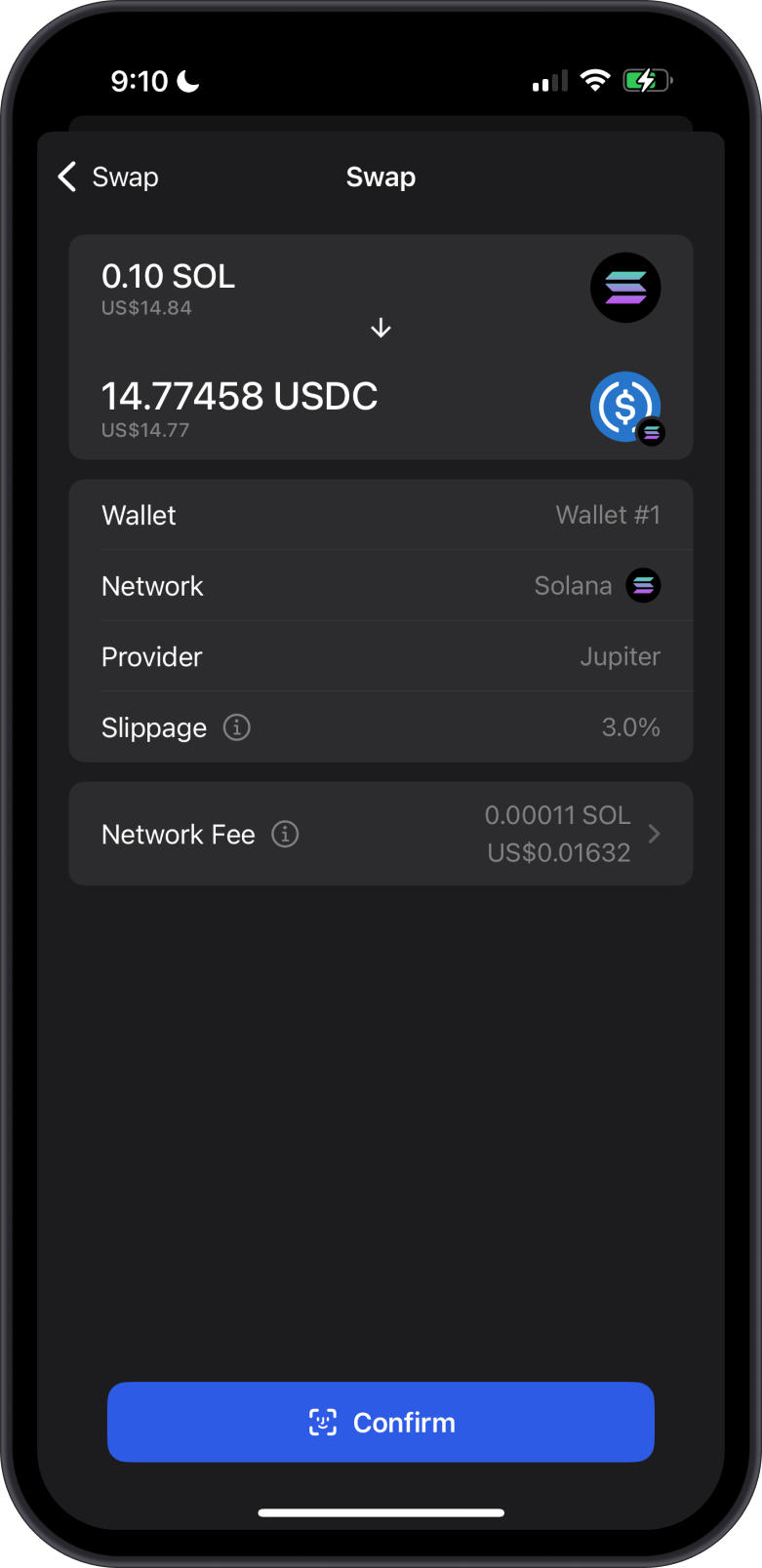
Here are some examples of swap fees on Ethereum and Solana. These token swaps are processed on their own respective blockchains.
Swap Provider / Protocol Fees (if any)
- Many swaps route through decentralized exchanges (DEX) or aggregators that find the best rate.
- These can include small protocol fees, liquidity provider fees, or slippage (price change during the swap).
- Gem Wallet searches for the best available offers across providers, balancing good rates with low fees — it aims for transparency with no hidden charges.
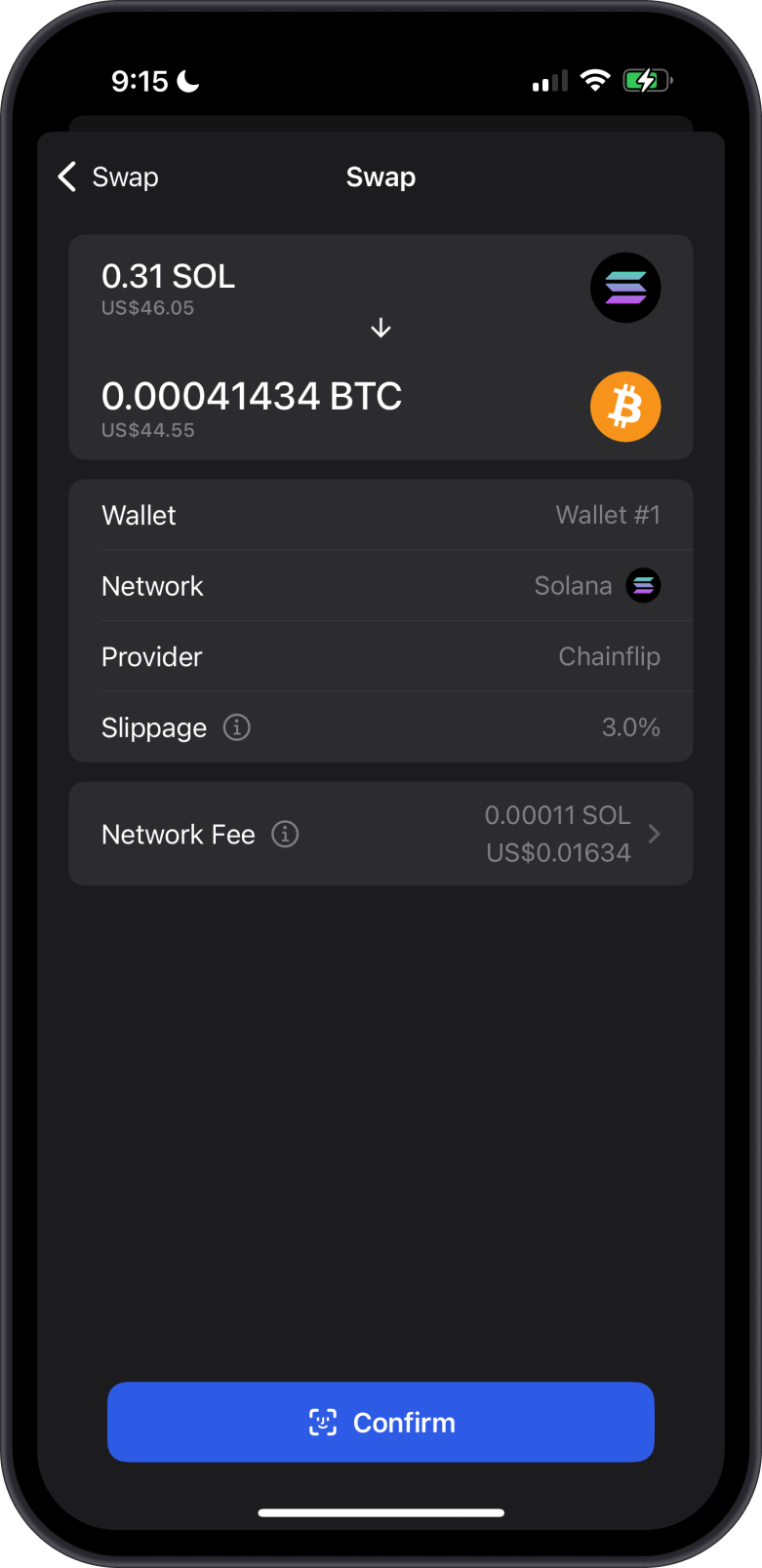
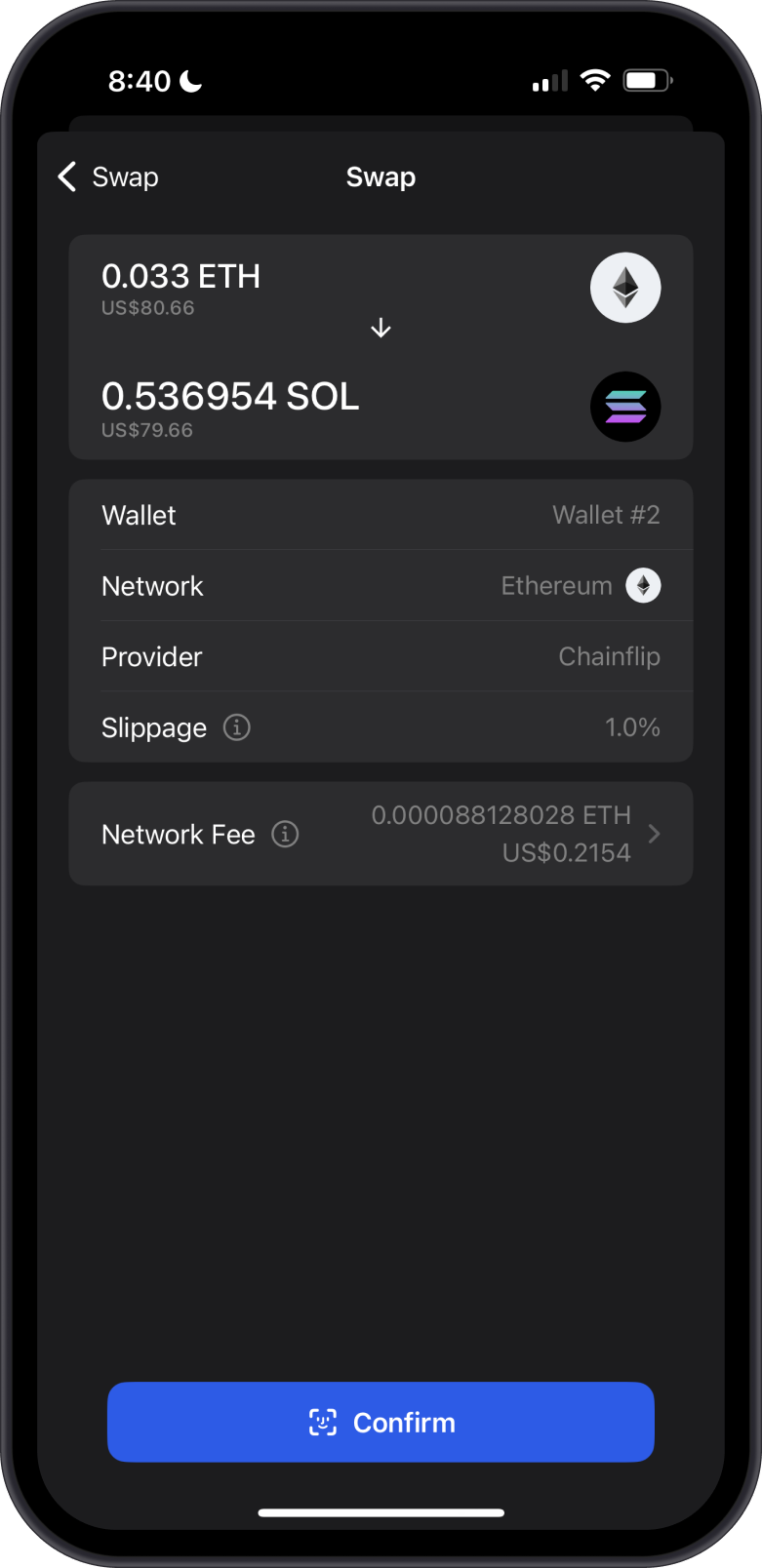
Here are some examples of cross-chain swaps where you can clearly see the network fees. Protocol fees (from DEX providers like THORChain, Chainflip, or others) are typically small percentages or fixed amounts based on the swap size and route chosen. These are automatically factored into the quoted rate.
The final amount you receive will often be slightly less than the input amount you entered.
Why Fees Can Vary
- Network congestion — Busy times (e.g., big market moves) mean higher fees to get your transaction processed quickly.
- Blockchain used — Low-fee chains like Solana or Binance Smart Chain are cheaper than Ethereum mainnet.
- Swap size and type — Cross-chain swaps or volatile pairs might involve more steps/fees.
Quick Tips to Keep Fees Low
- Check the fee preview in the app before confirming — Gem Wallet shows estimated costs and rates clearly.
- Swap during quieter network times if possible.
- Use low-fee networks when you can (e.g., swap on Solana instead of Ethereum for smaller amounts).
- Ensure you have enough extra balance to cover network fees (the app will warn you if not).
In short: With Gem Wallet swaps, you're mostly paying just the real blockchain costs — no wallet markup. This keeps things cheaper and more private than many centralized options. Always double-check the details shown in the app before hitting confirm!